Executive Summary: This case study profiles a Beauty & Personal Care consumer goods manufacturer that implemented Automated Grading and Evaluation to standardize batching and quality assurance through image-based checks. By turning SOPs into visual rubrics and capturing results in the Cluelabs xAPI Learning Record Store, the organization reduced defects and rework, sped up onboarding, and created audit-ready histories across sites. The article explains the challenges, the implementation approach, and lessons for leaders considering the same solution.
Focus Industry: Consumer Goods
Business Type: Beauty & Personal Care
Solution Implemented: Automated Grading and Evaluation
Outcome: Standardize batching and QA with image-based checks.
Cost and Effort: A detailed breakdown of costs and efforts is provided in the corresponding section below.
Service Provider: eLearning Solutions Company
A Beauty and Personal Care Consumer Goods Manufacturer Faces High Stakes in Batching and QA
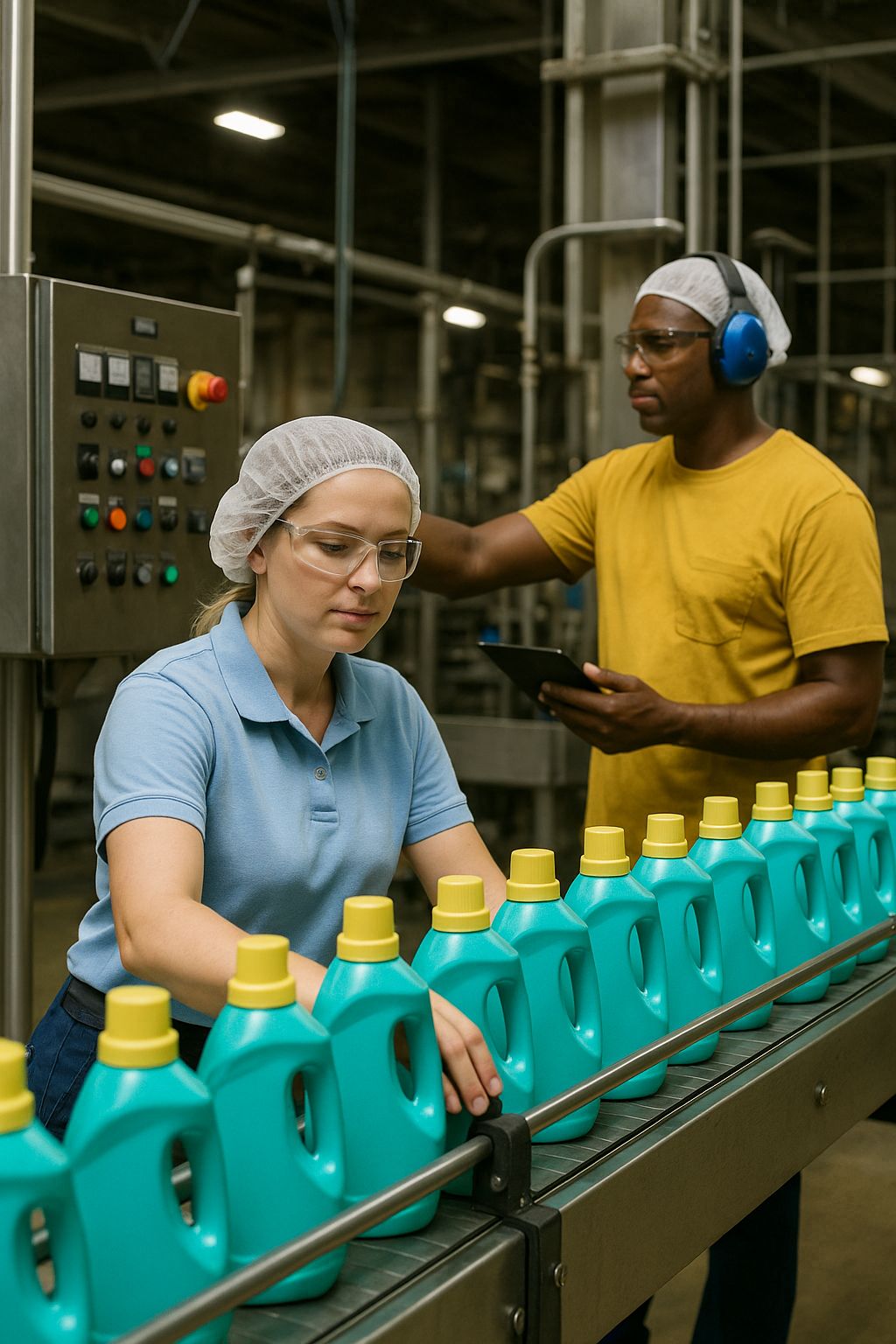
In Beauty and Personal Care, every jar, tube, and bottle is a promise to the customer. A lotion must feel the same from batch to batch. A serum must match the color on its spec sheet. A label must sit straight on the package. This manufacturer runs fast-paced lines across multiple shifts to meet seasonal demand and retailer deadlines. That speed raises the stakes. One small miss in batching or quality checks can ripple into wasted product, line stops, customer complaints, and tense conversations with retail partners.
Batching sits at the heart of the operation. Teams combine ingredients with tight targets for temperature, pH, viscosity, color, and scent. Raw materials vary by lot. Room conditions shift through the day. New formulas and limited editions add complexity. A subtle mistake can change texture or color in ways a shopper will notice. Catching issues late means rework or scrap, which hits cost and carbon goals and saps morale on the floor.
Quality checks are frequent and often visual. Operators and inspectors look for fill level, cap torque, seal integrity, label placement, clarity, air bubbles, and shade. Much of this relies on human judgment. Lighting differs from station to station. People move at different speeds. What looks acceptable to one person may be flagged by another. Training helps, but feedback often arrives after a shift ends, when it is too late to correct the run.
The workforce is diverse and mobile. Plants bring in new hires to cover growth and attrition. Experienced operators rotate across lines. Standard operating procedures change with new packaging, reformulations, and supplier updates. Learning teams need a way to make skills stick on the job and to show proof of consistency for audits without adding paperwork.
What was at stake
- Protect brand trust through consistent product look and feel
- Hit retailer standards and pass audits without scramble
- Reduce scrap, rework, and unplanned downtime
- Shorten time to proficiency for new and rotating staff
- Meet safety and labeling requirements across sites
What made it hard
- Subjective visual checks that vary by person and shift
- Frequent changes to formulas, packaging, and SOPs
- Limited time for on-the-job coaching during peak runs
- Data scattered across lines, plants, and paper checklists
- Delayed feedback that misses the moment to correct
The team set out to make “what good looks like” crystal clear, turn visual checks into shared examples, and give people fast, objective feedback while they work. They also wanted reliable data that travels across sites, so leaders can spot patterns, coach sooner, and prove consistency with confidence.
Inconsistent Skills and Manual Inspections Create Variability and Rework
Skill levels on the line were uneven. Some operators had years of experience and a strong eye. Others were new or had just rotated to a different product. Everyone wanted to do the right thing, yet people interpreted the same steps in different ways. When pace picked up, small shortcuts crept in. A cap felt tight enough. A label looked straight enough. Over time, those little differences showed up as inconsistent batches and extra work.
Manual inspections made the gap wider. Many checks were visual and fast. Lighting changed from station to station. Tinted bottles hid tiny bubbles. Two inspectors could look at the same unit and disagree. Fatigue late in a shift made it harder to spot a shade that was just a bit off. Instruments helped with measures like pH and viscosity, but setup and timing still depended on habit and judgment.
Paper checklists and clipboards were the norm. Notes lived in pockets, on whiteboards, and in spreadsheets that only one person owned. Photos for examples sat on phones or in shared folders that were hard to search. Training records lived in the LMS, but they said little more than “completed.” None of it connected in a way that helped an operator fix an issue in the moment.
Where variability showed up
- Fill levels drifted within the same run
- Labels skewed a few millimeters, especially on curved bottles
- Shades shifted slightly between lots, noticeable on shelves
- Caps passed a quick twist test but failed torque checks later
- Viscosity looked right in the tank but changed in final packs
These misses triggered rework and scrap. A pallet could come back from QA. Teams would pause the line, relabel, or rerun tests. Schedules slipped and overtime crept in. Customer service flagged returns that traced back to a simple step done two different ways. Leaders knew the costs were more than material. Rework chipped away at confidence and slowed learning for new staff.
Training did not close the gap. People took courses and passed quizzes, yet they still asked, “Is this good enough?” The materials explained the process, but they did not show clear side-by-side examples of good and not good for each product. Practice happened on the floor with real work and real pressure. Feedback often came at the end of the shift, when it was too late to save the batch.
Why manual inspections fell short
- Standards were written, but “what good looks like” was not visible in the moment
- Judgment varied by person, shift, and site
- Data was scattered and hard to use for quick coaching
- Feedback arrived after decisions were already made
- New products and packaging changed faster than training could keep up
The team saw a pattern. Without clear, shared examples and fast, objective feedback, small differences in skill and habit turned into variability and rework. They needed a way to make quality checks consistent, help people learn while they worked, and give leaders reliable data to spot trends before they became costly problems.
The Team Defines a Scalable Learning Strategy That Links SOPs to Image Driven Performance Data
The team set a clear goal. Make “what good looks like” visible at the station, measure it in real time, and help people fix issues before they grow. They chose a learning strategy that ties everyday work to simple picture checks and fast feedback. Automated Grading and Evaluation would score what the camera sees. The Cluelabs xAPI Learning Record Store would hold the results so everyone looks at the same facts.
The strategy rested on five plain ideas
- Show clear examples at the point of work, not just in a manual
- Give practice and feedback while people run the line
- Use pictures and simple scores to remove guesswork
- Keep one source of truth for performance data across sites
- Make updates fast so training keeps pace with product changes
The first step was to turn SOPs into simple, visual checklists. For each product, the team broke steps into small, observable actions and set a pass, caution, or fail for each one. They paired every rule with a photo that showed good and not good. For labels, that meant a straight edge within a small tolerance. For caps, that meant a torque range with a photo of a cap that sits flush and one that sits high.
Next, they built an image library for each SKU. They gathered photos from real runs under different lights and camera angles. They tagged each image with batch, lot, and line. They wrote short notes that explained what the eye should look for. The goal was simple. When an operator sees an issue on screen, the example beside it shows exactly how to correct it.
The team then connected the tools people already use. Phones and tablets at inspection points captured images on cue. Automated Grading and Evaluation scored each image against the rules. Every result became an xAPI statement that flowed into the Cluelabs xAPI Learning Record Store. Scores were tagged by SKU, batch, line, and operator. The LMS pulled from the same data to assign quick refreshers when someone needed a boost.
How feedback reached people fast
- On-screen prompts told operators what to fix and showed a side-by-side example
- Supervisors saw live dashboards with red and green checks by line and by step
- Short practice clips in the LMS opened with one tap when a pattern of misses appeared
- Shift huddles used a daily heat map to celebrate wins and plan quick coaching
Governance kept the system trusted and current. QA and line leaders owned the rules for each SKU. L&D owned the images and training flow. Any change to an SOP triggered a quick update to the checklist and its photos. Monthly calibration sessions had teams review a small set of images and confirm scores. The LRS kept version history for audits.
Rollout was paced to prove value and build confidence
- Start with one high-volume SKU and one line
- Set a baseline for defects, rework minutes, and time to proficiency
- Run for two cycles, gather feedback, and simplify any step that slowed the line
- Scale to more SKUs and a second site with the same playbook
From the start, the team picked measures that leaders care about. They tracked first-pass yield, rework and scrap, audit findings, and time to proficiency for new hires. They also watched usage rates in the LMS, the number of real-time prompts accepted, and the speed of fixes after a prompt. With SOPs tied to pictures and scores, the plan gave people clarity, gave leaders clean data, and set the stage for a solution that could grow across products and plants.
Automated Grading and Evaluation With the Cluelabs xAPI Learning Record Store Standardizes Batching and QA
Here is how the solution worked. Cameras and tablets sat at key steps in batching and on the lines. Automated Grading and Evaluation checked each photo against simple rules for label angle, fill height, cap position, color shade, and bubbles. The Cluelabs xAPI Learning Record Store collected the score for every check and tagged it by SKU, batch, line, and operator. With one source of truth, the same standard applied on every shift and at every site.
One check from start to finish
- The operator snaps a photo or the station camera takes one on cue
- The system compares the image to a clear rule and returns pass, caution, or fail
- If caution or fail, the screen shows a side-by-side example and a short tip to fix it
- The result and image save to the LRS with tags, time, and the SOP version
- If thresholds trip, the LMS assigns a quick refresher and notifies the supervisor
- The operator makes the fix, repeats the check, and records a pass
What people saw day to day
- Operators: Simple prompts, pictures of good versus not good, and clear next steps without guesswork
- Supervisors: Live dashboards by line and step with green, yellow, and red checks plus alerts when patterns appear
- QA: A full history for each batch with images, scores, and sign-offs ready for audits
- L&D: Heat maps of skills by station, auto-enrollment into short refreshers, and easy updates when an SOP changes
The data backbone that made it stick
- The LRS acted as the central layer for all image-based checks and rubric scores
- Shop-floor apps and the LMS sent simple activity records that the LRS stored and organized
- Data was tagged by SKU, batch, line, and operator, which made trends and root causes easy to spot
- Supervisors used real-time views to coach in the moment and prevent rework
- Audit-ready histories proved that the same rules were applied across sites
Why it standardized batching and QA
- Pictures and plain rules replaced opinion with shared facts
- Feedback arrived during the run, not after the shift
- One data store kept scoring and training in sync across plants
- Small fixes happened fast, so issues did not spread through a batch
- Updates to images and rules flowed to every station at once
The result was a smooth loop. Operators saw exactly what good looks like. The system graded the check the same way every time. Leaders watched performance in real time. Training stepped in only when it was needed. Together, Automated Grading and Evaluation and the Cluelabs xAPI Learning Record Store made consistent work the easy path.
Standardized Batches Reduce Defects Speed Onboarding and Strengthen Compliance
The change was easy to feel on the floor. Checks looked the same at every station. People got answers in the moment, not at the end of a shift. Automated Grading and Evaluation called out small misses before they spread. The Cluelabs xAPI Learning Record Store kept a clean trail of images and scores for every batch. Together, they turned “do it the same way” from a wish into a daily habit.
What improved
- More units passed on the first run, with fewer holds and reruns
- Rework and scrap dropped as issues were caught early
- Line stops were shorter and schedules stayed steadier
- Color, fill, and label placement stayed within tight limits across sites
- Supervisors coached faster because dashboards showed where help was needed
Onboarding and skill growth got faster
- New hires learned by doing with on-screen examples and quick tips
- Small refreshers launched right away when a pattern of misses appeared
- Operators moved between products with less ramp time because rules and pictures stayed consistent
- Shift leads used daily heat maps to plan targeted practice in five-minute bursts
Compliance got stronger and simpler
- Each check saved to the LRS with the image, score, time, and SOP version
- Auditors saw proof that the same rules applied across lines and sites
- Teams pulled batch histories in minutes instead of hunting through paper and folders
- Change logs showed when SOPs updated and how quickly stations followed
Cost and sustainability benefits followed
- Less scrap and rework cut material waste and energy use
- Fewer surprises reduced overtime and weekend catches
- Stable runs freed time for preventive maintenance and continuous improvement
The biggest shift was confidence. Operators knew exactly what good looked like. Supervisors saw the same facts and could coach in the moment. Leaders trusted the data because the LRS tied each score to a batch, a line, and an SOP. Standardized batches became the norm, which reduced defects, sped up onboarding, and made passing audits routine rather than stressful.
The Organization Shares Lessons for Executives and Learning and Development Teams to Pilot Measure and Scale Effectively
After the rollout, the team wrote down what worked so others can move faster. The goal is simple. Start small, learn quickly, and scale only what proves value. Use Automated Grading and Evaluation to give clear feedback on the line, and use the Cluelabs xAPI Learning Record Store to keep everyone looking at the same facts.
Start small with a clear goal
- Pick one high-volume SKU and one line with a willing supervisor
- Choose one north star such as first pass yield or rework minutes
- Limit the pilot to three to five checks that matter most to customers
- Set a baseline for defects, scrap, and time to proficiency before you start
Turn SOPs into pictures and simple rules
- Break each step into what you can see on camera and score as pass, caution, or fail
- Pair every rule with side-by-side examples of good and not good
- Use real images from your lines under normal lighting
- Test the rules with operators in a short dry run before go live
Design the data so you can act fast
- Send every check to the Cluelabs xAPI Learning Record Store as a simple record
- Tag results by SKU, batch, line, operator, and SOP version
- Build two views. A live view for the floor and a trend view for leaders
- Keep alerts simple. Flag patterns, not one-off misses
Coach in the moment, not after the shift
- Show a quick tip with a picture when a check fails
- Auto assign a two minute refresher in the LMS if misses repeat
- Use a five minute huddle at shift change to review yesterday’s hot spots
- Escalate fast if a device, light, or camera angle causes false fails
Measure what proves value
- Leading indicators: Prompt acceptance rate, time to first fix, repeat fails by step
- Lagging outcomes: First pass yield, scrap and rework, audit findings, time to proficiency
- Compare before and after for the pilot line, then mirror with a nearby control line if possible
- Share a simple weekly scorecard with three trends and one win from the floor
Set light but firm governance
- Operations and QA own the rules and tolerances by SKU
- L&D owns the images, refreshers, and change updates
- IT or OT keeps devices healthy and secure
- Run a short calibration review each month to check scoring and images
Scale with templates, not heroics
- Create a reusable checklist template with naming and tags baked in
- Build a starter image set for new SKUs during first production
- Train site champions who can stand up a new line in a week
- Roll out in waves of a few SKUs at a time and lock in gains before adding more
Make it feel like help, not surveillance
- Explain the why. Quality saves time and reduces stress
- Invite operators to contribute example photos and tips
- Celebrate catches that prevented rework and share credit in huddles
- Keep cameras aimed at the product, not at faces
Protect compliance and privacy
- Store images and scores in the LRS with access by role
- Mask or crop any image that could show a person
- Set a clear retention policy and follow it
- Link each check to the SOP version so audits are simple
Common pitfalls to avoid
- Too many rules at launch that slow the line
- Old images that no longer match current packaging
- Inconsistent lighting that confuses the camera and the eye
- Data with missing tags that blocks trend analysis
The playbook is straightforward. Put pictures and plain rules at the point of work. Capture results in one trusted place with the Cluelabs xAPI Learning Record Store. Give fast coaching when it matters. Prove impact with a few clear metrics. Then scale what works across products and sites.
Deciding If Automated Grading and Evaluation With an LRS Fits Your Operation
The Beauty and Personal Care manufacturer in this case had a common problem in consumer goods. Lines moved fast, products changed often, and many checks were visual. Skill levels varied by shift and site. Paper notes and delayed feedback made it hard to fix issues during a run. Automated Grading and Evaluation turned SOPs into simple picture rules and scored what cameras saw in real time. The Cluelabs xAPI Learning Record Store kept every image and score in one place and tagged them by SKU, batch, line, and operator. Supervisors saw clear trends, operators got instant tips, and auditors saw a clean history. The result was steadier batches, less rework, faster onboarding, and smoother audits.
This approach works best when the work has many visible quality cues, like fill height, label angle, cap fit, color shade, and bubbles. Cameras and tablets captured those cues without slowing the line. The LRS made the data usable across sites and linked coaching in the LMS to the exact skills that needed a boost. The system did not replace people. It gave them shared facts and fast guidance so they could get it right the first time.
- Which visual checks drive the most cost and stress today
Why it matters: The biggest wins come where human judgment varies and the stakes are high. If most issues are visible on camera and tied to rework, returns, or line stops, image-based grading can pay off fast. If top issues depend on lab tests or long stability runs, start with a smaller scope or a different problem.
What it uncovers: Your true cost of poor quality, the few defect types that matter most, and where a camera can replace debate with facts. - Can we translate our SOPs into clear, visual rules for each SKU
Why it matters: The system needs simple pass, caution, or fail rules that a camera can see. If tolerances and examples are fuzzy, grading will frustrate people and slow the line.
What it uncovers: Where standards need tightening, which steps need side-by-side images, and the effort to build a starter image library and run quick calibration sessions. - Can we capture and tag images at the point of work and send them to an LRS in real time
Why it matters: Reliable capture and clean tags make the data useful. The Cluelabs xAPI Learning Record Store can hold the records, but it needs device readiness, stable lighting, and basic network access.
What it uncovers: Camera placement, lighting fixes, device budget, Wi‑Fi or wired needs, xAPI integration steps, and any security or IT approvals to plan for. - Who will act on alerts during the run and how will coaching be delivered
Why it matters: Data without action is noise. Someone must own in-the-moment fixes and short refreshers when patterns appear. If supervisors are already stretched, plan for simple alerts and quick huddles.
What it uncovers: Supervisor bandwidth, the shape of microlearning in your LMS, shift routines, and how to make prompts feel like help rather than surveillance. - What outcomes, governance, and privacy rules will we set on day one
Why it matters: Clear measures prove value and build trust. Governance keeps rules current and images accurate. Privacy standards protect people and brand.
What it uncovers: Baselines for first pass yield, scrap and rework, audit findings, and time to proficiency. Owners for rules (QA), images and training (L&D), and devices (IT or OT). Camera aim on product only, masking needs, access by role, and data retention in the LRS.
If most answers point to strong visual checks, clear SOPs, basic device readiness, and a team that can act on prompts, start a small pilot on one high-volume SKU. If gaps show up, address the basics first. Tighten standards, fix lighting, and agree on owners. Then test, measure, and scale what works.
Estimating the Cost and Effort for Automated Grading and Evaluation With an LRS
Below is a practical way to scope the time and money needed to stand up Automated Grading and Evaluation with the Cluelabs xAPI Learning Record Store in a Beauty and Personal Care operation. These figures assume a mid-size plant with four packaging lines and one batching area, 12 image-check stations, 20 active SKUs, an existing LMS, and a one-year horizon. Treat them as planning anchors. Actual costs depend on your station count, SKU complexity, and internal capacity.
Key cost components and what they cover
- Discovery and planning: Map current checks, pick pilot lines and SKUs, define success metrics, set roles and approvals.
- SOP-to-rubric design: Translate steps into simple pass, caution, or fail rules the camera can see, one rule per check.
- Image library production: Capture “good” and “not good” photos for each SKU and check, under real lighting, with short notes.
- Hardware for inspection points: Cameras, tablets, light kits, mounts, and enclosures at the points of work you choose.
- Automated grading licenses: The computer-vision grading engine that scores images at each station (priced per station-month in this estimate).
- xAPI Learning Record Store (Cluelabs): Central store for image scores and metadata; supports real-time coaching and audits. A free tier exists for low volumes; this estimate assumes paid usage.
- xAPI and LMS integration: Statement design, tagging (SKU, batch, line, operator), endpoints, and LMS triggers for refreshers.
- Dashboards and analytics: Live floor views for supervisors and trend views for leaders, built on the LRS data.
- Installation and commissioning: Mount devices, set lighting, confirm capture angles, test basic flows at each station.
- Network and lighting adjustments: Small fixes so images are clear and uploads are reliable.
- Quality assurance and validation: Pilot scoring checks, accuracy tests, and a short acceptance run before scale-up.
- Pilot support and iteration: Hands-on tuning during the first cycles to simplify prompts and rules.
- Training and enablement: Short sessions for operators and supervisors; trainer prep and delivery.
- Change management and communications: Briefings, job aids, signage, and rollout updates to build trust.
- Privacy and compliance review: Confirm camera aim on product only, role-based access, retention in the LRS, and SOP linkage.
- Ongoing support and governance (12 months): Site champion time, monthly calibration sessions, content updates for new SKUs, vendor support.
- Cloud image storage: Low-cost object storage for retained images.
- Travel and miscellaneous: Limited on-site visits for kickoff and pilot.
- Contingency: A buffer for small scope changes or extra station needs.
| Cost Component | Unit Cost/Rate (USD) | Volume/Amount | Calculated Cost (USD) |
|---|---|---|---|
| Discovery and Planning | $110/hour | 80 hours | $8,800 |
| SOP-to-Rubric Design | $110/hour | 100 hours | $11,000 |
| Image Library Production (Per SKU Pack) | $400 per SKU | 20 SKUs | $8,000 |
| Hardware Bundle Per Station (Camera, Tablet, Light, Mounts) | $1,150 per station | 12 stations | $13,800 |
| Automated Grading Engine License | $150 per station-month | 144 station-months | $21,600 |
| Cluelabs xAPI LRS Subscription | $200 per month | 12 months | $2,400 |
| xAPI and LMS Integration | $110/hour | 60 hours | $6,600 |
| Dashboards and Analytics | $110/hour | 40 hours | $4,400 |
| Installation and Commissioning | $85/hour | 36 hours | $3,060 |
| Network and Lighting Adjustments | $85/hour | 10 hours | $850 |
| Quality Assurance and Validation | $110/hour | 60 hours | $6,600 |
| Pilot Support and Iteration | $110/hour | 40 hours | $4,400 |
| Operator Training Time | $60/hour | 90 hours | $5,400 |
| Supervisor Training Time | $45/hour | 24 hours | $1,080 |
| Trainer Prep and Delivery | $110/hour | 16 hours | $1,760 |
| Change Management and Communications | $110/hour | 20 hours | $2,200 |
| Printed Materials and Signage | — | — | $500 |
| Privacy and Compliance Review | $150/hour | 20 hours | $3,000 |
| Ongoing Support: Site Champion (0.1 FTE) | — | Annual | $9,000 |
| Monthly Calibration Sessions | $60/hour | 144 hours | $8,640 |
| Content Updates for New SKUs | $400 per SKU | 5 SKUs | $2,000 |
| Vendor Support Retainer | $500 per month | 12 months | $6,000 |
| Cloud Image Storage | $10 per month | 12 months | $120 |
| Travel and Miscellaneous | $800 per trip | 2 trips | $1,600 |
| Contingency (10% of One-Time Costs) | — | — | $8,305 |
| Estimated Total (First Year) | — | — | $141,115 |
Timeline at a glance
- Weeks 1–2: Discovery, station picks, data tags, success metrics.
- Weeks 3–6: Rubric and image packs for pilot SKUs; xAPI and LMS setup; device ordering.
- Weeks 7–8: Install, commission, and validate at pilot stations.
- Weeks 9–12: Pilot run, iterate prompts and rules, build dashboards.
- Months 4–6: Scale to remaining lines and SKUs in waves; train site champions.
What drives cost up or down
- Number of stations and checks per station (most hardware and license costs scale here).
- SKU count and refresh rate (image packs and calibration time scale here).
- Lighting and network readiness (one-time fixes can be small or significant).
- Internal capacity to build rubrics and content versus outsourcing.
- Whether the LRS free tier covers your pilot volume.
Quick ways to lower the initial spend
- Pilot with 3–5 high-impact checks on one line and use the LRS free tier if volumes allow.
- Re-use existing tablets or cameras where possible and add only lighting and mounts.
- Create an image “starter kit” during the first production of each new SKU to avoid a big photo backlog.
- Use simple dashboards first; add advanced analytics after the pilot proves value.
With a focused pilot and phased rollout, most teams can reach steady-state within one quarter, with the first-year investment driven mainly by station count, SKU coverage, and how much content and integration work you handle in-house.