Executive Summary: This case study shows how a food and beverage manufacturer implemented Upskilling Modules to build operator decision‑making through scenario practice on downtime and reroutes, resulting in a measurable lift in Overall Equipment Effectiveness (OEE). The program mapped changeover and fault‑recovery skills into short, line‑realistic simulations and used the Cluelabs xAPI Learning Record Store (LRS) to capture decision telemetry and tie it to MES downtime and OEE data for targeted coaching. The article covers the challenges, solution design, rollout, and results, and offers practical steps for executives and L&D teams to replicate the gains.
Focus Industry: Food And Beverages
Business Type: Food & Beverage Manufacturers
Solution Implemented: Upskilling Modules
Outcome: Lift OEE via scenario practice on downtime and reroutes.
Cost and Effort: A detailed breakdown of costs and efforts is provided in the corresponding section below.
Developer: eLearning Company, Inc.
A Food and Beverage Manufacturer Competes on Uptime and Quality
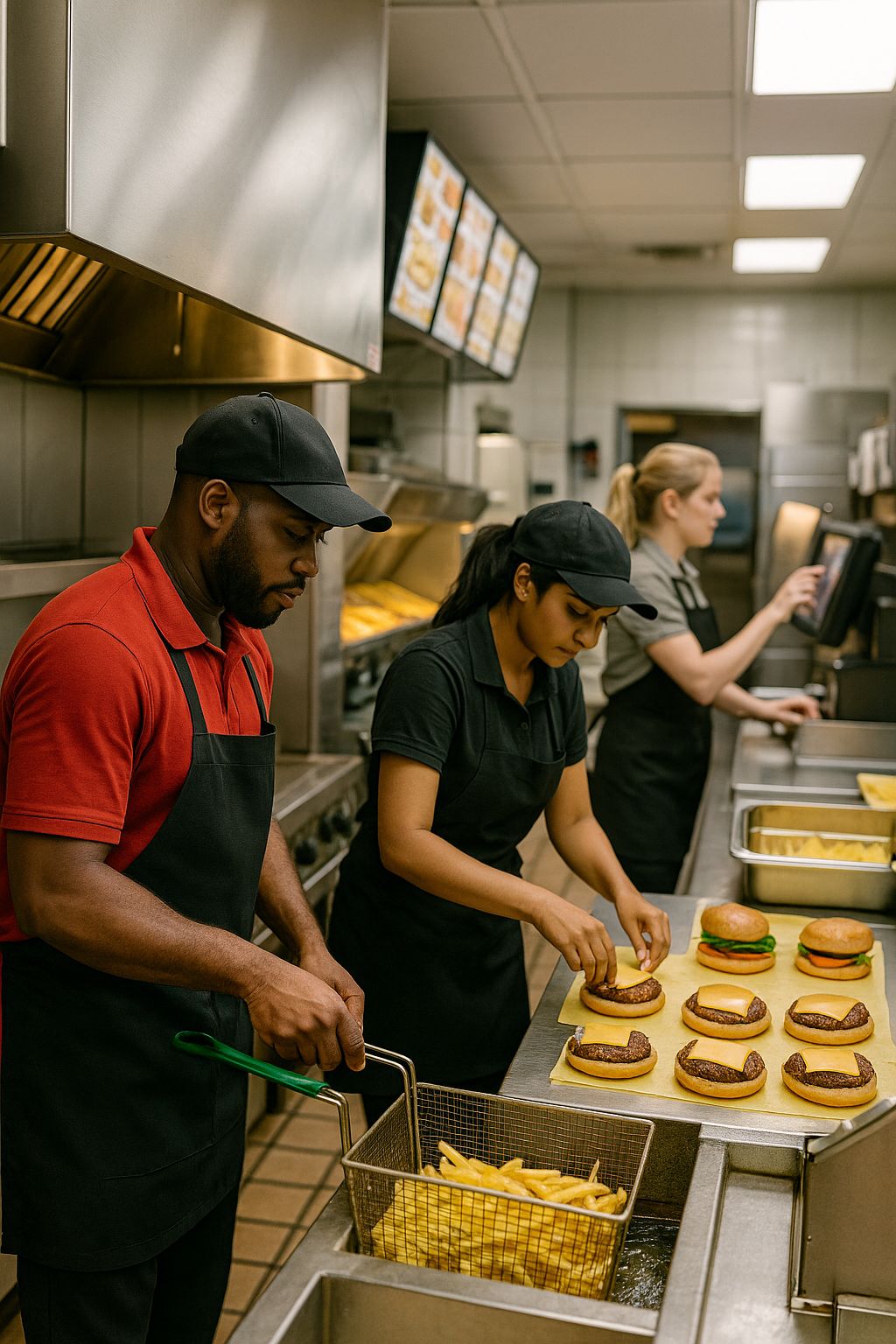
In food and beverage manufacturing, the race is won by plants that keep lines running and products consistent. This case follows a manufacturer that supplies major retailers and foodservice customers. The operation runs high‑speed lines that fill, seal, label, and pack a variety of products. Every minute on the line carries weight. Ingredients are perishable, demand swings with promotions, and delivery windows are tight. Uptime and quality are the two levers that decide margins and market trust.
Unplanned downtime does more than slow production. It can mean scrap, overtime, and missed orders. Small stoppages add up across a shift, especially during changeovers and recipe switches. Quality misses have an even higher cost. They risk consumer confidence and can trigger rework or recalls. The plant must meet strict standards for cleanliness, allergen control, weights, labels, and traceability. Leaders track these pressures through Overall Equipment Effectiveness (OEE), which links availability, performance, and quality in one view.
Daily life on the floor is fast. Operators watch multiple machines, respond to faults, clear jams, and coordinate with maintenance. Supervisors balance safety, throughput, and staffing. Changeovers are frequent, and the same fault can show up in different ways from shift to shift. The best teams make quick, sound choices about when to stop, when to reroute, and how to recover without wasting product.
What is at stake for a business like this:
- Hitting service levels that protect shelf space and customer contracts
- Reducing waste from ingredients, packaging, and rework
- Keeping labor and overtime in check by avoiding long stoppages
- Protecting brand reputation through consistent quality and food safety
- Maintaining a safe, calm workplace where teams can solve problems quickly
This context sets the bar for learning and development. Traditional training often centers on binders, SOPs, and shadowing. It explains the “what” but leaves little room to practice the “what now” when a fault hits. To compete on uptime and quality, the organization needed a way to build fast, confident decision making on the line and to show that better decisions move OEE in the right direction.
Changeovers and Reroutes Create Costly Downtime and Variability
Changeovers are the pressure points on a food and beverage line. Each new SKU can mean a new bottle, cap, film, label, and code date. Parts come off and go on. Settings shift. Cleaning and allergen checks must be complete. If any piece is late or slightly off, the line starts and stops. A few hiccups at launch ripple through the whole shift.
Reroutes are the safety valve when a downstream machine goes down. Teams can bypass a labeler, switch conveyors, pack by hand, or buffer product. These choices keep product moving, but they are not always clear or documented. Different shifts pick different paths. Some slow the problem. Others make it worse by building inventory in the wrong place or creating rework.
Small stoppages add up. Ten seconds here, a minute there, and soon an hour is gone across the day. The plant tracks downtime codes, but the real story hides inside the decisions people make in the moment. Paper logs and broad codes like “jam” or “changeover” do not show which step stalled, which reroute helped, or which one created a new bottleneck.
Training also leaves gaps. SOPs list steps, but they do not teach when to stop, when to slow, or how to choose between two reroute options. New operators learn by watching, which depends on who they shadow. Experts know the tricks, yet that knowledge does not travel well to nights or weekends. The result is variability shift to shift and line to line.
- Changeovers run long when parts, settings, or signoffs are not in sync
- Reroute choices differ by shift, leading to uneven recovery times
- Minor faults balloon into scrap or rework when responses are slow
- Downtime codes are too broad to guide coaching and improvement
- Operators lack a safe place to practice high stakes decisions
The core problem is not only equipment. It is fast decision making under pressure. The team needed a simple, shared playbook and a way to practice it. They also needed data that shows which decisions shorten stoppages so they can coach to what works and cut the guesswork.
Leaders Align Learning With OEE Targets and Line Realities
Leaders set a simple aim that everyone could rally behind. Lift OEE by cutting downtime during changeovers and by making smarter reroute choices when equipment hiccups. They agreed that training should help people handle real moments on the floor, not just pass a course. The plan tied learning goals to clear plant goals so teams could see how practice turns into output.
First, they picked a small set of measures to keep score. They looked at changeover time, minutes lost to the top faults, time to diagnosis, and first hour yield after a restart. They tracked reroute choices and how fast flow recovered. These became the North Star for the learning plan and for daily coaching.
The team then mapped the work as operators live it. They walked the line, watched changeovers, and noted where steps stalled. They listed common faults and the best reroutes for each case. From that they built a simple playbook with if‑then choices that any shift could follow. No long manuals. Just clear steps that match how the line runs.
They set a few design rules for the training:
- Practice the moments that matter, like first five minutes after a fault
- Keep modules short so they fit into a huddle or a pause between runs
- Use real screens, labels, and alarms so it feels familiar
- Show the tradeoffs in each reroute so choices are thoughtful
- Coach to data, not to guesswork
To make it stick, practice moved into the flow of work. Supervisors opened pre‑shift huddles with a quick scenario tied to yesterday’s top issue. Operators could scan a QR code on the line and run a five minute drill on a shared tablet. Job aids matched the scenarios so the same language showed up in training and on the floor.
From day one, the team planned for strong data. They used the Cluelabs xAPI Learning Record Store to capture each scenario attempt in detail. They recorded the fault picked, the path the learner took, time to diagnosis, the reroute selected, and whether steps followed the SOP. Shift dashboards showed patterns so coaches could focus refreshers where they mattered. They also synced learning data with MES downtime codes and OEE reports so everyone could see which skills cut stoppages.
Change management mattered as much as content. Top operators helped write and test scenarios so the tone felt real. Night shift joined the pilot early. Sign‑on was simple, and access worked with gloves and on a noisy floor. Leaders kept the message positive. This was about faster recovery and safer work, not blame. With that, buy‑in grew and the plant was ready to build the full solution.
Upskilling Modules and the Cluelabs xAPI LRS Power Scenario Practice
The team built short Upskilling Modules that feel like the line. Each one is a three to five minute scenario where an operator faces a real fault or a changeover step and must choose what to do next. Screens and photos match the HMI, printers, labelers, and conveyors on the floor. The goal is simple. Diagnose fast, pick the right reroute, and restart with good product.
Here is how a typical scenario runs. It opens with an alarm or a changeover cue. The learner checks clues, tries a fix, and sees the result right away. A smart choice clears the issue and the clock stops. A poor choice builds WIP in the wrong spot or drops first hour yield. Job aids sit one tap away, so the same language shows up in training and on the line. Hints are available but cost time, which nudges good habits.
- Modules focus on the first five minutes after a fault
- Content fits into a huddle or a quick pause between runs
- QR codes at the line open the right scenario on a shared tablet
- Operators and supervisors see role‑specific paths and decisions
- Job aids and SOP steps match the scenario choices
The Cluelabs xAPI LRS powers the data behind this practice. Every attempt sends a clean record to the Learning Record Store. The team can see what people faced, what they chose, and what worked. That turns practice into insight that coaches can use the same day.
- Fault type selected at the start
- Decision path taken through the scenario
- Time to diagnosis and time to clear
- Selected reroute and why it was chosen
- SOP compliance and steps skipped
- Hints used and how often
- Outcome and first hour yield in the simulation
Shift dashboards highlight patterns. If nights are slow to diagnose printer faults on Line 3, a five minute refresher goes into the next huddle. If one reroute creates a new bottleneck at the checkweigher, the playbook gets a clearer rule. Learning data is also joined with MES downtime codes and OEE reports. That way the team sees which skills link to fewer stoppages and faster recovery on real runs.
The content improves each week. Designers add new versions when equipment or packaging changes. They tweak steps when the LRS shows high hint use or repeated misses. Top operators review new scenarios so the tone stays real. Access stays simple. People sign in once, tap a QR code, and go. With Upskilling Modules for practice and the Cluelabs xAPI LRS for insight, the plant builds speed and confidence without risking product or safety.
Scenario Practice Lifts OEE by Improving Downtime Response and Reroute Decisions
Scenario practice changed how teams handled the first minutes of trouble and the hour after a restart. Operators diagnosed faster, picked better reroutes, and got product back on spec sooner. As those choices became habits, OEE climbed. The biggest lift came from fewer minutes lost to small stops and cleaner restarts after changeovers.
- Availability: Faster fault diagnosis and shorter changeover recoveries reduced minutes lost to the top downtime codes. Crews reached first good product sooner after a stop.
- Performance: Throughput in the first hour after restart improved as teams chose reroutes that kept flow balanced instead of building WIP in the wrong place.
- Quality: Start-up defects dropped. Labels, codes, and weights held steady after restarts because steps matched the playbook and checks were done in the right order.
- Consistency: Decision paths converged across shifts. The same faults triggered the same best reroutes, which cut variability line to line.
- Coaching: Supervisors used shift dashboards to aim five minute refreshers where they mattered, replacing broad retraining with small, targeted drills.
The Cluelabs xAPI LRS made the gains visible and repeatable. Each scenario attempt captured fault type, the path taken, time to diagnosis, the reroute selected, and whether steps followed the SOP. When hint use fell and correct reroutes rose in the LRS, the plant also saw fewer minutes logged to the related downtime codes. Joining learning data with MES and OEE reports showed which skills tied to fewer stoppages and faster recovery, which helped leaders justify the time spent on practice.
On the floor, people felt the change. Huddles started with a quick drill tied to yesterday’s issues, so teams walked out with a plan. Night shift results caught up to days. New operators reached confident performance sooner because they could practice real situations on a tablet instead of waiting for the next fault to happen. Overtime for catch-up runs eased, and service levels stabilized.
The impact held because the content stayed fresh. Designers used LRS patterns to tune scenarios where learners struggled and added new versions when packaging or equipment changed. The playbook and job aids matched the training, so language and steps lined up everywhere. Over time the site built a shared way of thinking about downtime and reroutes, and OEE reflected it.
Learning and Development Teams Replicate Results by Tying Skills Data to Production Metrics
Teams can repeat these results by linking practice to the numbers that run the plant. Use short Upskilling Modules to build the right habits. Use the Cluelabs xAPI Learning Record Store to capture what people do in those scenarios. Join that data to downtime and OEE so leaders can see which skills move output. Keep it simple, visible, and close to the work.
A simple roadmap:
- Pick a clear goal tied to OEE, like faster recovery after changeovers
- List the top five faults and the best reroutes for each one
- Build three to five short scenarios that mirror those moments
- Capture each attempt in the Cluelabs xAPI LRS with clean fields
- Deliver practice in huddles and with QR codes at the line
- Review a shift dashboard every day and tune refreshers
- Join learning data with MES and OEE each week to confirm impact
What to track in the LRS:
- Fault type, changeover step, and line number
- Decision path and time to diagnosis
- Selected reroute and reason chosen
- SOP steps followed and steps skipped
- Hints used and how often
- Outcome in the scenario and first hour yield in the simulation
- Shift and role, without names to protect privacy
Turn data into action:
- Build a simple dashboard by line and shift that shows the most missed decisions
- Assign a five minute refresher in the next huddle when a pattern appears
- Update the playbook and job aids when the same mistake repeats
- Retire scenarios that reach high accuracy and replace them with new ones
A 30 day pilot plan:
- Week 1, baseline OEE and the top downtime codes on one line, create three scenarios
- Week 2, run daily huddle drills, capture all attempts in the LRS, post a shift dashboard
- Week 3, add two targeted refreshers based on the dashboard, tweak scenarios with high hint use
- Week 4, join LRS data to MES and OEE, report changes in minutes lost and first hour yield
Make practice easy to access:
- Place QR codes at the machine for the most relevant scenario
- Use shared tablets that work with gloves and in loud spaces
- Keep each module under five minutes so it fits into a huddle
- Match language and screenshots to the real HMI and labels
Show the value in simple terms:
- Minutes saved per shift on two target faults
- Scrap avoided during the first hour after restart
- Overtime reduced in the last two weeks
- Service level and on time order rate stabilized
Avoid common traps:
- Do not build long courses that no one can finish on the floor
- Do not track only quiz scores, track decisions and timing
- Do not skip nights or weekends, include all shifts in the pilot
- Do not collect personal data, focus on line, shift, and role
- Do not expect change without coaching, use the dashboard to guide short drills
Plan for scale:
- Add new scenarios when packaging or recipes change
- Localize content for language and literacy needs, keep visuals strong
- Fold the best scenarios into onboarding for new hires
- Set a monthly review to join LRS, MES, and OEE and to choose the next focus
The core lesson is direct. When you collect clear skills data from practice and line it up with production metrics, coaching gets sharper and OEE moves. Upskilling Modules build the habits. The Cluelabs xAPI LRS makes those habits visible. The mix helps plants act faster, waste less, and keep promises to customers.
Is Scenario Practice With Upskilling Modules and xAPI Analytics Right for Your Plant
The solution worked because it targeted the real pain points of a food and beverage manufacturer. Changeovers and reroutes created small stops and uneven recoveries. SOPs listed steps but did not guide fast decisions in the first minutes of a fault. The team rolled out short Upskilling Modules that let operators practice real line scenarios in a safe space. They paired this with the Cluelabs xAPI Learning Record Store to capture rich telemetry from every attempt. They tracked fault type, decision path, time to diagnosis, selected reroute, SOP compliance, hints used, and outcome. Shift dashboards surfaced common misses and guided five minute refreshers. Learning data was joined with MES downtime codes and OEE reports, which showed which skills cut stoppages and where to improve the scenarios. As practice turned into habits, the plant saw faster recoveries, steadier first hour yield, and a lift in OEE.
If you are weighing a similar approach, use the questions below to guide the discussion.
- Do our top downtime losses come from inconsistent decisions during changeovers and faults? This matters because training fixes decision gaps, while maintenance fixes equipment gaps. If decisions vary by shift and line, scenario practice will likely pay off. If the losses come from chronic mechanical failures, start with reliability work before you scale training.
- Can we fit five minute practice into daily routines on the floor? Adoption drives impact. If you can run quick scenarios in huddles and during short pauses, the habits will stick. If access is hard due to device limits, connectivity, or scheduling, plan for shared tablets, QR codes at machines, and simple sign in before you launch.
- Are our SOPs and reroute playbooks clear enough to simulate? Accurate content builds trust. If steps and best reroutes are clear, you can turn them into sharp scenarios. If they are outdated or vary by shift, run a quick cleanup with your best operators, then bake the updated steps into training and job aids.
- Can we capture and use xAPI data and join it with MES and OEE? Proof wins sponsors and guides coaching. The Cluelabs xAPI LRS makes it easy to store clean records from each attempt. If you can join those fields to downtime codes and first hour yield, you will see which skills cut losses. If you cannot link systems yet, start with exports and a simple dashboard, and set a path to automate.
- Do our supervisors have time and support to coach from dashboards in a blameless way? Data only helps if leaders act on it. Coaching should be short, specific, and focused on safer, faster recovery. If the culture punishes mistakes, people will avoid practice. Set clear privacy rules, show line and shift views rather than names, and train supervisors to run quick, positive drills.
If your answers show decision-driven losses, space for quick practice, clear playbooks, and a way to use xAPI data, this approach is a strong fit. Start small on one line, capture clean data in the Cluelabs LRS, align coaching to the dashboard, and confirm the link to downtime and OEE. Then scale what works.
What It Takes to Budget and Staff a Pilot for Scenario‑Based Upskilling With xAPI Data
Below is a practical view of the cost and effort to stand up a focused pilot that mirrors the case study. The scope assumes one packaging line, eight short Upskilling Modules that cover top faults and changeover steps, daily huddle practice, and analytics connected through the Cluelabs xAPI Learning Record Store. Adjust volumes to fit your site size and the number of modules you plan to build.
Discovery and Target Setting
Time to align on goals, pick the downtime codes to attack, and confirm how success will be measured. This includes a short baseline pull of OEE, first hour yield, and changeover timing so the team starts with facts.
Fault and Reroute Playbook
Workshops with your best operators and maintenance leads to document the fastest diagnosis steps and the safest reroutes for the top issues. This yields the if‑then choices that fuel realistic scenarios and job aids.
Scenario Design and Content Production
Instructional design, authoring, and media capture to build three to five minute modules that look and feel like your line. This includes HMI screenshots, photos, simple animations, and packaging of xAPI statements so every decision is tracked.
Technology and Integration
Setting up the Cluelabs xAPI LRS, crafting a clean statement schema, connecting the authoring tool, generating QR codes, and handling light LMS tasks if you use one. Hardware and floor readiness are part of this cost: a few shared tablets, rugged cases, stands, and any small Wi‑Fi tweaks.
Data and Analytics
Building a simple shift dashboard that shows decision paths, hint use, and time to diagnosis by line and shift. Joining LRS data with MES downtime and OEE exports so you can confirm that practice is cutting losses.
Quality Assurance and Compliance
Functional testing, food safety and regulatory review, and a quick accessibility pass. This ensures SOPs match the scenarios and that labels and allergen checks appear in the right order.
Pilot and Enablement
Supervisor training for huddle delivery, short coaching time during the four week pilot, and practical job aids. This keeps practice close to the work and consistent across shifts.
Change Management and Communications
A simple kit with posters, talking points, and a huddle script. Time for line champions to model the drills and help collect feedback during the first weeks.
Localization (If Needed)
Translation of on‑screen text and job aids for bilingual crews so every operator can practice with confidence.
Post‑Pilot Iteration and Scale Readiness
Tuning scenarios based on LRS patterns and early results, plus a light data review to pick the next targets. This locks in habits and sets up the next wave.
Operational Supplies
Basic sanitization supplies for shared devices and minor printing costs for QR code placards and job aids.
Assumptions Used in the Estimate
- One line, eight short modules, three shifts
- Rates reflect typical North American contract labor and can vary by market
- Each scenario attempt generates multiple xAPI statements, so a paid LRS tier may be needed; figures below use a placeholder monthly estimate for budgeting
- If you already own tablets or an LRS, remove or reduce those lines
| Cost Component | Unit Cost/Rate (USD) | Volume/Amount | Calculated Cost (USD) |
|---|---|---|---|
| Project lead discovery and planning | $110/hour | 16 hours | $1,760 |
| Baseline data pull and target setting | $110/hour | 8 hours | $880 |
| SME workshops for fault and reroute playbook | $60/hour | 18 hours | $1,080 |
| Instructional mapping of playbook | $90/hour | 12 hours | $1,080 |
| Scenario design and authoring | $90/hour | 48 hours (8 modules × 6 hours) | $4,320 |
| HMI capture and SOP alignment (SME) | $60/hour | 8 hours | $480 |
| HMI capture and SOP alignment (ID) | $90/hour | 8 hours | $720 |
| On‑floor media capture | $85/hour | 8 hours | $680 |
| Module build and packaging | $120/hour | 48 hours (8 modules × 6 hours) | $5,760 |
| xAPI statement design and LRS setup | $120/hour | 12 hours | $1,440 |
| Cluelabs xAPI LRS subscription (pilot) | $150/month | 3 months | $450 |
| LMS connection and testing (if used) | $120/hour | 8 hours | $960 |
| QR codes generation and placement map | $120/hour | 4 hours | $480 |
| Rugged tablets | $600/unit | 4 units | $2,400 |
| Rugged cases | $80/unit | 4 units | $320 |
| Stands or mounts | $100/unit | 4 units | $400 |
| Chargers and hub | N/A | Fixed | $200 |
| Wi‑Fi access point and install | N/A | 1 AP + install | $900 |
| QR placards and signs printing | $15/sign | 12 signs | $180 |
| Dashboard build | $110/hour | 24 hours | $2,640 |
| MES/OEE data join and automation | $110/hour | 12 hours | $1,320 |
| Functional QA testing | $60/hour | 12 hours | $720 |
| Food safety and regulatory review | $70/hour | 6 hours | $420 |
| Accessibility quick pass | $60/hour | 6 hours | $360 |
| Supervisor enablement session (labor) | $45/hour | 24 hours (12 people × 2 hours) | $1,080 |
| Facilitator prep and delivery | $90/hour | 4 hours | $360 |
| Pilot coaching during huddles | $45/hour | 20 hours | $900 |
| Job aids printing | N/A | Fixed | $40 |
| Change management kit (posters, slides, script) | $90/hour | 10 hours | $900 |
| Line champion support time | $45/hour | 10 hours | $450 |
| Localization to Spanish (modules and job aids) | $0.15/word | 6,000 words | $900 |
| Scenario tuning after pilot (ID) | $90/hour | 16 hours | $1,440 |
| Scenario tuning after pilot (developer) | $120/hour | 8 hours | $960 |
| Data review and next‑target selection | $110/hour | 6 hours | $660 |
| Sanitization supplies for tablets | N/A | Fixed | $50 |
| Contingency | N/A | 10% of subtotal | $3,769 |
| Estimated Total | N/A | N/A | $41,459 |
Effort Snapshot
- Instructional design and content build: about 100 to 120 hours across ID and developer roles
- SME and supervisor time: about 60 hours for workshops, review, and enablement
- Data and tech: about 60 hours across learning technologist and data analyst
Ways to Trim or Scale
- Start with four modules instead of eight to cut design and build by half
- Reuse a scenario template to reduce developer hours
- Leverage existing tablets or borrow maintenance tablets during huddles
- Use the LRS free tier if your document volume stays within its limits
- Delay translation until after the pilot if your crews are comfortable with the base language
This budget sets a realistic range for a 90 day pilot that links practice to production. Once the pilot confirms impact, the largest ongoing costs are content refresh and light analytics, which are small compared with the savings from fewer stoppages and cleaner restarts.