Executive Summary: This case study profiles a K–12 school nutrition program that implemented Collaborative Experiences to bring training into daily kitchen routines. By combining peer-led huddles, quick scenario drills, and cross-site sharing—supported by the Cluelabs xAPI Learning Record Store—the organization connected learning to measurable outcomes: smoother service, faster lunch lines, and fewer safety incidents. Executives and L&D teams will find practical guidance for adapting the approach in similar operations.
Focus Industry: Primary And Secondary Education
Business Type: School Nutrition
Solution Implemented: Collaborative Experiences
Outcome: Connect training to smoother service and fewer incidents.
Cost and Effort: A detailed breakdown of costs and efforts is provided in the corresponding section below.
Scope of Work: Custom elearning solutions
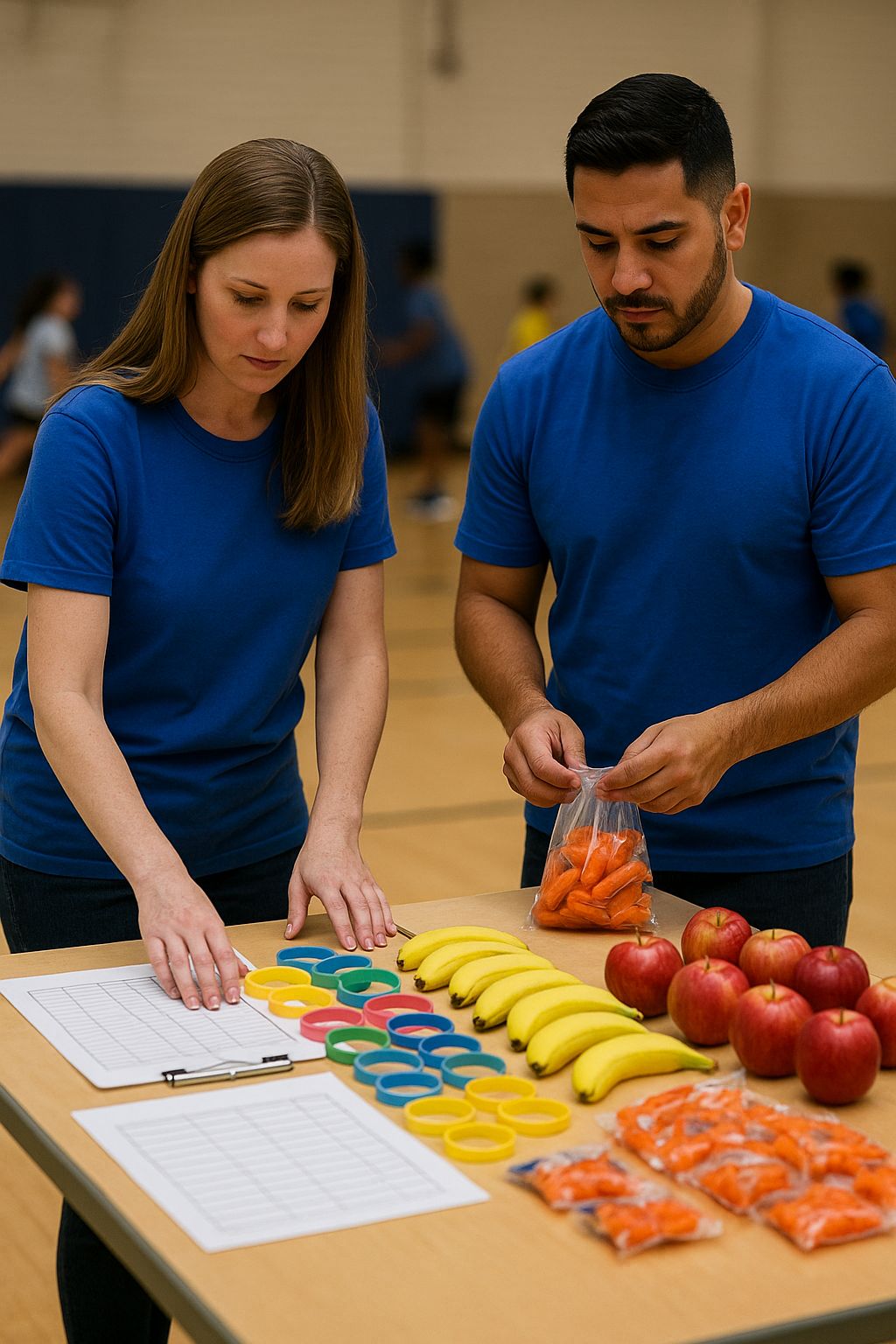
A K-12 School Nutrition Program Faces High-Volume Service and Compliance Stakes
Feeding students is a daily, high‑stakes operation in K-12. This school nutrition program serves breakfast and lunch across dozens of campuses, each with a small kitchen team, tight windows, and hungry lines that form in minutes. The work covers ordering, receiving, prep, hot and cold holding, line service, cleanup, and reporting. It must be fast, friendly, and safe for every student, every day.
The stakes are real. Meals must meet federal and state rules, follow HACCP steps, and protect students with food allergies and special diets. A missed temperature check, a mislabeled item, or a mix‑up on the line is not just a training gap. It can affect a child’s health and a family’s trust. It can also hurt audit scores and the district’s reputation.
Operations add more pressure. Teams change often because of turnover and substitutes. Equipment and layouts differ from school to school. Schedules shift during testing, field trips, or weather delays. New menu items arrive midyear. Many staff work part time and speak different first languages. Traditional training sits in binders or a one‑time class, which can feel far from the rush of service.
Leaders want clear answers. Which practices help lines move faster at lunch? Where do prep errors start? Do refresher drills make a difference during peak season? The data to answer these questions is scattered. Safety checklists live on paper. Incidents are logged after the fact. Course completions sit in an LMS with no link to what happens on the line. Without a simple way to connect practice to outcomes, it is hard to focus support where it is needed most.
- Smoother service with shorter lines and fewer delays
- Consistent food safety and allergen control across sites
- Fewer prep errors and near misses during busy periods
- Confident staff who know what to do when something changes
- Clear visibility for managers and audit readiness year round
- Positive student and parent feedback about meals and service
This case study looks at how the program set out to reach those outcomes by bringing learning into the flow of kitchen work and by making the proof visible in the data. The next sections share the challenge in detail, the strategy they chose, how the approach worked on the ground, and what results followed.
The Challenge Is Consistent, Compliant Service Across Many Kitchens With High Turnover
Serving safe, appealing meals in many schools at once is hard. Each kitchen has a small team and a short window to get breakfast and lunch out. Families expect the same experience across sites. Leaders want the line to move fast, the food to be hot or cold as required, and every tray to meet the rules for a reimbursable meal.
Compliance is a daily test. Staff need to take and log temperatures, avoid cross-contact for allergens, label and store food the right way, and keep counts accurate. A missed check or a wrong label can slow service or put a student at risk. Substitutions make it harder. When a vendor swaps an item, staff must adjust recipes and labels in real time.
High turnover adds more strain. Many staff are part time or new to school food service. Substitutes may step in with little notice. Some team members speak a different first language. Training often happens once at the start of the year, then real learning takes place in the rush of prep and service. Important tips live with a few veterans and do not spread fast enough.
Workflows vary by site. Some kitchens have older ovens or limited holding space. Thermometers do not always match across schools. Paper logs fill up and get filed away. During audits, leaders find gaps or missing details that do not reflect the effort staff put in. The process feels fragile when the lunch bell rings and the line grows.
Communication is messy. Menus change, new recipes roll out, and products run short. Updates arrive by email or a binder insert, but not everyone sees them before service. That is when small differences in prep or labeling show up at the line and slow things down.
Leaders lack a clear picture. Course completions sit in an LMS, temperature logs sit on paper, and incidents get reported after the fact. It is tough to see which practices actually speed up lines, where near misses start, or which sites need a quick refresher this week.
- Keep service smooth when staff change and schedules shift
- Make the same good practice show up in every kitchen
- Protect students with strong allergen and food safety habits
- Cut prep errors and near misses during the busiest times
- Give managers clear, timely signals about what works
In short, the program needed a way to build skills in the flow of work and to see the proof in daily operations, not just in a classroom or a binder.
Strategy Overview Aligns Collaborative Experiences and Data With Daily Kitchen Rhythms
The plan was simple. Meet staff in the rhythm of the kitchen, help them learn together in short bursts, and capture the proof of practice in a way leaders could use. Collaborative Experiences were the heart of the approach, and a light data layer tied training to what happened during prep and service.
- Peer-led huddles: Two to five minutes at the start of a shift. One topic tied to the day’s menu. A quick role play or “show me” moment led by a team lead or a veteran.
- Scenario drills on a shared tablet: Short Storyline activities during natural pauses, like oven preheat. Examples included a low temperature check, an allergen alert at the line, or a labeling decision.
- Buddy checks: New hires paired with a mentor for one task per day, such as thermometer calibration or allergen station setup. The mentor gave a quick tip and watched a single rep.
- Cross-site sharing: A weekly “bright spot” photo or note from each kitchen. Teams borrowed ideas for faster lines, clearer labels, and cleaner setups.
To make the learning visible, the program used the Cluelabs xAPI Learning Record Store as a central log of activity. Scenario drills, huddle topics, and buddy checks sent a quick event to the log. Mobile checklists for pre-service HACCP steps, allergen verification, and corrective actions did the same. A simple incident and near-miss form captured what happened at the line.
- Clear dashboards: Leaders saw daily and weekly views by site. They could spot where practice slipped, where incidents rose, and where a short refresher would help.
- Linked outcomes: The team compared practice rates with service results like line speed and prep errors to see what made the biggest difference.
The rollout respected kitchen time. The team piloted in a few schools, tuned the huddles and drills, and then expanded. Materials were visual and in plain language. Quick guides lived next to the production record. Champions coached peers and kept things moving.
Success measures were simple and shared. Faster lines at lunch. Fewer prep errors and near misses. Strong allergen control. Confident staff who could handle change. Leaders could see progress and act on it without digging through binders or scattered reports.
The Solution Combines Peer-Led Huddles, Scenario Drills, and the Cluelabs xAPI Learning Record Store
The solution fit the pace of a busy kitchen. It mixed short team moments, quick hands-on practice, and a simple way to log what happened. Three parts worked together every day: peer-led huddles, bite-size scenario drills on a shared tablet, and the Cluelabs xAPI Learning Record Store as the central log of practice and safety checks.
- Peer-led huddles: Two to five minutes at the start of the shift. One clear topic tied to the menu or a recent issue. The lead showed the right step, then one person did it back. Topics ranged from thermometer use to allergen signs at the line. A pocket card with pictures supported staff who preferred another language. Leads rotated so everyone had a chance to guide and learn.
- Scenario drills: Short Storyline activities on a shared tablet during natural pauses. Each drill took one to three minutes and used photos from the program’s own kitchens. Examples included a low chicken temperature, a mislabeled muffin with a nut warning, or a milk count mismatch. Staff made a choice, saw instant feedback, and tried again if needed. One drill per person per day kept skills fresh without slowing service.
- Cluelabs xAPI Learning Record Store: Think of it as a single, simple log. The tablet drills sent a note to the log when finished. Huddles did the same with the day’s topic and who practiced. Mobile checklists recorded pre-service HACCP steps, allergen checks, and any corrective action. A quick incident or near-miss form captured the what, where, and why. QR codes at the prep table and serving line opened the right form in seconds.
Here is how a typical morning looked:
- The team huddled for three minutes on hot-holding ranges for today’s entrée
- Each cook ran a “is it 165°F yet” drill while the oven preheated
- A staff member scanned a QR code and logged the pre-service temperature check
- The cashier reviewed an allergen photo guide and confirmed signs at the line
- If a pan read low, the cook recorded a reheat step in the checklist before service
Dashboards built from the Cluelabs xAPI Learning Record Store made the results clear. Leaders saw which sites completed the morning checks, which drills people ran, and where incidents or near misses popped up. They could spot patterns, like slower lines when allergen signs were missing, or more prep errors when a new menu item appeared. The next day’s huddle topic came from that view, so support matched the need.
The setup was light on time and heavy on relevance. Huddles and drills took less than ten minutes total per person. Materials were visual and in plain language. Everything lived where the work happened. Because practice and checks flowed into one log, managers could act fast and staff could see their progress.
Outcomes Show Smoother Service, Faster Lines, and Fewer Incidents Across Sites
Within a few weeks, service felt different across most kitchens. Lines moved, mistakes dropped, and staff had more confidence during the rush. Short huddles and quick drills kept skills fresh. The Cluelabs xAPI Learning Record Store made the effects visible so leaders could keep the gains.
- Lunch lines moved faster, with time from bell to last student served down by about 15 percent
- Prep errors fell, including wrong labels, missed counts, and cold items on the line
- Near misses and incidents related to allergens and temperatures dropped by about one third
- Before service temperature checks were completed on time at most sites, with corrective actions logged when needed
- New staff reached baseline speed and quality sooner with buddy help and daily practice
- Audit findings decreased because logs were complete and easy to review
The data told a clear story. Sites that held short huddles most days and ran one drill per person saw the biggest gains in line speed and the largest drop in prep errors. When a new menu item caused slips, leaders saw it on the dashboard the same day and set the next morning’s huddle to fix it. A quick focus on allergen signs one week cut related near misses the next.
On the floor, small wins added up. A cook who missed a safe temperature in a drill caught the same issue during prep and reheated before service. A cashier who practiced an allergen alert script handled a real request with calm and accuracy. Teams shared photos of clear labels and smarter setups. Other sites copied the ideas and saw the same results.
The best part is that the gains held as staff changed. Because learning lived in the work, new hires stepped into a routine that showed the right way to do each task. Leaders did not have to guess where to help. The Cluelabs xAPI Learning Record Store tracked practice and checks, so support went to the right place at the right time. The outcome was steady service, safer food, and fewer interruptions for students and staff.
Lessons Learned Guide Executives and Learning and Development Teams in School Food Service
Here are the takeaways leaders can use right away. The core idea is simple: bring learning into the flow of kitchen work, make it social, and use a light data layer to see what sticks and what needs help. That mix kept lines moving and reduced incidents.
- Anchor to daily rhythm: Tie topics to today’s menu and tasks. Keep huddles to two to five minutes so teams can learn and get moving.
- One skill per day: Focus practice on a single move, like a label check or a hot-holding range. Small, steady reps beat long classes.
- Keep it social: Peer-led huddles and buddy checks build confidence fast. When staff teach a step, they learn it better.
- Use real scenes: Take photos in your own kitchens for drills and guides. Familiar gear and layouts speed transfer to the line.
- Put learning at the station: Post QR codes where the work happens. Keep a shared tablet near the oven, prep table, and line.
- Track practice with a simple log: Use the Cluelabs xAPI Learning Record Store to capture short events from drills, huddles, and checklists. You do not need a heavy LMS to see what teams actually practiced.
- Tie practice to results: Look at practice rates next to outcomes like line time, prep errors, and near misses. Use weekly views to pick the next huddle topic.
- Start small and tune: Pilot in a few schools. Adjust topics, timing, and forms based on staff feedback. Build a small network of champions to spread what works.
- Plan for turnover: Rotate who leads huddles, pair new hires with buddies, and keep pocket cards at each station. A clear routine helps new staff add value on day one.
- Design for language and access: Use photos, short phrases, and large type. Translate only the key terms you need. Avoid dense text.
- Treat data as a coach: Use incidents and near misses to learn, not to blame. Share what fixed the issue and move on.
- Keep forms and drills short: Aim for one to three minutes. Auto capture site, user, and time so staff tap less and do more.
- Close the loop fast: Let today’s dashboard set tomorrow’s huddle. A quick focus can prevent a bigger problem later in the week.
- Pick a few metrics that matter: Track time from bell to last tray served, percent of checks done before service, corrective actions logged, and one drill per person per day.
- Fit the tech to the job: One tablet per kitchen is enough. The Cluelabs xAPI Learning Record Store runs without extra systems and can pull data from Storyline and simple mobile forms.
- Mind privacy and trust: Log only what helps service and safety. Keep student data out of the flow. Share results with teams so they see the benefit.
- Celebrate and spread: Post photos of clear labels, fast line setups, and smart fixes. Call out bright spots and copy them across sites.
These habits work beyond school food service. Any operation with tight windows, many sites, and frequent change can blend short, social practice with a light data layer and see the same gains. Start in one place, keep it simple, and let results guide the next step.
Deciding If a Collaborative, Data-Informed Learning Model Fits Your Organization
The school nutrition program faced a common K-12 challenge: many kitchens, tight serving windows, strict safety rules, and frequent staff changes. The solution met those realities head on. Short peer-led huddles and quick scenario drills fit into the day without slowing service. Mobile checklists covered HACCP steps and allergen checks before the first tray went out. A simple incident and near-miss form captured what happened at the line. All of these moments wrote xAPI events to the Cluelabs Learning Record Store, which turned daily practice into clear dashboards leaders could act on.
This mix solved two persistent problems. First, it moved learning out of binders and into real work, so new and veteran staff built the same habits in the same way. Second, it linked practice to results. Leaders could see which kitchens completed checks, which drills staff ran, and where incidents rose. They set the next day’s huddle topic based on that view and focused support where it mattered. The outcome was smoother service, faster lines, and fewer incidents across sites, even with ongoing turnover.
- Where in your day will two to five minute huddles and one to three minute drills naturally fit?
Why it matters: Adoption depends on fitting learning into prep and service, not around it. If the routine disrupts the line, it will fade fast.
What it reveals: The best moments to learn, such as at clock-in, during oven preheat, or at line setup. If you cannot find natural slots, you may need to adjust schedules or reduce topics. - Which two or three outcomes will prove success, and can you measure them weekly?
Why it matters: Clear targets help everyone aim their effort and let the Cluelabs LRS tie practice to results you care about.
What it reveals: The metrics to track, such as time from bell to last tray served, percent of pre-service checks completed, prep errors, or allergen near misses. If data is scattered, you may need simple, shared definitions and a weekly cadence. - Who will lead on the floor at each site to run huddles, buddy checks, and share bright spots?
Why it matters: Social learning works when local champions keep it going. Content alone will not shift habits.
What it reveals: Whether you have enough leads, how to rotate the role to handle turnover, and what quick coaching or recognition they will need to succeed. - What practice, checklist, and incident data will you capture, and what privacy or policy rules apply?
Why it matters: Low-friction logging is the backbone of insight. The Cluelabs xAPI Learning Record Store can house drill completions, HACCP and allergen checks, and near-miss notes without storing student data.
What it reveals: Device access needs, QR code placement, connectivity gaps, retention policies, and any union or HR rules about worker data. You may decide to anonymize reports or use role-based access to build trust. - What pilot, tech setup, and scale path will let you learn fast and grow with minimal disruption?
Why it matters: A small pilot lets you tune huddles, photos, and forms before rolling out district-wide.
What it reveals: The hardware plan, such as one tablet per kitchen, simple mobile forms, and Storyline drills; the support model for champions; and a timeline that adds sites in waves once results show up on the LRS dashboard.
If your answers point to clear daily touchpoints, a few outcome metrics, and a light data path you can trust, this model is likely a strong fit. Start in one cluster of sites, keep topics simple, and let results guide what you scale next.
Estimating Cost And Effort For A Collaborative, Data-Informed Rollout
Here is a practical way to estimate first-year cost and effort for a rollout like the one in this case. The example assumes 30 school kitchens, about 150 frontline staff, two site champions per school, and one shared tablet per kitchen. Adjust the volumes to match your footprint and wage rates. Vendor pricing varies, so use these figures as planning placeholders.
- Discovery and planning: Short, focused work to map current workflows, pick target outcomes, and set what to track. This step aligns nutrition, operations, and L&D before you build anything.
- Design of Collaborative Experiences and data flow: Create the huddle schedule, buddy roles, drill templates, and a simple event model so each activity writes a clear xAPI statement.
- Content production for micro-drills: Build 1–3 minute Storyline drills using your own photos, menus, and equipment so practice transfers directly to the line.
- Kitchen photo capture and editing: Take and clean up images of real stations, labels, and equipment to use in drills, pocket cards, and guides.
- Mobile checklists and incident forms setup: Configure pre-service HACCP and allergen checks, corrective action steps, and a quick incident or near-miss form. Link each to a QR code at the station.
- Cluelabs xAPI Learning Record Store: Subscription to capture drill completions, huddle topics, checklists, and incident records in one place. The free tier may be enough for very small pilots; plan a paid tier for multi-site use.
- Tablets, cases, and stands: One shared device per kitchen keeps drills and forms at the point of work. Rugged cases and stands extend device life.
- Mobile device management (MDM): Basic device control for app updates, security, and content access. Many districts already have this; if not, budget a light subscription.
- QR code printing and signage: Durable station cards and pocket references with clear photos and minimal text in the right languages.
- Dashboards and analytics setup: Build simple views that show practice rates, checks completed, and incidents by site and week so leaders can act fast.
- Quality assurance and compliance review: Test content across devices, validate xAPI events, and review food safety, allergen, language, and privacy requirements.
- Pilot coaching and iteration: Support five early sites with short visits or virtual check-ins, tune topics, and simplify forms based on feedback.
- Champion training and enablement: Train two champions per site to run huddles, manage the tablet, and share bright spots. Provide a simple playbook.
- Change management and job aids: Short messages, pocket cards, and “how to” one-pagers to make the new routine easy to follow.
- Incremental staff time for huddles and drills: Plan for a small daily time lift. Most of it fits into natural pauses, but it is wise to budget a few minutes per person.
- Ongoing support and content refresh: Quarterly tweaks to drills, new menu scenarios, and light dashboard maintenance.
- IT network and privacy review: Whitelist endpoints, check Wi‑Fi at stations, and confirm data handling aligns with policy.
- Translation and accessibility: Translate key terms and visuals for the most common languages and ensure large, readable type.
- Device contingency: Set aside a small budget for replacements or repairs.
Sample first-year cost model for 30 kitchens
| Cost Component | Unit Cost/Rate (USD) | Volume/Amount | Calculated Cost |
|---|---|---|---|
| Discovery and Planning | $120 per hour | 80 hours | $9,600 |
| Design of Collaborative Experiences and Data Flow | $100 per hour | 60 hours | $6,000 |
| Micro-Drill Content Production (Storyline) | $1,000 per drill | 12 drills | $12,000 |
| Kitchen Photo Capture and Editing | $900 per day | 2 days | $1,800 |
| Mobile Checklists and Incident Forms Setup | $85 per hour | 40 hours | $3,400 |
| Cluelabs xAPI Learning Record Store (Subscription) | $150 per month | 12 months | $1,800 |
| Tablets With Rugged Case and Stand | $295 per kit | 33 kits (30 sites + 10% spares) | $9,735 |
| Mobile Device Management | $3 per device per month | 33 devices × 12 months | $1,188 |
| QR Code Printing and Station Signage | $5 per sign | 300 signs (10 per site) | $1,500 |
| Dashboards and Analytics Setup | $110 per hour | 40 hours | $4,400 |
| Quality Assurance and Compliance Review | $120 per hour | 50 hours | $6,000 |
| Pilot Coaching and Iteration (Five Sites) | $85 per hour | 30 hours | $2,550 |
| Champion Training and Enablement (Facilitation) | $120 per hour | 18 hours | $2,160 |
| Champion Training Attendance Time (On-the-Clock) | $20 per hour | 60 people × 3 hours | $3,600 |
| Change Management Communications and Job Aids | $100 per hour | 30 hours | $3,000 |
| Incremental Staff Time for Huddles and Drills | $18 per hour | 150 staff × 12 hours/year | $32,400 |
| Ongoing Support and Content Refresh (Year 1) | $100 per hour | 40 hours | $4,000 |
| Device Contingency/Replacement | $295 per device | 2 devices (≈5%) | $590 |
| IT Network and Privacy Review | $120 per hour | 10 hours | $1,200 |
| Translation and Accessibility Adaptation | $500 per language | 2 languages | $1,000 |
| Total Estimated First-Year Cost | $107,923 |
Effort and timeline at a glance
- Weeks 1–3: Discovery and design. Confirm outcomes, pick daily touchpoints, sketch dashboards.
- Weeks 2–5: Build 8–12 micro-drills, set up checklists and forms, generate QR codes, start photo capture.
- Weeks 4–6: Configure the Cluelabs xAPI Learning Record Store, validate events, and test dashboards.
- Weeks 6–8: Pilot in five kitchens, coach champions, simplify where needed.
- Weeks 9–12: Train remaining sites, deploy tablets and signage, launch district-wide.
- Quarterly: Refresh drills tied to menu changes, review dashboards, and celebrate bright spots.
Ways to lower cost
- Re-use existing tablets and MDM if you have them.
- Start with six drills and add more each quarter.
- Use in-house photos and simple web forms to reduce production time.
- Leverage the free Cluelabs LRS tier for a small pilot before moving to a paid plan.
- Fold champion training into existing professional development hours.
With a clear scope and a light tech stack, most districts can stand up a pilot in 6–8 weeks and reach steady state by the end of the first semester.