Executive Summary: This case study profiles a K–12 after-school provider that implemented AI-Assisted Feedback and Coaching—paired with an AI-Generated Performance Support & On-the-Job Aids “dismissal co-pilot”—to fix end-of-day pickup. By aligning people, process, and tools, the team standardized ID checks and radio calls, delivered just-in-time prompts at the door, and coached one habit at a time. The result was shorter wait times, fewer handoff errors, and higher parent satisfaction, culminating in smoother dismissals and happier families.
Focus Industry: Primary And Secondary Education
Business Type: After-School Providers
Solution Implemented: AI-Assisted Feedback and Coaching
Outcome: Track smoother dismissals and happier families.
Cost and Effort: A detailed breakdown of costs and efforts is provided in the corresponding section below.
Solution Offered by: eLearning Company, Inc.
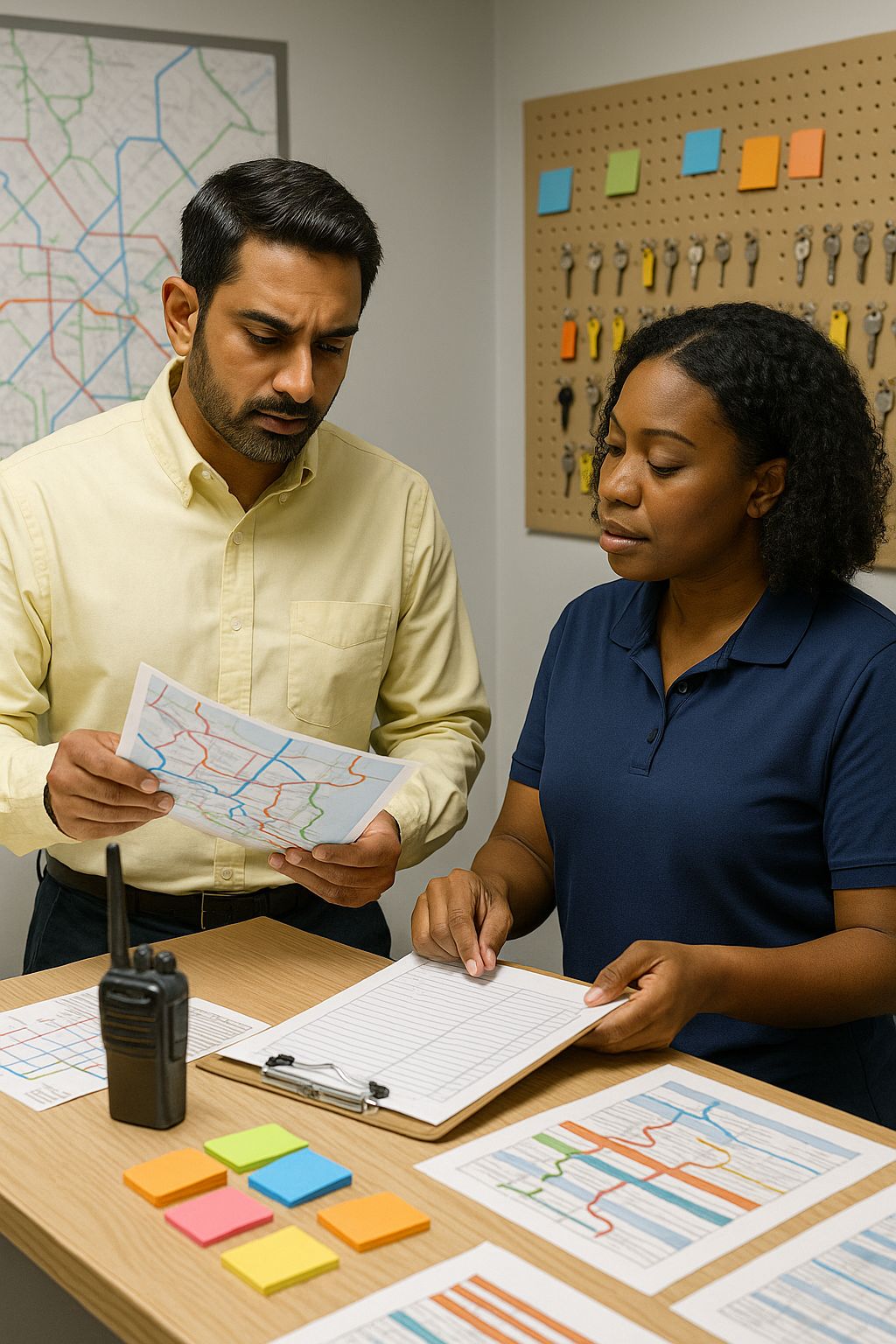
The After-School Provider Landscape Sets the Stakes for Dismissal
After-school providers play a vital role in the primary and secondary education ecosystem. They bridge the hours between the last school bell and dinner time, giving students a safe, structured place to learn and play while families work. In this setting, dismissal is more than a sign-out step. It is the moment families remember most, and it often shapes their trust in the program.
Most providers operate across multiple sites with lean teams and tight budgets. Staff often include a mix of part-time and seasonal employees who rotate across rooms or grades. Turnover can be high at the start and end of school terms. Training windows are short. Facilities vary from gyms to cafeterias to curbside pickup zones, and each layout changes how people move. On top of that, programs must meet strict safety rules, keep ratios intact, and follow district or licensing policies during pickup.
Dismissal compresses many jobs into a short window. Staff need to match each student to an authorized adult, confirm IDs, track late changes from the school office or parents, and coordinate runners and radio calls. They also greet families, calm excited kids, find backpacks, and handle exceptions without slowing the line. A single gap in this chain can ripple across the site.
- Safety and compliance: Release only to authorized adults and document every handoff
- Speed and flow: Move the line without rushing or missing checks
- Accuracy: Keep rosters current and handle last-minute updates with confidence
- Clear communication: Use crisp radio calls and runner coordination across rooms and outdoor areas
- Consistency: Apply the same routine across sites and shifts, even with new staff
- Recordkeeping: Capture times, exceptions, and notes for audits and parent follow-up
- Family experience: End the day with a smooth, friendly handoff that builds trust
When any of these pieces slip, lines grow, stress rises, and families notice. When they all click, dismissal feels calm and professional. That is why L&D investments in this moment pay off fast. Clear habits, timely coaching, and simple tools that guide staff in the flow of work can turn a daily pain point into a program strength.
A Daily Bottleneck Frustrates Families and Stretches Staff
Pick-up time hits fast and hard. Cars stack up, kids spill out of activity rooms, and the team tries to match every child with the right adult while keeping the line moving. Families feel the wait. Staff feel the squeeze. Small hiccups pile up into a bottleneck that steals time and raises stress at the very moment everyone wants a smooth finish to the day.
What does it look like on the ground?
- Two guardians arrive at once for siblings in different rooms, and the runner is already busy
- A parent shows a nickname, but the roster lists a legal name and no photo
- A last-minute pickup change comes in by text, but the paper list at the door is out of date
- A lost backpack stalls the handoff and blocks the hallway
- Radio traffic gets noisy, so staff repeat calls and miss instructions
- New hires are unsure what to say when a guardian is not on the list
These moments are common, and they stack up. The tightest pinch points tend to be ID checks and the runner handoff. Even a few extra seconds per family can create a visible line. Kids get restless. Parents get anxious. Staff try to hurry while still following rules, which can lead to either skipped steps or overchecking. Neither feels good, and both slow things down.
Why does this persist?
- Routines vary by site, room layout, and staff mix, so the process changes from day to day
- Training time is short, and peak pickup is the worst time to shadow and coach
- Paper rosters, multiple apps, and ad hoc notes make info hard to trust in the moment
- Only a few veterans know the crisp radio language and escalation paths
- Managers want consistency but spend most of pickup managing ratios and parent questions
The result is a cycle. Inconsistency creates delays. Delays raise stress. Stress invites shortcuts or hesitation, which brings more inconsistency. Families notice the wait and worry about safety. Staff end the day tired and unsure what went well or what to change tomorrow.
This is the challenge the organization set out to solve: keep safety tight, keep flow steady, and make the last ten minutes of the day feel calm and professional across every site and shift.
A Focused Strategy Aligns People, Process, and Tools for Smoother Pickups
The strategy kept things simple and focused. The team set three goals for pickup: keep kids safe, keep the line moving, and make families feel welcome. To hit those goals across many sites, they aligned people, process, and tools so each one supported the others.
- People: Assign clear roles at pickup such as greeter, caller, runner, and verifier. Give managers short checklists to observe and coach in the moment. Pair new hires with buddies. Share short scripts for tricky moments so staff know what to say with confidence.
- Process: Map the flow from parent arrival to handoff. Write a one-page playbook that shows what good looks like for ID checks, radio calls, and runner timing. Define the right words for radio calls and the steps to follow when a guardian is not on the list. Post simple signs for families so they know where to go.
- Tools: Use AI-Assisted Feedback and Coaching to give timely micro-feedback after brief observations. Add a “dismissal co-pilot” on staff devices using AI-Generated Performance Support and On-the-Job Aids to deliver just-in-time checklists, step-by-step prompts, and quick refreshers for radio and runner coordination. Keep rosters and updates in one trusted place during pickup.
Rollout mattered as much as design. The team started with a small pilot, learned fast, and scaled only when the routine was smooth. Practice happened during low-stakes times, with five-minute drills on the top ten scenarios staff face. Daily huddles set roles, reviewed the play of the day, and called out wins from the night before.
Simple measures kept everyone aligned. Sites tracked average wait time, handoff errors or near misses, parent feedback, and staff confidence. Managers shared the numbers in quick stand-ups, celebrated improvements, and picked one habit to sharpen each week. Over time, the pieces worked together: people knew their roles, the routine felt the same across sites, and the tools filled gaps right when staff needed help.
AI-Assisted Feedback and Coaching Drive Consistent Frontline Behaviors
Consistency at pickup comes from clear habits practiced the same way across people and sites. The AI-assisted coaching system helped teams build those habits fast by turning short observations into bite-size, actionable feedback that staff could use the very next shift.
Coaches and leads used quick walk-throughs to watch a few key moments, then logged simple notes. The AI turned those notes into a kind, specific message for each person. It highlighted one thing to keep doing and one thing to try next, with a script or step to follow. Feedback arrived within minutes, while the shift was still fresh.
- Clear look-fors: Verify ID before calling the child, use crisp radio language, confirm the runner is ready, update the roster, and record the release time
- One habit at a time: Each message focused on a single behavior, like “use the two-point ID check” or “say the student name and location in one radio call”
- Right words, ready to use: Short scripts for tough moments, such as what to say when a guardian is not on the list
- Fast follow-ups: A nudge before the next shift reminded staff of the one habit to practice that day
- End-of-shift reflection: Two quick questions helped staff note what worked and what to adjust tomorrow
- Manager view: Site leads saw patterns across the team and picked a weekly “habit of focus” for huddles
Here is what the feedback looked like in practice:
Keep: You greeted each family by name and kept eye contact during ID check. Try next: Confirm the second ID element before you call for the runner. Say, “I see your ID matches the name on file. Can you also confirm Maria’s birth month?”
This approach saved manager time and kept coaching positive. It removed guesswork by tying feedback to a shared playbook. New staff felt supported, not judged, because guidance was practical and came with exact words to use. Veteran staff got fine-tuning tips that shaved seconds without sacrificing safety.
The coaching also connected to daily routines. The same “one habit” showed up in pre-shift huddles and, during pickup, in the dismissal co-pilot on staff devices. That tight loop—from observation to feedback to on-the-spot reminder—helped turn good advice into reliable action. Over days and weeks, the small wins stacked up into consistent, confident performance at the door.
A Dismissal Co-Pilot on Mobile Devices Standardizes Handoffs With AI-Generated Performance Support and On-the-Job Aids
The team put a “dismissal co-pilot” on every staff phone and tablet. It was not another course to open after work. It was a quick helper they could use right at the door. With a tap or a short question, staff got the next best step, a short checklist, or the exact words to use. The goal was simple. Take the guesswork out of pickup and make the routine feel the same across every site and shift.
The co-pilot matched daily coaching. It showed the “habit of the day” from huddles and gave a 30-second refresher during the hardest moments. It kept instructions short, used the same language as the playbook, and fit the different roles at pickup. Greeters, verifiers, callers, and runners each saw the steps that mattered to them.
- “How do I verify an authorized pickup right now”
- “What do I say if a guardian is not on the list”
- “What is the radio format for calling a runner”
- “How do I handle a nickname that does not match the roster”
- “Two siblings. Two rooms. What is the fastest way to coordinate”
- “When do I escalate and who do I call first”
For common tasks, the co-pilot gave clear, step-by-step flows staff could follow without stopping the line.
- Verify an authorized pickup: Greet the adult and ask for ID. Check name against the roster. Confirm a second detail such as birth month or teacher. Mark “verified.” Use the radio script to call for the student. Record the release time.
- Radio call format: Say student name, location, and pickup point in one clean line. Example: “Runner to Art Room for Jordan S. Parent at Blue Cone.”
- Runner timing: Wait for a clear “copy” before calling the next student. Keep eyes on the line while the runner moves.
When something did not match, the co-pilot eased the tension with a calm script and a clear path to safety.
- Guardian not on the list: Use the pause script. “Thank you for waiting while I confirm our records. We want to keep every child safe.”
- Ask a teammate to keep the line moving. Open the “not on list” quick check. Search for updates and notes. If no update appears, start the escalation steps.
- Call the designated contact. If still unresolved, follow the hold-and-document steps. Log the attempt and outcome with a single tap.
- Close the loop with the family using the friendly close script.
Short micro-refreshers helped standardize the little things that slow dismissal. Staff saw side-by-side examples of crisp radio language, a two-point ID check, and the handoff phrase that signals the runner is ready. New hires used it as training wheels on day one. Seasoned staff used it to shave seconds without skipping safety.
The co-pilot also reduced clutter. It pulled the right checklist for each role, kept scripts one tap away, and nudged staff to capture exceptions before they walked off. Everyone used the same words and steps, which made handoffs cleaner and helped families hear a consistent message at every site.
Because the co-pilot lived in the flow of work, it reinforced what coaching asked people to do. The reminder you saw in feedback was the same prompt you saw at the door. That tight loop turned guidance into habit, cut handoff errors, and kept the line moving while families felt informed and cared for.
Change Management and Manager Enablement Embed Coaching in the Flow of Work
Change sticks when managers make it part of the day, not an extra task after the rush. The team treated coaching as something that happens in the flow of pickup. They gave managers simple tools, short routines, and clear messages so the new habits felt natural. The goal was not to add a new app. It was to run the same strong routine every afternoon with less stress.
Leads got a quick-start kit with the playbook, a one-page observation card, huddle scripts, and message templates. They practiced in short labs where they tried the AI coaching notes and the dismissal co-pilot on their own phones. After that, the plan was simple. Start small, coach one habit at a time, and keep wins visible.
- Start with why: Safer handoffs, shorter waits, and calmer families are the point
- Small pilots first: Prove it at a few sites, then copy what works
- Five-minute huddles: Set roles, name the habit of the day, run one quick drill
- In-the-moment cues: The co-pilot shows the same prompts named in coaching
- Ten-minute observations: Managers watch a few handoffs and log simple notes
- Fast feedback: AI turns notes into one keep and one try next, sent before the next shift
- Three-minute debriefs: End of shift, the team shares one win and one fix
- Weekly calibration: Leads compare “what good looks like” so coaching sounds the same
- Shout-outs and stories: Celebrate crisp radio calls and smooth saves in huddles
- Clear guardrails: Coaching is support, not discipline, and safety always comes first
Here is what a manager’s day looked like once the rhythm took hold:
- Before pickup: Check the habit of the day in the co-pilot, print the small observation card, and set roles
- Huddle: Model the radio phrase of the day and run a 30-second drill
- During pickup: Observe five handoffs, step in only for safety, and let the co-pilot handle most questions
- Right after peak: Log quick notes by name and situation
- End of shift: Share one team win, one thing to try tomorrow, and send the AI-generated nudges
- Weekly: Review wait times and parent feedback, then pick the next focus habit
Simple measures helped the change feel real. Sites tracked wait time, handoff errors or near misses, and short parent comments. Managers posted a tiny scoreboard near the sign-out desk. The L&D team held office hours to answer questions and to tune scripts and prompts. When a pattern showed up, the co-pilot and the coaching tips were updated within days, so the field always saw the latest best move.
Because coaching lived inside daily work, staff did not need long trainings to improve. They got the right cue at the right moment, a kind nudge before the next shift, and steady praise for what they did well. Over a few weeks, the routine felt easier. The handoffs got cleaner. Families noticed the difference.
Measurable Outcomes Reduce Wait Times and Raise Family Satisfaction
Within a few weeks, the picture at pickup changed. Lines moved more steadily, families waited less, and staff closed each handoff with confidence. The combination of AI-assisted coaching and the dismissal co-pilot turned scattered routines into a simple, repeatable rhythm that felt the same at every site.
The team kept score with clear, visible measures. Nothing fancy. Time stamps, quick counts, and short pulse checks told the story and kept focus on what mattered most.
- Average wait time per family: From arrival in line to student handoff
- Peak line length: The longest visible queue during the busiest stretch
- Handoff accuracy: Fewer near misses and complete documentation on release
- Exception handling speed: Time to resolve “not on list,” nickname mismatches, and late changes
- Radio quality: Spot checks for clear, one-line calls and confirmed copies
- Parent sentiment: Two-question pulse and quick comments at the door
- Staff confidence: A short self-check at the end of shift
Across pilot sites and early rollout, the numbers moved in the right direction. Waits shortened during peak windows, and fewer families stood through long lines. Near misses dropped as the two-point ID check became routine. Exceptions resolved faster because staff followed the same steps and scripts. Radio chatter grew clearer, which cut repeats and kept runners in sync.
Parents noticed. Comments shifted from “long line” and “confusing” to “organized,” “fast,” and “felt safe.” Staff felt the difference too. New hires ramped faster with the co-pilot at their fingertips. Veterans used the same tool to fine-tune timing without cutting corners.
These gains held as sites entered new seasons and brought on fresh staff. Because the cues lived in daily work, good habits stuck even when teams changed. The result was the outcome that mattered most to leaders and families alike. Smoother dismissals. Fewer snags. A calm, friendly end to the day.
Lessons Learned Guide Scalable AI Adoption in After-School Programs
The rollout worked because the team kept it human, simple, and focused on the moment that matters. These lessons can help any after-school program scale AI in a way that feels natural and earns trust from staff and families.
- Start with one high-stakes moment: Pick a single workflow with daily impact. Dismissal was the right place to start because it shapes safety and family trust.
- Standardize before you digitize: Build a one-page playbook, clear radio language, and simple roles first. The tools then reinforce what you already agree to do.
- Pilot small and measure what matters: Test at a few sites, track wait time and handoff accuracy, and expand only when the routine holds up under pressure.
- Keep humans in control: AI offers prompts and scripts, but staff make the call. Safety and judgment come first.
- Align playbook, coaching, and co-pilot: Use the same words across the guide, AI-assisted feedback, and the AI-Generated Performance Support and On-the-Job Aids co-pilot so cues never conflict.
- Design for the door, not the desk: Put help on phones and tablets, keep steps to 30 seconds, and make big buttons that work in noisy, crowded spaces.
- Coach one habit at a time: Send short, kind notes with one keep and one try next. Mirror the same habit in huddles and in the co-pilot during pickup.
- Build trust and protect privacy: Explain how the tools help staff and families. Limit who sees data, avoid free-text student details, and keep logs short and useful.
- Make data light and actionable: Track only the few numbers you will act on. Share a tiny scoreboard so wins stay visible.
- Update fast based on field input: When staff spot a snag, fix the script and push the update within days. Treat content like a living product.
- Plan for onboarding and turnover: Give day-one training wheels in the co-pilot, pair new hires with buddies, and run five-minute drills on top scenarios.
- Design for uneven conditions: Prepare for low bandwidth, busy hallways, and shifting rooms. Cache key checklists and keep laminated backups at the door.
- Invest in manager enablement: Give leads observation cards, quick huddle scripts, and office hours. Coaching is support, not discipline.
- Avoid common pitfalls: Do not overload checklists, change the routine too often, or ignore edge cases like “not on the list.” Keep flows short and clear.
When teams follow these practices, AI becomes a helpful teammate, not another system to manage. The result is a routine that scales across sites, survives staff changes, and delivers what families care about most at the end of the day. Safe, quick, and friendly handoffs.
Deciding If AI-Assisted Coaching And A Dismissal Co-Pilot Fit Your Organization
The after-school setting is busy, time-bound, and safety-critical. The organization in this case faced a daily pinch at dismissal: inconsistent routines, slow ID checks, unclear radio calls, and limited time for managers to coach during the peak window. AI-Assisted Feedback and Coaching turned quick observations into short, friendly notes that focused on one habit at a time. AI-Generated Performance Support & On-the-Job Aids acted as a dismissal co-pilot on staff phones and tablets, giving just-in-time checklists, step-by-step SOPs, ID-check scripts, what-to-say prompts, and clear escalation paths. Together, they made the routine simpler, faster, and safer while keeping families informed and at ease.
This pairing worked because it sat inside daily work. Staff saw the same words in the playbook, in coaching notes, and in the co-pilot prompts at the door. New hires had training wheels on day one. Veterans shaved seconds without skipping safety. Managers saved time, kept coaching positive, and focused on the few habits that moved the line and reduced errors. The result was steady flow, fewer near misses, and a calmer end to the day.
If you are weighing a similar approach, start by checking fit with your context. This model shines in frontline moments that are frequent, high stakes, and short, where teams need consistent steps and language across many sites. The questions below can guide your decision.
- What single, repeatable moment are we fixing, and how often does it happen each day?
- Why it matters: Frequent, high-stakes moments (like dismissal) create daily practice loops that turn coaching into habit and show quick wins.
- What it reveals: If the moment is rare or not clearly defined, pick a different use case. Without repetition, adoption and ROI will lag.
- Do we have a simple, shared playbook and clear look-fors to coach to across sites?
- Why it matters: AI works best when standards are clear. Mixed guidance leads to confusion and uneven results.
- What it reveals: If you lack scripts, radio language, or a one-page SOP, do a short design sprint first. Technology should reinforce, not replace, agreed routines.
- Can staff and leads use mobile devices at the point of work, with reliable access and privacy safeguards?
- Why it matters: The co-pilot depends on quick access to prompts and checklists. Student and family data must stay protected.
- What it reveals: You may need shared devices, offline-ready content, protective cases, and clear rules. Plan for roster integration, limited data capture, and consent where required. If devices are not allowed, prepare laminated backups and adjust scope.
- Do managers have time and support to coach in the flow, one habit at a time?
- Why it matters: Manager enablement drives adoption. Coaching should feel like support, not surveillance.
- What it reveals: You may need to adjust schedules, add brief coverage during peak, and train leads on observation notes and huddle scripts. Without this, the tools will sit unused.
- What few metrics will we track weekly, and how will we act on them?
- Why it matters: Simple, visible numbers keep focus on outcomes and fuel continuous improvement.
- What it reveals: Set a baseline for wait time, near misses, exception resolution speed, parent sentiment, and staff confidence. Share results in huddles and update scripts fast when patterns emerge. If you will not act on a metric, do not track it.
If you can name a clear use case, show a simple playbook, give staff point-of-work access, free managers to coach, and commit to a tiny set of metrics, you are ready to pilot. Start small, learn fast, and scale what works. The payoff is a smoother end to the day for families and a calmer shift for your team.
Estimating the Cost and Effort for AI-Assisted Coaching and a Dismissal Co-Pilot
The figures below model a practical, first-year estimate for a 10-site after-school provider with 120 frontline staff and 15 leads. Your numbers will vary by scale, existing tools, and the level of customization you need. The goal is to show where costs sit and how effort breaks down so you can plan a right-sized pilot and rollout.
Key cost components and what they cover
- Discovery and planning: Short, focused work to align goals, map current dismissal flow, and confirm safety and compliance needs.
- Design of the playbook and coaching framework: Convert best practice into a one-page SOP, clear radio language, role definitions, and look-fors that guide AI coaching.
- Content production: Create micro-scripts, checklists, prompts, and AI coaching templates that power the co-pilot and feedback notes.
- Technology licenses: Per-user access to AI-Assisted Feedback and Coaching and the AI-Generated Performance Support & On-the-Job Aids co-pilot, plus a few builder seats for ongoing edits.
- Technology build and integration: Configure the dismissal co-pilot, connect to rosters, and set up SSO so staff can use it on day one.
- Devices and connectivity: Shared tablets and protective cases for the door team, plus hotspots where Wi‑Fi is weak.
- Data and analytics setup: Light, actionable tracking for wait times, near misses, and quick pulse checks.
- Quality assurance and compliance: Scenario testing and privacy review to protect students and families.
- Pilot and on-site support: Hands-on help at a few sites to prove value and tune scripts before wider rollout.
- Deployment and enablement: Manager labs, short drills, and paid staff time to learn and practice the routine.
- Change management and communications: Huddle cards and family-facing signs that keep the routine clear and friendly.
- Support and continuous improvement: Content updates and office hours during the first 12 weeks to lock in habits.
- Optional translation/localization: Bilingual scripts and signs if your community needs them.
| Cost Component | Unit Cost/Rate (USD) | Volume/Amount | Calculated Cost |
|---|---|---|---|
| Discovery & Planning – PM Oversight | $120 per hour | 16 hours | $1,920 |
| Discovery & Planning – Site Walkthrough & Data Review | $90 per hour | 10 hours | $900 |
| Design – Playbook & Coaching Framework (Senior ID) | $100 per hour | 28 hours | $2,800 |
| Design – Safety/Compliance Input | $150 per hour | 6 hours | $900 |
| Content Production – Micro-Scripts & Checklists | $80 per hour | 45 hours | $3,600 |
| Content Production – AI Coaching Templates | $80 per hour | 24 hours | $1,920 |
| Content Production – Huddle Cards & Drills | $80 per hour | 10 hours | $800 |
| Technology Licenses – AI Coaching + Performance Support | $15 per user per month | 120 users × 12 months | $21,600 |
| Technology Licenses – Builder/Editor Seats | $50 per seat per month | 3 seats × 12 months | $1,800 |
| Technology Build – Co-Pilot Config & Flows | $90 per hour | 40 hours | $3,600 |
| Technology Build – Roster Integration & SSO | $120 per hour | 20 hours | $2,400 |
| Devices – Tablets | $250 per unit | 20 units | $5,000 |
| Devices – Protective Cases | $40 per unit | 20 units | $800 |
| Connectivity – Mobile Hotspots | $25 per month | 10 hotspots × 12 months | $3,000 |
| Data & Analytics Setup | $80 per hour | 12 hours | $960 |
| Quality Assurance – Scenario Testing | $50 per hour | 40 hours | $2,000 |
| Privacy & Compliance Review | $150 per hour | 15 hours | $2,250 |
| Pilot – On-Site Support | $60 per hour | 60 hours | $3,600 |
| Deployment – Manager Labs (Facilitation) | $150 per hour | 8 hours | $1,200 |
| Deployment – Manager Time (Internal) | $35 per hour | 15 managers × 2 hours | $1,050 |
| Deployment – Frontline Training Time (Internal) | $20 per hour | 120 staff × 1 hour | $2,400 |
| Change Management – Printed Huddle Cards & Playbooks | $20 per site | 10 sites | $200 |
| Change Management – Family Signage | $25 per site | 10 sites | $250 |
| Support & Continuous Improvement – First 12 Weeks | $90 per hour | 60 hours | $5,400 |
| Optional – Bilingual Translation for Scripts & Signs | $80 per hour | 15 hours | $1,200 |
| Subtotal One-Time & Ramp (Excludes Optional) | — | — | $43,950 |
| Subtotal Annual Recurring (Licenses + Hotspots) | — | — | $26,400 |
| Estimated First-Year Total (Excludes Optional) | — | — | $70,350 |
Effort and timeline at a glance
- Weeks 1–3: Discovery, playbook design, and content outline. Confirm privacy and success metrics.
- Weeks 4–6: Build the co-pilot, set up coaching templates, integrate rosters, and test flows.
- Weeks 7–8: Pilot at 2–3 sites with on-site support. Tune scripts and prompts.
- Weeks 9–10: Manager labs and phased rollout to remaining sites. Run daily huddles.
- Weeks 11–12: Stabilize with content updates, light analytics, and office hours. Lock in habits.
Cost levers you can pull
- Reuse devices: If you already have tablets or shared phones, device costs drop to near zero.
- Start small: Run a 3-site pilot to validate impact before buying all licenses.
- Keep content lean: Build the top 10 scenarios first, then add more as data shows need.
- Leverage existing systems: If you already have SSO or a roster tool, integration time shrinks.
- Pick light analytics: Use simple forms and a small scoreboard instead of a full data stack.
Plan for a short, focused build and a supportive pilot. Keep the playbook simple, align coaching with the co-pilot, and track only the few numbers you will act on. With this approach, most programs see smoother flow in weeks and a strong case for scaling in the first term.