Executive Summary: This case study profiles a 911 Communications Center in law enforcement that implemented Upskilling Modules to prepare teams to use bots for code and notification lookups, improving speed and accuracy during dispatch. Using skills‑mapped microlearning and a practice lookup bot powered by the Cluelabs AI Chatbot eLearning Widget, staff trained in realistic scenarios and carried the same support into live operations. The result was faster code selection, cleaner notification chains, and a scalable path to confident automation adoption.
Focus Industry: Law Enforcement
Business Type: 911 Communications Centers
Solution Implemented: Upskilling Modules
Outcome: Use bots for code and notification lookups.
Cost and Effort: A detailed breakdown of costs and efforts is provided in the corresponding section below.
Custom Development by: eLearning Solutions Company
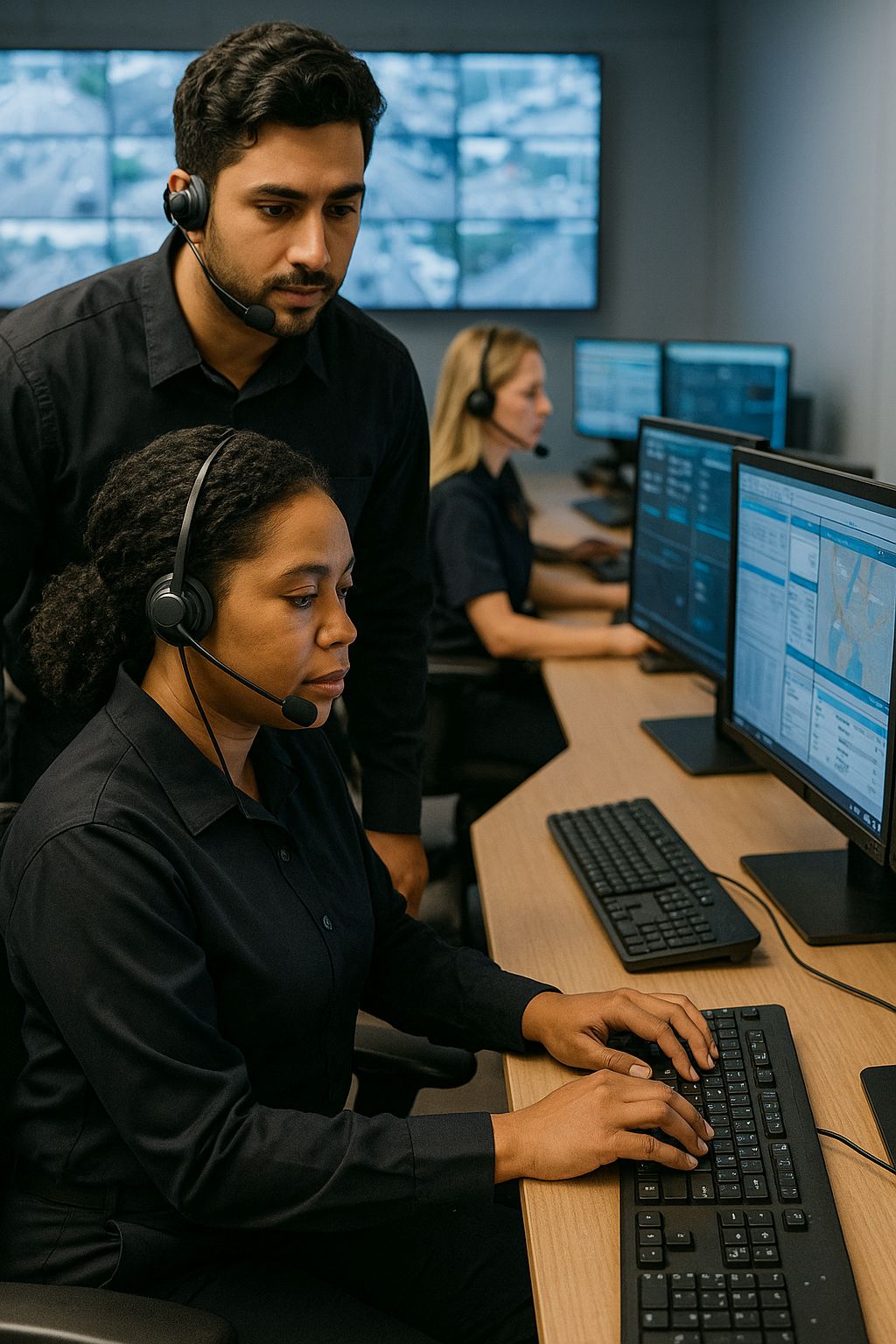
A 911 Communications Center in Law Enforcement Operates in a High-Stakes Environment
In a 911 communications center within law enforcement, every shift is unpredictable. Call takers and dispatchers support police response across a city or county, 24/7. The team moves from minor fender benders to life‑threatening events within minutes. The mission is simple to say and hard to deliver: get the right help to the right place fast.
Speed and accuracy shape outcomes. Staff must hear the caller, capture critical details, choose the right event code, and start the right notifications. A delay or wrong code can slow an officer response, miss a safety warning, or trigger the wrong resources. The work happens in seconds, with no pause button.
Information is everywhere. The team juggles radio traffic, multiple screens, maps, and policy manuals. Code lists, call handling scripts, and notification trees change often. Many centers still keep long PDFs or binders. People try to memorize common items and hunt for the rest under pressure. New employees need months to build speed. Even experts can lose time when a rare event pops up.
The business reality adds weight. The center runs around the clock with lean staffing. Pulling people off the floor for training is hard. Turnover creates a steady stream of new hires. Audits and public records rules require clean, consistent work. Leaders want proof that training sticks and that decisions follow policy.
This case study starts at that point. The team looked for a learning approach that fits shifts, mirrors real calls, and helps staff practice quick lookups without risk. The goal was clear. Build confidence and accuracy so dispatchers can find the right code and notify the right people in the moment.
Dispatchers Face Information Overload and Strict Protocols That Risk Delays
Information comes at dispatchers fast. A caller is scared and talking quickly. Radio traffic is active. The screen shows maps, unit status, and fields that must be filled in. At the same time, the dispatcher has to pick the exact code and trigger the right set of notifications. The rules are strict for good reason: they keep people safe and keep records clean. But when everything happens at once, even small slowdowns can add up.
Fine lines matter. Is it a burglary in progress or after the fact. Is the caller hurt or only threatened. Does the event cross a city line or involve another agency. Each choice changes the code and who gets alerted. A cautious pause helps avoid mistakes, yet those seconds can delay help.
- Many codes look alike, with small wording changes that mean very different responses
- Notification trees vary by time of day, location, priority, and unit availability
- Rare events appear without warning, so people cannot rely on memory alone
- Reference material lives in long PDFs or separate sites that are slow to search
- Policy updates arrive often, and old versions linger in personal notes
- Screen switching increases the chance of missing a key detail from the caller
Training time is limited. Pulling someone off the floor leaves a gap in coverage. New hires need many reps to build speed, but real calls cannot wait. Veterans work fast, yet habits can drift from current policy. Night shifts have fewer coaches on hand, so people lean on memory and guesswork more than they would like.
The impact is plain. Seconds slip away while someone hunts for a code. A missed notification leads to a callback and more radio traffic. A wrong selection forces a supervisor to fix the record later. Stress rises, and confidence drops. Leaders want consistency they can measure, with fewer errors and less rework.
The core challenge is simple to state and hard to solve: help dispatchers find the right answer fast and follow policy every time, without adding more to remember or more screens to chase.
The L&D Team Defines a Skills-Mapped Strategy Focused on Workflow Readiness
The L&D team rebuilt training around what dispatchers do in the chair. They shadowed shifts, listened to a wide range of calls, and watched how people move through CAD, radio, and maps. The goal was simple. Teach the fastest path to the right action, then practice it until it feels natural.
They created a clear skills map that mirrors the workflow. Each skill had a standard and a way to measure it.
- Confirm location and callback number within the first 30 seconds
- Select the correct event code from key cues in the caller’s words
- Trigger the right notifications by priority, location, and time
- Use CAD shortcuts and keyboard moves to cut screen hunting
- Escalate rare events and cross‑jurisdiction calls by policy
- Write notes that pass quality review and support later action
- Recover from interruptions without losing the call thread
They also named the moments that slow people down. Rare codes. Jurisdiction changes. Multi‑agency alerts. Fresh policy updates. These became the focus of practice reps, not side topics.
The strategy leaned on a few design choices that keep learning close to the job.
- Short modules that fit into 10 minutes or less
- Practice first, brief explanations second
- Realistic scenarios based on anonymized calls
- Feedback that shows why a code or notification is correct
- Job aids in the same place people work, not on a separate site
- Progression from guided to timed to live conditions
- Simple data from practice to target weak spots
The plan respected operations. No long classes that drain the floor. Learning slotted into low‑traffic windows and between calls. Supervisors acted as coaches with quick checklists and short debriefs. New hires got more reps on common events. Veterans focused on tricky, high‑risk scenarios.
To build lookup speed, the team planned to pair Upskilling Modules with a practice lookup bot inside the courses and the knowledge portal. Learners would use it in scenarios the same way they use tools on the floor, so skills transfer cleanly to live work.
They set a cautious rollout. Start with a pilot on night and swing shifts. Gather feedback. Tune scenarios, standards, and coaching guides. Then scale to the rest of the center with clear metrics and support.
Upskilling Modules and the Cluelabs AI Chatbot eLearning Widget Power a Practice Lookup Bot
The Upskilling Modules put practice first, and the Cluelabs AI Chatbot eLearning Widget made that practice feel like the real job. The team embedded a chat window inside each module, so learners could ask the practice lookup bot for the right event code and the correct notification path while working a short scenario in Articulate Storyline. It looked and felt like the tools on the floor, which helped skills transfer fast.
To power the bot, the L&D team uploaded the center’s CAD and radio code lists, SOPs, and notification trees in PDF and Word. They set a clear prompt so the bot returned short, policy‑compliant answers with the exact code, who to notify, and a brief reason. Each reply linked back to the source so learners saw where the rule came from. If policy changed, the team updated the files and the bot used the latest version.
Every scenario followed the same rhythm. A short audio clip or text summary set the call. The learner confirmed location, picked key cues, and then used the bot to check the code and the notification chain under a gentle time limit. If they asked a vague question, the bot nudged them to be specific, just like a coach would. If they chose the wrong path, the module showed why and gave a quick do‑over. Notes and keyboard tips sat next to the chat window so people could try a faster move right away.
The same lookup bot also lived in the internal knowledge portal. After training, dispatchers could open it during low‑risk moments to double check a rare code or an alert rule. The prompt reminded users to follow live policy, confirm location, and keep caller safety first. The bot did not store caller details, and the team reviewed sample chats to spot confusing wording in the docs or gaps in scenarios.
- Short modules with one skill goal and a focused call scenario
- On‑screen chat for real‑time code and notification lookups
- Answers that are concise, policy aligned, and sourced to the right document
- Timed practice that builds speed without adding stress
- Immediate feedback with a quick retry and a better prompt example
- Job aids in the same view as the chat to cut screen switching
- A mirrored bot in the knowledge portal for on‑the‑job support
Setup was simple and fit the pace of the center. The team gathered and cleaned source files, wrote a plain‑language prompt, and used Cluelabs templates to place the chat in Storyline. They piloted the first modules on night and swing shifts, tuned the bot’s tone, and added examples for tricky cases. Supervisors used brief checklists to coach during practice and flagged common misses to improve the next round of modules.
This pairing of Upskilling Modules and a practice lookup bot gave people a safe place to build lookup habits they could trust. It also put the same help within reach after training, so confidence grew call by call.
Learners Practice Policy-Compliant Code and Notification Lookups in Realistic Scenarios
Learners practiced the way they work. Each module played a short call scenario with realistic audio or a text summary. The screen showed CAD fields, a map image, and the chat window for the practice lookup bot. Learners confirmed location and callback, picked out key cues from the caller, and then asked the bot for the event code and who to notify. The bot replied with a clear, policy compliant answer and a link to the source. Learners made a choice, saw instant feedback, and tried again if needed.
Practice moved in small steps. Early reps were guided with hints and longer time. Later reps added a timer and fewer prompts. By the end, learners worked the full call flow at speed. Each round reinforced three habits that matter on the floor. Ask a precise question. Verify the source. Act with confidence.
- Burglary now versus after the fact, with different codes and officer safety notes
- Domestic dispute with a threat becoming an injury, which changes priority and alerts
- Vehicle crash near a boundary, which triggers another agency and a supervisor notice
- Suspicious person near a school after hours, with location checks and hazard flags
- Shots heard versus fireworks reports, with wording cues that change response
- Child missing call that tests escalation steps and required notifications
The bot supported good choices without giving shortcuts that skip thinking. If a question was vague, it asked for specifics. If a learner picked a close but wrong code, the feedback showed the key words they missed and pointed to the right page in the policy. Short notes explained why a notification was required and when to add a supervisor or another agency.
Updates were simple. When a policy changed, the team replaced the PDF or Word file behind the bot. The next practice round used the new rule. That kept training and on‑the‑job checks in sync. No caller details were entered during practice, and examples used anonymized content.
Progress was easy to see. Modules captured time to first correct code, correct notification chain, and the number of retries. Supervisors got a quick view of who needed more reps on rare events. Learners saw their own trends and chose new scenarios to stretch weak spots. The result was steady, low‑stress practice that built speed and accuracy while staying inside policy.
The Center Achieves Faster and More Accurate Responses by Using Bots for Code and Notification Lookups
The center shifted from memorizing long code lists to using a trusted lookup bot in training and on the job. Dispatchers asked the bot for the correct event code and who to notify, right inside practice and later in the knowledge portal. This cut screen switching and guesswork. Decisions came faster and with more confidence.
Practice data told the same story. Time to the first correct code came down. Retries dropped. More learners finished scenarios within the target time. Quality reviews after rollout showed fewer re-codes and fewer missed notifications. Supervisors spent less time fixing records and more time coaching.
- Faster code selection with less hunting through PDFs
- Cleaner notification chains on the first attempt
- Fewer callbacks and less radio clutter from corrections
- More consistent hazard flags and cross-agency alerts
- New hires ramping faster with realistic practice reps
- Veterans verifying rare rules without slowing the call
- Lower stress and higher confidence across shifts
The bot also supported compliance. Each answer linked to the current policy, which made audits easier and reduced disputes. When a rule changed, the team updated the source file and the bot reflected it the same day. Training and operations stayed in sync.
Leaders saw a clear pattern. Automation worked when learning prepared people to use it well. Upskilling Modules built strong habits, and the lookup bot kept those habits sharp during real calls. The result was faster, more accurate responses that the community could trust.
This Case Shares Lessons Learned for Public Safety Leaders and L&D Teams
Here are practical takeaways for public safety leaders and L&D teams who want real gains without adding more screens or longer classes.
- Start with the work. Watch live calls, note the steps, and list the skills that matter most in the chair.
- Set simple standards. Define what good looks like for each skill and how you will measure it.
- Teach for the moment of need. Use short, scenario first modules that fit into a busy shift.
- Put a practice lookup bot inside training and the knowledge portal. Use the Cluelabs AI Chatbot eLearning Widget so learners can ask for the code and the notification path in context.
- Make the bot trustworthy. Load current policy and code lists, keep answers short, and cite the source every time.
- Protect privacy. Use anonymized scenarios in practice and keep caller details out of the chat.
- Target the big pain points. Focus on rare codes, boundary calls, multi agency alerts, and rules that change often.
- Coach with data. Track time to first correct code, retries, missed notifications, and hazard flags. Use trends to guide coaching.
- Pilot small and iterate. Test on a couple of shifts, collect feedback, and tune the bot prompt and scenarios.
- Blend training with performance support. Keep the same bot and job aids available after training so habits stick.
- Teach the limits. Show when to double check, when to call a supervisor, and when not to rely on a bot answer.
- Plan for updates. Assign owners for source documents, set a review drumbeat, and update files so the bot stays current.
This approach helps both new hires and veterans. New staff get fast, low stress reps that build speed with policy in mind. Experienced staff can verify rare rules without slowing the call. Supervisors spend more time coaching and less time fixing records.
If you work in another public safety setting, the pattern still fits. Map core skills to the workflow, practice in realistic scenarios, and place a lookup bot where people need it. The mix builds confidence and keeps decisions aligned with policy.
The headline lesson is simple. Upskilling Modules do the teaching. The lookup bot removes friction at the moment of action. Together they make faster, more accurate responses possible.
Is an Upskilling Program With a Lookup Bot a Good Fit for Your Organization
This case shows how a 911 communications center in law enforcement tackled information overload and strict protocols without pulling people off the floor for long classes. The team paired short Upskilling Modules with a practice lookup bot powered by the Cluelabs AI Chatbot eLearning Widget. The bot lived inside the modules and in the knowledge portal, returning policy compliant answers with the exact event code, the right notification path, and a link to the source. Learners practiced in realistic scenarios and then used the same help on the job. Speed improved, errors dropped, and updates spread fast because the team only had to replace the source files the bot used.
This worked because it met people in the flow of work. Training fit into small windows. Practice matched real screens and real choices. Answers were short, consistent, and easy to trace back to policy. Supervisors coached with simple data like time to first correct code and missed notifications. Trust grew because the bot reinforced policy rather than replacing judgment.
- Where do seconds slip in your call flow, and can a lookup close that gap?
Why it matters: You want to solve the right problem, not add another tool that people ignore.
What it uncovers: If delays come from staffing, hardware, or radio discipline, a bot will not fix them. If delays come from hunting through PDFs or second guessing rare rules, a lookup can help right away. - Are your codes, notification rules, and standard operating procedures current and ready to load into a bot?
Why it matters: A bot is only as good as its sources, and stale or scattered documents lead to bad answers.
What it uncovers: You may need a short cleanup project to consolidate and date your documents. Assign owners and review cycles so the bot always points to the latest policy. - Can you place the bot where people learn and where they work?
Why it matters: Tools must live in the workflow to earn trust and get used under pressure.
What it uncovers: You may need IT approval to embed the chat in your authoring tool and knowledge portal. If you cannot place it in those spots, plan a clear path that takes one click or less from the main screen. - Do you have the capacity to build short, scenario based modules and coach to them?
Why it matters: Technology helps only when people get realistic practice and feedback.
What it uncovers: You need time from L&D and subject experts to script scenarios, anonymize calls, and define what good looks like. Supervisors should have simple coaching checklists and a schedule for quick debriefs. - How will you measure success and manage risk from day one?
Why it matters: Clear metrics prove value and keep the effort funded, while good safeguards protect privacy and public trust.
What it uncovers: Pick a few metrics such as time to first correct code, missed notifications, and re-codes in quality reviews. Baseline them before the pilot. Set rules to keep caller details out of the chat, decide what the bot can and cannot answer, and name owners who update sources when policy changes.
If you can answer yes to most of these questions, start small with a pilot on one or two shifts. Tune the bot prompt and scenarios with user feedback, then scale. If not, begin with document cleanup and a few high value scenarios to build momentum and trust.
Estimating Cost And Effort For An Upskilling Program With A Lookup Bot
This estimate focuses on the specific solution used in the case: short Upskilling Modules paired with a practice lookup bot built with the Cluelabs AI Chatbot eLearning Widget and embedded in Articulate Storyline and the internal knowledge portal. The goal is to show typical cost drivers and effort so you can tailor a realistic plan for your organization.
Key cost components and why they matter
- Discovery and planning: Aligns goals, scope, and success metrics. Includes shift observations, stakeholder interviews, and a rollout plan that fits staffing constraints.
- Skills mapping and learning architecture: Defines the workflow skills, standards, and the module blueprint, so content stays focused on decisions that affect response time and policy compliance.
- Document cleanup and policy consolidation: Gathers CAD codes, SOPs, and notification trees into clean, current files the bot can use. This step prevents bad answers from stale sources.
- Scenario scripting and storyboarding: Writes realistic call scenarios and interaction flows that mirror on-the-job decisions and time pressure.
- Storyline development: Builds the modules, screens, and interactions, including the embedded chat window for the bot.
- Audio and media: Light voice work or text-to-speech, plus simple graphics, to make scenarios feel authentic without slowing production.
- Bot prompt engineering and knowledge upload: Crafts the bot prompt for concise, policy-aligned answers, uploads source documents, and tests responses.
- Technology and integration: Embeds the widget in Storyline and the knowledge portal, handles SSO as needed, and confirms basic security requirements.
- Data and analytics: Defines a small set of performance metrics, instruments modules to capture them, and establishes a baseline for before-and-after comparisons.
- Quality assurance and compliance: Tests functionality, policy accuracy, privacy, and accessibility to meet internal and regulatory standards.
- Pilot and iteration: Runs a small pilot on selected shifts, covers backfill time, gathers feedback, and tunes the modules and prompt.
- Deployment and enablement: Uploads to the LMS, adds job aids, and ensures the bot is available in the knowledge portal.
- Change management and communications: Creates simple messages, quick guides, and supervisor talking points to drive adoption.
- Support and sustainment (first 90 days): Monitors usage and performance, updates sources when policy changes, and adjusts the prompt or scenarios as needed.
- Project management: Coordinates scope, timeline, risks, and approvals across L&D, operations, IT, and policy owners.
Assumptions for this estimate
- Pilot scope: 10 short modules and 20 pilot learners
- Authoring: Articulate Storyline is already licensed
- Bot: Cluelabs AI Chatbot eLearning Widget free tier is sufficient for the pilot
- Rates are illustrative and will vary by region, union rules, and internal chargeback
| Cost Component | Unit Cost/Rate (USD) | Volume/Amount | Calculated Cost (USD) |
|---|---|---|---|
| Discovery and Planning | $110/hr (ID), $85/hr (SME), $100/hr (PM) | 12 hr ID, 12 hr SME, 8 hr PM | $3,140 |
| Skills Mapping and Learning Architecture | $110/hr (ID), $85/hr (Supervisor/SME) | 20 hr ID, 6 hr SME | $2,710 |
| Document Cleanup and Policy Consolidation | $60/hr (Doc Specialist), $120/hr (Policy Owner) | 30 hr Doc, 6 hr Policy | $2,520 |
| Scenario Scripting and Storyboarding | $110/hr (ID) | 6 hr/module × 10 modules | $6,600 |
| Storyline Development | $100/hr (eLearning Dev) | 8 hr/module × 10 modules | $8,000 |
| Audio and Media | $90/hr (Media) | 1.5 hr/module × 10 modules | $1,350 |
| Bot Prompt Engineering and Knowledge Upload | $110/hr (ID), $60/hr (Doc Specialist) | 6 hr setup + 2 hr/module × 10 + 6 hr doc | $3,220 |
| Technology and Integration | $120/hr (IT Engineer) | 10 hr embed + 4 hr SSO | $1,680 |
| Cluelabs AI Chatbot eLearning Widget (Pilot) | n/a | Free tier assumed for pilot | $0 |
| Data and Analytics | $110/hr (ID), $100/hr (Dev), $80/hr (Analyst) | 10 hr metrics + 5 hr instrumentation + 6 hr baseline | $2,080 |
| Quality Assurance and Compliance | $90/hr (QA/Accessibility), $120/hr (Policy), $140/hr (Security) | 15 hr QA + 8 hr policy + 6 hr security + 8 hr accessibility | $3,870 |
| Pilot and Iteration | $45/hr (Backfill), $60/hr (Supervisor), $100/hr (Dev), $110/hr (ID) | 100 hr backfill + 12 hr coaching + 20 hr fixes + 6 hr prompt | $7,880 |
| Deployment and Enablement | $100/hr (Dev), $110/hr (ID) | 4 hr LMS + 8 hr job aids | $1,280 |
| Change Management and Communications | $90/hr (Comms) | 12 hr | $1,080 |
| Support and Sustainment (First 90 Days) | $60/hr (Doc), $110/hr (ID), $120/hr (IT) | 10 hr updates + 8 hr monitoring + 5 hr IT | $2,080 |
| Project Management | n/a | 10% of labor subtotal | $4,749 |
| Estimated Total | $52,239 |
Indicative effort and timeline
- Weeks 1–2: Discovery, skills mapping, document cleanup, metric definition, and initial prompt
- Weeks 2–4: Build 10 modules with embedded bot, QA, and accessibility checks
- Week 5: Pilot on selected shifts, collect feedback, monitor data
- Week 6: Iteration, prompt tuning, policy source updates, enablement materials
Variables that may change cost
- Number of modules and scenarios produced
- Whether the free bot tier is sufficient or a paid tier is needed as usage grows
- Backfill requirements based on staffing and overtime rules
- Depth of security, privacy, and accessibility reviews
- Whether you add extras such as professional voice talent, additional languages, or an external LRS
Use this as a baseline. Adjust rates, hours, and scope to your setting, then pilot small to validate benefits before scaling.