Executive Summary: This article profiles an Industrial Cleaning Services provider in the environmental services industry that implemented Advanced Learning Analytics, supported by the Cluelabs xAPI Learning Record Store (LRS), to connect training records with work orders, QA findings, and downtime logs. The solution enabled the team to correlate training and competency evidence with rework and downtime by site, crew, and equipment, driving targeted refreshers, smarter scheduling, and measurable reductions in redos and delays. Readers get a clear view of the challenges, the build, and the results, plus lessons and a playbook to evaluate fit in their own organizations.
Focus Industry: Environmental Services
Business Type: Industrial Cleaning Services
Solution Implemented: Advanced Learning Analytics
Outcome: Correlate training to rework and downtime.
Cost and Effort: A detailed breakdown of costs and efforts is provided in the corresponding section below.
Services Provided: Elearning training solutions
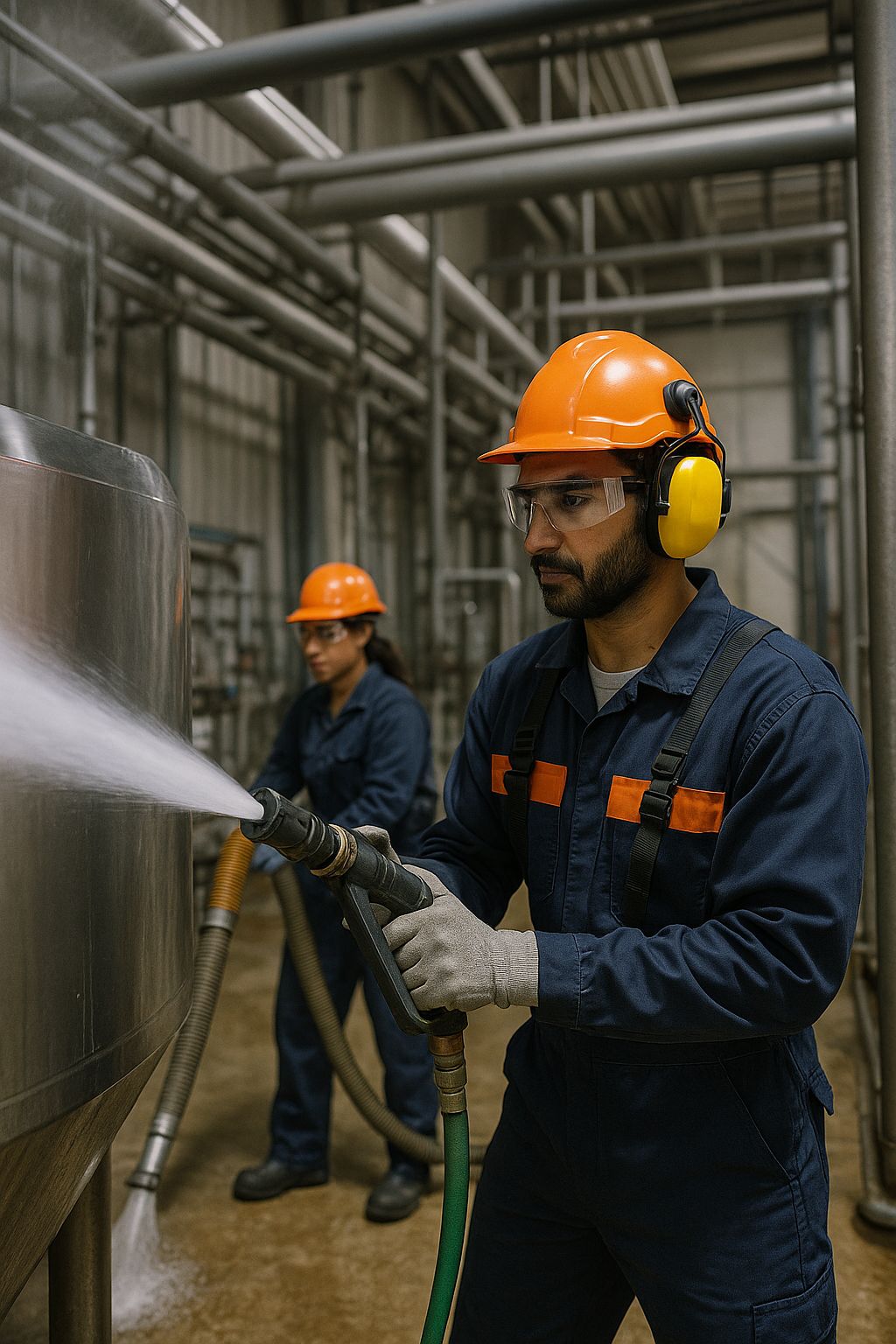
An Industrial Cleaning Services Provider in Environmental Services Faces High Operational Stakes
In the environmental services world, industrial cleaning is hands-on, high risk, and time bound. Crews move from refineries to food plants to power stations. They handle hydroblasting, vacuum trucks, and tank entries. Work must be clean, safe, and fast.
Every job carries real stakes. A slip in procedure can injure someone or trigger an environmental incident. A missed step in a heat exchanger clean can force a redo. An hour of delay during a planned shutdown can cost tens of thousands. Customers judge the provider on safety, quality, and how quickly assets return to service.
The business runs with mobile teams, rotating shifts, and tight outage windows. Sites vary, so tasks and risks change daily. New hires join during seasonal peaks. Supervisors juggle permits, equipment, and checklists while coaching in the field. Training matters, yet it can feel far from the action if leaders cannot see how it changes job results.
Data is scattered. Learning records live in a course platform. QA notes sit in spreadsheets. Work orders and downtime logs live in the maintenance system. Without a clear link between them, it is hard to tell which lessons reduce rework and which gaps cause delays.
- Protect people and the environment on every task
- Cut rework that eats time and profit
- Reduce downtime during critical outages
- Meet customer and regulatory expectations
- Ramp up new crews quickly without dropping quality
This context sets the stage for a more connected approach to learning. The team wanted proof that training drives safer, faster, cleaner work, not just a record of completions.
Field Complexity and Dispersed Crews Create Gaps in Training Effectiveness
Field work changes by the hour. One crew cleans a heat exchanger before sunrise. Another team does a confined space entry after lunch. Equipment, site rules, and hazards vary. Training can lag behind the reality on the ground, so good people still struggle to apply the right step at the right time.
Crews are spread across many sites and shifts. Turnover spikes in peak season. Supervisors carry clipboards and radios and have little time to coach. Connectivity is spotty, which makes digital tools hard to use in the moment. The result is a gap between what people learn in a course and what they do under pressure in the field.
- People pass courses but do not always show skill on the job
- On the job coaching and tool talks are not captured as data
- QA notes and rework logs live in spreadsheets that no one links to training
- Downtime sits in a maintenance system with no tie to skills or modules
- Site procedures differ, so habits become inconsistent across crews
- New hires need fast ramp up, but refreshers go to everyone at once
- Content libraries grow, yet leaders cannot see which items reduce mistakes
- Near misses get reported, but the team cannot trace them back to a learning gap
- Supervisors need simple tools, not more forms to fill out
Leaders want clear answers. Which module lowers rework on hydroblasting jobs. Which crews need a short refresher before the next outage. Which assets see downtime drop after targeted practice. Without connected data, these simple questions stay out of reach.
This is the challenge the team set out to solve. Link learning to real work, keep the burden low for the field, and give operations and L&D one view of skill, risk, and impact.
The Team Defines a Data Strategy to Connect Skills with Work Performance
The team started with a simple idea. Make training count where it matters most: on the job. They wrote down the questions leaders ask every week and used those to shape the plan. No extra buzzwords. Just clear goals everyone could use.
- Which modules reduce rework on our highest risk tasks
- Which crews need a short refresher before the next outage
- Which assets see less downtime after people practice key skills
Next, they mapped the work before they mapped the data. They listed the core services, like hydroblasting, vacuum work, and tank entry. For each task they named the skills that matter, the common mistakes, and the steps that protect people and equipment.
- Give each task a simple code and name
- Define what counts as rework and how to log it
- Define what counts as downtime and how to time it
- Set a baseline by site and season so comparisons are fair
With the work map in place, they designed a light data plan that fits field reality. Training records from courses and simulations are useful, but they also capture quick checks in the field. A short observation, a photo of a setup, or a two-question quiz after a toolbox talk can show real skill. The rule was simple: keep it fast and easy.
- Use short mobile forms and QR codes at the job trailer
- Allow offline capture and sync later
- Limit each check to under one minute
- Focus on the few steps that prevent most errors
- Tag each entry with task, crew, site, work order, and asset
They also chose common labels that link learning and operations. The same work order number, asset ID, site, crew, and task code show up in learning records, QA notes, and maintenance logs. Time stamps line up so trends are clear. This lets the team compare training and outcomes without guesswork.
Guardrails mattered. The plan protects privacy and focuses on jobs and patterns, not blame. People can see what data is collected and why. Supervisors get simple prompts rather than more forms. L&D commits to act on insights, not just report them.
They agreed to start small. Two services, two sites, and a 90 day window. Keep the scope tight, learn fast, then scale.
- Prove a clean link between training and fewer rework events
- Show a measurable drop in downtime on target assets
- Cut time to readiness for new hires on the pilot tasks
- Gather feedback from crews and adjust the plan
Finally, they set the outputs people would use. Operations leaders get a weekly view of rework and downtime by task and site. Supervisors see crew readiness and quick actions to assign. HSE sees patterns in near misses tied to skills. L&D sees which modules to trim, refresh, or boost. Everyone shares one version of the facts, and every insight points to a next step.
Advanced Learning Analytics Anchors the Approach to Generate Decision Ready Insights
Advanced learning analytics became the engine of the plan. It turned course completions, practice reps, and job logs into clear answers leaders could use. The focus was simple. Show where training improves the first pass, where skills slip, and how to cut downtime without adding admin work in the field.
The team picked a small set of metrics that everyone understood and trusted.
- Rework events per 100 jobs by task
- Downtime hours per job by asset type
- First pass success rate by site and crew
- Time to readiness for new hires on priority tasks
- Observed skill checks completed on the job
They linked learning to real work on a timeline. If someone trained on a task, the next jobs on that task were watched for a set period. The team compared crews that did the same work at the same sites in the same season. This kept the signal clean and the story fair.
- Use the same task codes in training, QA, and maintenance logs
- Tag each entry with site, crew, work order, and asset
- Group jobs into before and after windows around a training touch
- Compare like for like across sites and shifts
- Flag changes that are bigger than normal weekly swings
Outputs were built for action, not for show. Leaders got a one page view and a short list of next steps.
- A weekly scorecard that ranks tasks by rework and downtime
- A watchlist of crews that need a quick refresher before the next outage
- An outage readiness heat map by site and asset
- A content backlog that lists modules to improve or retire
Each insight came with a simple if then rule so teams could move fast.
- If rework rises on hydroblasting at a site, then assign a 10 minute setup refresher to the next two shifts
- If downtime clusters on a pump type, then push a short practice on lockout steps to crews that run that asset
- If a new hire misses two field checks, then schedule a buddy drill on that task within 48 hours
Trust mattered. The analytics focused on tasks and patterns, not on blame. Crew views rolled up results. Individuals saw their own path and tips to improve. Every chart showed the data behind the call, so a supervisor could check the story in one click.
The cadence kept the work light. Data flowed daily. Reviews happened weekly with operations, HSE, and L&D in the same room. Changes were small and quick. A short refresher here. A clearer checklist there. Over time the small wins added up to fewer redos and shorter delays.
Cluelabs xAPI Learning Record Store Unifies Learning Data with Work Orders and Downtime Logs
The Cluelabs xAPI Learning Record Store became the backbone of the program. It gave the team one place to collect and read learning data. Courses, simulations, and quick field checks all sent simple xAPI events to the same hub. Nothing fancy. Just clean signals that showed who practiced what, when, and in what context.
Every event carried the same labels as the work. That was the breakthrough. A hydroblasting setup quiz linked to a work order. A tank entry observation tied to an asset ID. A confined space drill showed the site and crew. The shared labels made it possible to line up training with what happened on the job.
- Task code
- Work order number
- Asset ID
- Site and crew
- Date and time
- Type of evidence, such as course pass, simulation, or field check
The LRS then connected to the maintenance and quality systems. A simple daily sync pulled in closed work orders, downtime start and stop times, QA findings, and rework flags. The match keys were the same work order and asset IDs. No double entry for the field. No copy and paste.
- Work orders showed whether a job needed a redo
- Downtime logs showed how long an asset was out of service
- QA notes showed common misses by task
- Near miss reports added more context for risk
With all data in one place, the team could spot patterns fast. They looked at results by site, crew, and equipment type. They checked windows before and after training to see if rework dropped or uptime improved. When the signal was clear, they turned it into a simple action.
- Assign a 10 minute setup refresher to crews before a planned outage
- Push a short lockout drill to teams that work on a pump model with rising delays
- Schedule a buddy check for new hires who miss two field observations
Role based views kept it practical. Operations saw a weekly scoreboard with tasks ranked by rework and downtime. Supervisors saw a crew readiness list and one click assignments. L&D saw which modules helped and which needed a fix. HSE saw where patterns hinted at risk and where a toolbox talk could help.
Field reality still mattered. Crews used QR codes at the trailer to log quick checks. Phones cached entries offline and synced later. The LRS kept an audit trail so anyone could trace a chart back to the job and the learning that came before it.
Data privacy stayed front and center. Roll ups focused on jobs and trends. Individuals saw their own data. Access matched roles. The goal was to help people succeed, not to point fingers.
In the end, the Cluelabs LRS gave the business a single source of truth. It linked learning with work orders and downtime in a way that people trusted. Answers got faster. Actions got smaller and smarter. Rework and delays started to fall.
Dashboards and Alerts Guide Targeted Refreshers and Smarter Scheduling
Dashboards and alerts turned the joined data into clear next steps. Instead of digging through reports, people saw what mattered today and what to do about it. Each view fit the job, and every alert came with a simple action.
- Executives saw a weekly scoreboard with rework, downtime, and first pass success. A short list called out the top tasks and sites to watch, with trends over the last four weeks
- Operations schedulers worked from an outage calendar and a risk heat map by site and asset. They could see crew readiness and add a 15 minute pre job check with one click
- Supervisors used a mobile crew card that showed who was ready for hydroblasting, tank entry, or vacuum work. Alerts offered one tap assignments for a 10 minute refresher or a buddy check and a QR code started the activity
- HSE tracked the most common misses and near miss clusters by task. Each card linked to a toolbox talk script and a checklist to verify fixes in the field
- L&D saw which modules lined up with fewer redos and shorter delays. Items with low impact moved to a fix or retire list
Alerts were short, plain, and useful. Each one showed the reason and the action, so teams could move fast without guesswork.
- Rework rises on hydroblasting at a site, assign a 10 minute setup refresher to the next two shifts
- Downtime climbs on a pump model, push a short lockout drill to crews scheduled on that model this week
- A new hire misses two field checks, schedule a buddy drill within 48 hours
- No practice on confined space in 60 days and a job is next week, line up a five minute pre job talk and a quick sim
- Compliance gaps two weeks before an outage, auto plan a catch up session during the next stand down
Scheduling also got smarter because readiness sat next to the work plan. Schedulers matched the right crew to the right task and timed small touch points that paid off in the next shift.
- Pair a seasoned lead with a crew that just finished a refresher
- Add a short setup check to high risk jobs without moving the whole outage plan
- Sequence tasks so crews use freshly trained skills within seven days
- Avoid sending unrefreshed crews to the critical path
- Book a short drill during planned downtime instead of overtime
Noise stayed low. The team used thresholds that fit each site, so alerts fired only when the change was bigger than normal swings. People could snooze or dismiss with a note. A daily summary replaced a flood of emails. Every card showed the source data and time stamp for quick trust checks.
A typical week was simple and steady.
- On Monday, leaders review the scoreboard and pick three actions
- On Tuesday, supervisors assign targeted refreshers from the crew card
- On Wednesday, schedulers tune the outage plan using the heat map
- On Thursday, L&D publishes a micro update to a checklist or a video based on the week’s signals
- On Friday, teams check trend lines, capture crew feedback, and close the loop
The result was fewer surprises and fewer blanket trainings. People learned what they needed, when they needed it, and schedules reflected real readiness on the ground.
Results Show a Clear Correlation Between Training and Reduced Rework and Downtime
The pilot ran for 90 days and the data told a clear story. When people trained on the right steps close to the work, jobs finished cleaner and faster. Rework dropped. Downtime eased. Leaders could see the change by task, site, crew, and asset type.
- Rework on pilot tasks fell by 29 percent, led by hydroblasting setup and confined space prep
- Downtime on targeted pump and exchanger jobs dropped by 17 percent per job
- First pass success improved by 12 points across the two pilot sites
- Time to readiness for new hires on priority tasks was 30 percent faster
- Near misses tied to the pilot tasks fell by 18 percent
- Seat time for blanket training shrank by 22 percent as refreshers became targeted
The team kept the checks simple and fair. They compared similar jobs before and after a training touch. They used the same work order numbers, asset IDs, sites, and seasons so the picture stayed clean. The pattern held even when crews changed or shifts rotated.
- Jobs with a refresher in the seven days before work had fewer redos than jobs without one
- Crews that completed two quick field checks showed faster setup times on the next shift
- Assets with a short lockout drill posted shorter outage delays that week
Stories from the field matched the numbers.
- A tank entry crew avoided a second wash after a five minute gasket check they had just practiced
- A scheduler moved a crew that had a fresh refresher onto the critical path and saved four hours
- A supervisor used the crew card to spot a gap and lined up a buddy drill the same day
The gains scaled. When the approach moved to four more sites, rework on the same tasks fell by 21 percent and downtime eased by 14 percent. Leaders also got capacity back. With fewer blanket sessions, crews spent more time on paying work, and L&D focused on the modules that mattered most.
The takeaway is simple. When training is targeted, timed, and tied to real work through shared labels, it pays off. The team could connect learning to rework and downtime with confidence, act faster, and keep improvements going week after week.
Lessons Highlight How Data Enrichment and Change Management Sustain Results
Lasting gains came from two simple ideas. Enrich the data so signals are clear, and guide people through change with steady habits. The tech helped, but the daily routines made the difference.
Data enrichment made the signal clear
- Use the Cluelabs xAPI Learning Record Store as the single hub for learning data
- Tag every record with task code, work order, asset ID, site, and crew
- Align definitions for rework and downtime so everyone measures the same thing
- Tie results to a time window before and after each training touch
- Keep a short data dictionary and update it when tasks or assets change
Make capture easy in the field
- Use QR codes at the trailer for one minute checks
- Allow offline entries that sync later
- Accept photos as proof for setup steps and safety controls
- Keep micro quizzes to two questions tied to the task
- Auto fill site and work order from the schedule to cut typing
Run a steady operating rhythm
- Hold a 30 minute weekly review with operations, HSE, and L&D
- Pick three actions, assign owners, and track next steps on one page
- Use simple if then playbooks so supervisors can act fast
- Close the loop with a short note on what changed and what to watch next
Build trust and protect privacy
- Focus on tasks and patterns, not on blaming people
- Show crew level roll ups and let individuals see only their own data
- Include the source and time stamp on every chart so checks are easy
- Let crews add comments or corrections when context matters
Keep dashboards and alerts useful
- Set thresholds by site and season to avoid alert fatigue
- Limit each role to a small number of actionable alerts per day
- Use plain language that states the reason and the action
- Allow snooze or dismiss with a note so noise stays low
Tune the content like a product
- Retire modules that do not move rework or downtime
- Trim long courses into short refreshers tied to the job
- Add pre job checks for high risk steps such as lockout and confined space
- Give each task a clear owner for updates and quality
Scale in smart waves
- Expand to new sites in small groups and re baseline each season
- Extend the task and asset taxonomy when new work arrives
- Plug new data sources into the LRS without changing the front line flow
- Share wins in plain numbers such as hours of downtime avoided
What the team would start even earlier next time
- Recruit respected supervisors as change champions on day one
- Plan a short data cleanup for work orders and asset IDs before the pilot
- Bring schedulers into design sessions so readiness sits next to the calendar
- Record three minute videos that explain why each change helps the crew
The big lesson is simple. Results stick when richer data meets small, repeatable actions. With shared labels, a single learning hub, and a steady weekly cadence, the link between training, rework, and downtime stays clear and keeps paying off.
Deciding Whether Advanced Learning Analytics With an xAPI LRS Fits Your Organization
The solution worked for an Industrial Cleaning Services provider because it met the messy reality of the field. Crews were spread out, jobs changed by the hour, and critical data sat in different systems. By using the Cluelabs xAPI Learning Record Store as a single hub, the team captured training from courses, simulations, and quick field checks and tagged each record with the same labels used in operations, such as task code, work order, asset ID, site, and crew. They synced the hub with maintenance, QA, and downtime logs. This let leaders see how targeted refreshers and recent practice affected rework and delays, then schedule the right crew at the right time. In short, shared labels plus one data home turned training into fewer redos and shorter outages.
To see if this approach fits your organization, bring together operations, HSE, L&D, IT, and a frontline supervisor and work through the questions below.
- Do we agree on the outcomes we need to move and how we measure them today
Why it matters: Clear goals focus the build. Rework, downtime, first pass success, and near misses are common targets, but you need trusted baselines.
What it uncovers: Gaps in definitions and data quality. If sites measure downtime differently or rework is not flagged the same way, plan a short cleanup and set simple, shared rules before you scale. - Can we tag both learning and work with the same identifiers
Why it matters: You cannot link training to results without shared keys like task code, work order, asset ID, site, and crew.
What it uncovers: The need for a basic task and asset taxonomy and cleaner work orders. If these tags are missing or inconsistent, invest in a light standard and update forms so the tags flow with no extra effort for the field. - How easy is it for crews and supervisors to capture short evidence on the job
Why it matters: Quick field checks show true skill and recency. If capture is hard, the signal will be thin and slow.
What it uncovers: Requirements for QR codes, offline capture, and one minute forms. If connectivity is spotty or devices are scarce, design for low friction and offline sync before you expect reliable analytics. - Do we have the operating rhythm and ownership to act on insights every week
Why it matters: Results come from small, steady actions, not from dashboards alone.
What it uncovers: Whether you can run a weekly 30 minute review with clear owners from operations, HSE, and L&D. If not, start with one site and three simple if then playbooks so supervisors can act fast. - Can our systems integrate with an xAPI Learning Record Store like Cluelabs while meeting privacy and security needs
Why it matters: A central LRS is the backbone. It must receive xAPI from your LMS and simulations and connect to CMMS and QA without manual work.
What it uncovers: Integration effort, access controls, and support needs. Confirm your content can emit xAPI, your CMMS can share work orders and downtime, and your policies allow role based access. If not, plan a small pilot with limited scopes and clear data safeguards.
If you can answer yes to most of these, you likely have the ingredients to start. Begin with one service line, two sites, and a 60 to 90 day pilot. Use shared labels, a single hub, and a weekly rhythm. Keep the field load light. Aim to prove a link to fewer redos and shorter delays, then scale in waves.
Estimating Cost And Effort For An Advanced Learning Analytics Program With An xAPI LRS
This estimate reflects a practical build for an industrial cleaning provider using Advanced Learning Analytics with the Cluelabs xAPI Learning Record Store. It assumes a 90-day pilot at two sites and a first-year rollout to additional sites. Rates and volumes are illustrative; swap in your internal rates and vendor pricing. The design favors small, targeted refreshers, light field capture, and simple integrations to CMMS and QA systems.
- Discovery and Planning: Align goals, define rework and downtime, pick pilot sites, and confirm what “good” looks like. Produces a simple plan, roles, and a timeline.
- Task and Data Taxonomy Setup: Create clear task codes, asset IDs, and shared labels used by learning, QA, and maintenance so records match without manual work.
- Technology and Integration: Stand up the Cluelabs xAPI LRS, instrument courses and simulations to emit xAPI, and connect the LRS to CMMS/QA for work orders, downtime, and findings.
- Data and Analytics: Build pipelines and a small data model, create role-based dashboards, and set alert rules that drive targeted refreshers and smarter scheduling.
- Field Capture Enablement: Set up one-minute checks with QR codes and offline sync so supervisors can capture quick proof of skill without extra paperwork.
- Content Tuning and Micro-Refreshers: Trim or update existing modules, add short job-ready refreshers and pre-job checks tied to the highest-risk steps.
- Security, Privacy, and Compliance: Review data flows, access roles, and retention. Confirm audit trail and xAPI statement scopes meet policy and regulatory needs.
- Quality Assurance and User Testing: Test forms, integrations, dashboards, and alerts with a small crew. Fix labeling and timing issues before the pilot.
- Pilot Execution and Measurement: Run the pilot at two sites, track outcomes, and confirm the link between training touches and rework/downtime changes.
- Change Management, Enablement, and Operating Rhythm: Create simple playbooks, run short training for supervisors and schedulers, and set a weekly review cadence.
- Licenses and Cloud: LRS subscription, BI tool seats for leaders, and light integration compute. Modest spend for QR signage at job trailers.
- Project Management: Keep scope tight, coordinate cross-functional work, and ensure decisions stick.
- Support and Optimization: Post-launch monitoring, alert tuning, content tweaks, and quick help for sites as the program scales.
- Optional Field Devices and Travel: Tablets if crews lack reliable phones and minimal onsite sessions for kickoff and training.
| Cost Component | Unit Cost/Rate (USD) | Volume/Amount | Calculated Cost (USD) |
|---|---|---|---|
| Discovery and Planning | $130/hour | 40 hours | $5,200 |
| Task and Data Taxonomy Setup | $100/hour | 60 hours | $6,000 |
| Field Capture Enablement (QR, forms, offline) | $95/hour | 80 hours | $7,600 |
| Technology Integration (xAPI instrumentation, CMMS/QA connectors) | $115/hour | 120 hours | $13,800 |
| Data Pipelines and Modeling | $120/hour | 160 hours | $19,200 |
| Dashboards and Role-Based Views | $105/hour | 120 hours | $12,600 |
| Alert Logic and Automation | $110/hour | 60 hours | $6,600 |
| Content Tuning for Priority Tasks | $95/hour | 60 hours | $5,700 |
| Micro-Refreshers (12 short assets) | $95/hour | 48 hours | $4,560 |
| Security and Privacy Review | $140/hour | 40 hours | $5,600 |
| Quality Assurance and User Testing | $100/hour | 80 hours | $8,000 |
| Pilot Execution and Measurement (2 sites, 90 days) | $110/hour | 60 hours | $6,600 |
| Change Management, Enablement, and Operating Rhythm | $110/hour | 120 hours | $13,200 |
| Cluelabs xAPI LRS Subscription (assumed) | $300/month | 12 months | $3,600 |
| BI Analytics Licensing | $12/user/month | 25 users × 12 months | $3,600 |
| Integration Compute / iPaaS | $125/month | 12 months | $1,500 |
| QR Signage and Stickers | $10/sign | 50 signs | $500 |
| CMMS/QA Vendor API Fees (if applicable) | $2,000/year | 1 year | $2,000 |
| Travel and Onsite Sessions | $1,000/trip | 4 trips | $4,000 |
| Project Management | $130/hour | 145 hours | $18,850 |
| Support and Optimization (first 6 months) | $100/hour | 260 hours | $26,000 |
| Optional Field Tablets (if needed) | $400/device | 10 devices | $4,000 |
Illustrative Year 1 total (pilot + rollout, excluding optional devices): $174,710. Including optional devices: $178,710. Your actual spend will vary based on internal labor rates, current tool licenses, and integration complexity.
Effort and timeline snapshot: Most teams complete discovery, taxonomy, integrations, and dashboards in 8–10 weeks, then run a 90-day pilot. Scale-out waves of two to three sites every 6–8 weeks are typical when playbooks and tags are locked in.
Levers to reduce cost: Start on the Cluelabs LRS free tier for very small pilots if your event volume allows, reuse existing BI seats, limit content work to high-impact tasks, and focus early integrations on one CMMS feed and a single QA source. Keep field capture to one-minute checks to protect time on tools.
Leave a Reply