Executive Summary: This case study examines a manufacturing plant logistics organization that implemented role-based Upskilling Modules, supported by AI-Generated Performance Support & On-the-Job Aids, to align shipping windows with dispatch bots. By pairing short, hands-on learning with real-time SOP guidance on dock tablets, the team kept data clean, handled exceptions quickly, and synchronized human and bot workflows. The result was higher on-time pickup adherence, fewer expedites, and smoother dock utilization—offering a practical playbook for executives and L&D teams.
Focus Industry: Logistics And Supply Chain
Business Type: Manufacturing Plant Logistics
Solution Implemented: Upskilling Modules
Outcome: Align shipping windows with dispatch bots.
Cost and Effort: A detailed breakdown of costs and efforts is provided in the corresponding section below.
Our Project Role: Custom elearning solutions company
Manufacturing Plant Logistics Sets the Context and Stakes
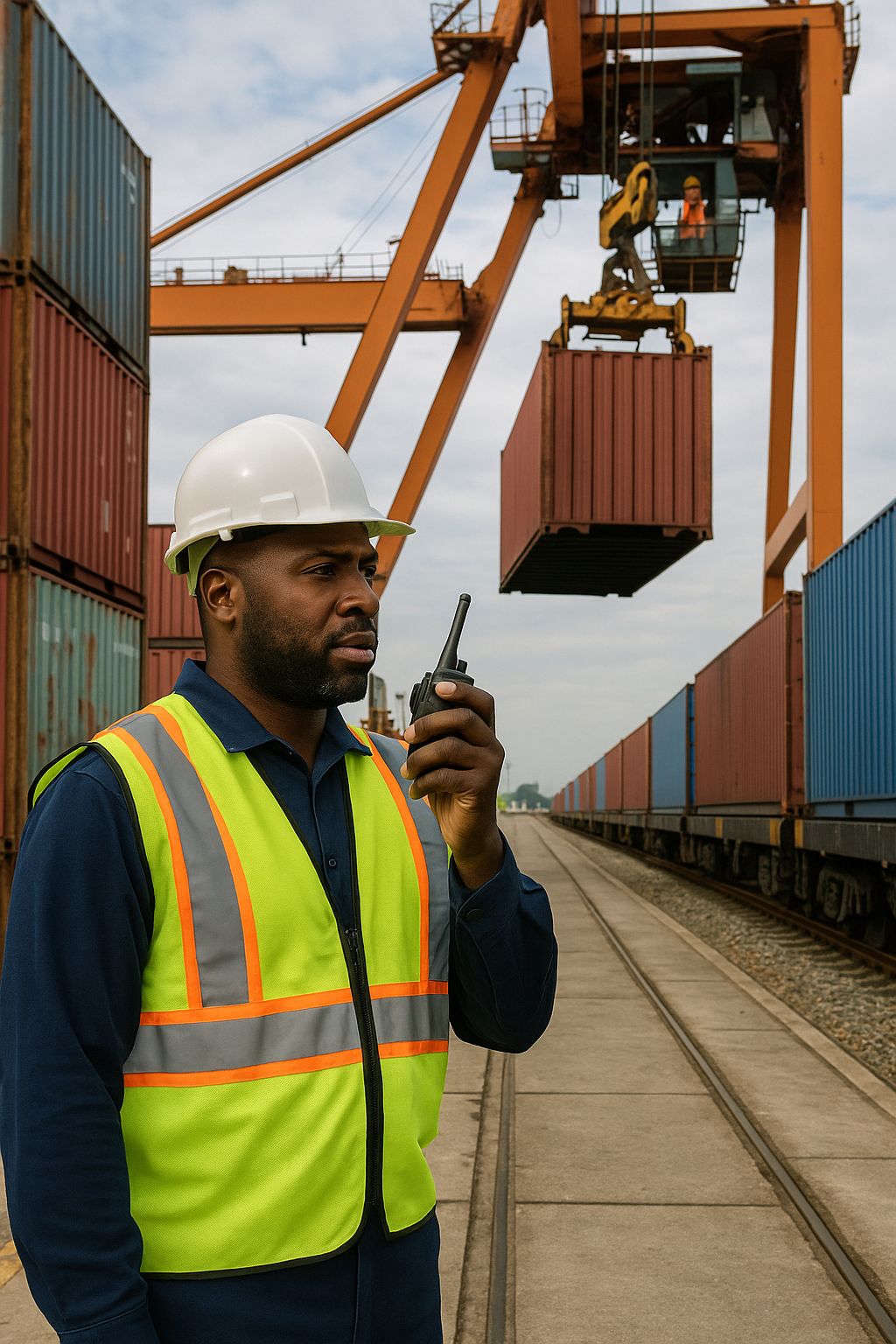
Manufacturing plant logistics sits at the point where production meets the outside world. Every hour, finished goods roll off the line, trucks arrive, and dock teams move fast to load the right orders. If that flow stalls, the line backs up, customers wait, and costs climb.
In this setting, two things must move in step: shipping windows and the plan from dispatch bots. Shipping windows are the pickup times promised to customers or carriers. Dispatch bots are software that builds the load plan and suggests who should do what and when. They help only when people enter clean data and follow the right steps. If that does not happen, the plan drifts and the day gets noisy.
The operation brings together planners in the shipping office, warehouse leads, forklift drivers, and IT support. They rely on scanners, label printers, a warehouse system, and a transportation system. Shifts turn over, volumes swing, and carriers can arrive early or late. Changes mid shift are normal. That mix of speed and variability makes simple, repeatable routines essential.
Without shared skills and quick answers, teams fall back to manual workarounds. A planner edits times by hand. A lead reassigns a door without logging it. A driver stages a pallet in the wrong lane. New hires and floaters hesitate or guess. Small gaps like these break the link between the promised window and the bot plan.
Here is what is at stake when those gaps add up:
- Customer promises: missed pickup windows and late deliveries
- Cost: carrier waiting fees, rush freight, and overtime
- Flow: crowded docks, extra travel, and slower loading
- Safety: rushed moves and crowded aisles raise risk
- Information: wrong times and entries weaken future plans
- Morale: stress rises and trust in new tools drops
This case study looks at a practical fix. The team paired role-based Upskilling Modules with AI-Generated Performance Support & On-the-Job Aids on dock tablets to give people clear steps at the moment of work. The goal was simple. Keep shipping windows and the bot plan in sync, shift after shift, with fewer surprises and smoother flow.
The Challenge Is Misaligned Shipping Windows and Bot Coordination
The core problem was simple to see and hard to fix. The team promised pickup times, known as shipping windows. The dispatch bots created a plan for who loads what and when. Too often those two did not match. When the plan and the window fell out of sync, trucks waited, the dock got crowded, and people rushed.
Small misses piled up into big delays. A planner entered a time but missed a required field. A lead moved a trailer to a new door but did not update the system. A driver skipped a scan when a label jammed. A carrier showed up early or late and no one adjusted the plan in time. Alerts lived on an office screen while the dock crew worked three bays away.
- Required data for bot sync was missing or wrong, so the plan did not refresh
- Manual edits in side spreadsheets never made it into the core systems
- Re-slotting and door changes were not logged during busy moments
- Early or late carrier arrivals had no clear steps for recovery
- Missed scans and label reprints broke the link between orders and loads
- Shift handoffs varied by person, so key details got lost
- New hires and floaters did not yet know the screens or the steps
The human side mattered most. Digital skills varied across roles. Some folks trusted the bot. Others did not and overrode it by habit. People tried to remember long checklists in a noisy, moving workspace. Under stress, they picked the fastest move, not always the right one.
Results showed up fast. On-time pickups slipped. Last-minute expedites rose. Trucks sat longer at doors. Overtime crept up. The team felt like it was always firefighting, and faith in the new tools fell.
Here is a typical moment. The bot recommends a swap to keep a 2 p.m. window. The load is staged but one item is short. The planner plans to fix the data after the next call. The lead pulls a different trailer to keep people busy. No one updates the system. By the time the short item is found, the window has passed and the bot plan no longer fits the floor.
The challenge was not a lack of effort. It was a lack of shared, simple steps in the exact moment of work, and a way to practice those steps with the screens people use every day. Until that gap closed, the plan and the promised window would keep drifting apart.
The Strategy Centers on Upskilling Modules With AI-Generated Performance Support & On-the-Job Aids
The team chose a simple idea. Teach people the right steps, then back them up in the moment of work. The plan had three parts: short role-based Upskilling Modules, AI-Generated Performance Support & On-the-Job Aids on the floor, and steady coaching to build new habits.
- Role-based learning: Planners, warehouse leads, and drivers each had a path that fit their tasks. Modules ran 10 to 15 minutes and focused on a few key moves. People learned how to keep shipping windows in sync with the bot plan, how to enter clean data, and how to handle common changes.
- Hands-on practice: Learners practiced with screenshots and safe simulations of the bot and core systems. Scenarios covered early or late carrier arrivals, re-slotting a door, missing scans, and label fixes. Each module ended with a quick check to confirm “I can do this now.”
- On-the-job help: The AI-Generated Performance Support & On-the-Job Aids lived on dock tablets and in the shipping office. It delivered just-in-time SOP checklists and step-by-step guidance. It prompted users to validate required fields before a bot sync, offered clear paths for early or late arrivals or re-slotting, and answered “what do I do now?” when the bot changed the plan. Links inside the modules opened the same aids, so training and live work felt like one flow.
Access was fast and obvious. Tablets on each dock door had a home screen tile for the aids. The warehouse system showed a small link next to key screens. QR codes at staging lanes connected to the exact checklist for that lane. No one had to search or leave the floor to find help.
Supervisors acted as coaches. Each shift started with a two-minute huddle that reviewed one skill and one exception. Champions on every crew watched for good use of the steps and gave quick feedback. If someone found a better way, the team added it to the aid the same week.
The plan also set clear measures from day one. The team watched on-time pickup adherence, bot override rate, time to clear exceptions, last-minute expedites, and door dwell. They paired those metrics with simple learning signals like module completion, practice results, and spot checks on the floor.
Rollout began small. One line and one shift tested the flow for two weeks, then shared fixes. After that, the program scaled to the full site with the same rhythm. Learn it, try it, use it, and improve it the same day. The goal was confidence at the dock and a steady link between shipping windows and the bot plan.
The Solution Uses AI-Generated Performance Support & On-the-Job Aids to Align Shipping Windows With Dispatch Bots
The heart of the solution was simple tools that met people where they worked. The team put AI-Generated Performance Support & On-the-Job Aids on dock tablets and in the shipping office. When someone opened the aid, it asked, “What are you doing?” and offered choices like start a load, carrier early, carrier late, door change, or fix a scan. Based on that choice, it showed a short checklist with the exact steps, the right screen shots, and the fields to check before the next bot sync.
The aids kept the plan and the promise in sync. They reminded planners and leads to enter clean data, and to re-run the bot when needed. If anything was missing, the tool flagged it in plain language. It did not ask people to leave the dock or dig through a manual. It brought the right step to the right person at the right time.
- Before you start a load: Confirm the carrier appointment ID, door number, trailer status, and shipping window. Check pick completion and label health. Update any missing fields. Tap “Sync With Bot” and wait for the green ready check.
- When the bot updates the plan: The aid pops a “what do I do now?” prompt. It shows the swap, who to notify, and the two clicks to accept the change. If you must override, it asks for a quick reason and reminds you to set a new window.
Common exceptions had clear paths that cut noise and delay. Each path fit on one screen and used short steps that matched the software buttons on hand.
- Carrier early: Verify staging status. If ready, update arrival time, assign a spare door, and run a quick sync. If not ready, park in the holding area and set a new window with a time box.
- Carrier late: Move the next ready load forward. Update the missed window, notify the carrier, and re-sequence the dock. Run a sync and confirm the new plan shows on the board.
- Door change or re-slot: Scan the trailer, change the door in the system, and update the lane tag. Resync so the bot pushes the new path to the floor.
- Label jam or missed scan: Reprint, rescan, and run a match check so orders and loads stay linked.
The aids linked straight from the Upskilling Modules, so practice and real work felt the same. A learner could try a scenario in a module, then tap the aid on a tablet and see the same steps in live work. QR codes by each staging lane opened the right checklist for that lane. A small link in the warehouse system and the transport system took people to the same guidance without extra clicks.
Supervisors used the tool to coach in the flow of work. During huddles, they pulled up a checklist, walked the steps, and asked a volunteer to drive the screen. On the floor, they watched for good use and gave quick praise or a tip. If a better step came from the crew, the team added it to the aid that week so everyone could use it on the next shift.
The tool kept a light log of the most used paths and the steps that caused stalls. That helped the team spot hot spots, tune a checklist, or add a missing screen shot. It also showed where people still overrode the bot, which fed the next round of coaching.
Most of all, the aids removed guesswork during busy moments. People did not need to remember long lists or hunt for the right menu. They could follow five or six clear steps, keep data clean, resync fast, and keep the dock moving while the dispatch bots stayed aligned with shipping windows.
Outcomes Show Higher On-Time Adherence, Fewer Expedites, and Smoother Dock Utilization
After the Upskilling Modules and the AI-Generated Performance Support & On-the-Job Aids went live, the dock felt calmer. People had clear steps, fewer surprises, and faster recoveries when plans changed. The dispatch bots and the promised shipping windows lined up more often, and that showed up in daily results.
- On-time pickups improved across all shifts and stayed steady even when volume spiked
- Last-minute expedites dropped, which cut cost and reduced end-of-day scrambles
- Dock use smoothed out with fewer peaks and gaps, and less time with trailers sitting at doors
- Manual overrides of bot suggestions fell, and more crews trusted the recommended plan
- Exceptions cleared faster, including early or late arrivals, door changes, and label issues
- Data quality improved at the point of entry, so bot syncs ran clean and plans refreshed on time
- New hires ramped faster because the same steps they learned in modules matched the tablet checklists on the floor
- Carrier wait times shrank, and appointment reliability improved
The day-to-day experience changed for the better. Planners no longer kept side sheets to “fix later.” Leads did not need to guess the next best move during a rush. The aid nudged the right step at the right time, with a quick prompt to resync the bot so the plan stayed current. People spent less time reworking loads and more time moving freight.
One common moment tells the story. A truck arrived 30 minutes early. In the past, the team would shuffle trailers and hope to catch up. With the aid, the lead tapped “carrier early,” checked staging status, assigned a spare door, and ran a quick sync. The bot updated the plan, the crew loaded, and the pickup hit its window. No scramble, no missed steps, no extra calls.
These changes held because the tools and the habits reinforced each other. The modules built understanding. The on-the-job aids made the same steps easy to use under pressure. Supervisors coached to the same playbook during huddles, and crew feedback went back into the checklists each week. The loop kept getting tighter and simpler.
Measurement stayed simple and useful. The team tracked on-time pickup adherence, expedites, time to clear exceptions, trailer time at door, and how often people overrode bot recommendations. They also watched training signals like module completion and short practice checks. Usage data from the aids showed which paths people used most and where they got stuck. That pointed to the next improvement.
There were softer gains as well. Stress on the dock eased, shift handoffs were cleaner, and trust in the new tools grew. People said they felt more in control, not controlled by the system. Leaders saw steady results and fewer fires to fight. Most important, customers saw the difference in reliable pickups and smoother deliveries.
In short, aligning shipping windows with dispatch bots was not just a systems fix. It was a people-first change backed by clear training and smart, in-the-moment support. That mix drove higher on-time performance, fewer costly expedites, and a more predictable, efficient dock.
Lessons Equip Executives and L&D Teams to Scale Adoption and Measurement
Here are practical lessons you can use to roll this out at scale and keep it working. They focus on clear goals, simple steps, and steady measurement that leaders and crews can trust.
- Start with one outcome: Make on-time pickup adherence the north star and tie every decision to it
- Map the critical moves: For each role, list the five actions that keep shipping windows and the bot plan in sync
- Keep training short and real: Use role-based Upskilling Modules that mirror live screens and common scenarios
- Put help where work happens: Give the AI-Generated Performance Support & On-the-Job Aids a one-tap entry on dock tablets, office PCs, and key system screens
- Make exceptions obvious: Build single-screen paths for early or late arrivals, door changes, label fixes, and missed scans
- Coach every shift: Run a two-minute huddle, practice one scenario, and praise good use of the steps on the floor
- Measure behavior in the flow: Track aid usage, bot overrides with reasons, and time to clear exceptions, then compare to daily KPIs
- Update fast and show the stamp: Assign a content owner, apply a simple change log, and publish updates within 48 hours when crews find a better step
- Pilot, then scale: Prove the approach on one line and one shift, fix friction, then lift and shift the same playbook to the next area
- Design for real shifts: Support multiple languages, glove-friendly buttons, QR codes at lanes, and a two-click rule to reach help
- Make overrides rare and transparent: Set clear rules for when to override and require a quick reason so coaching targets real gaps
- Build trust with data: Tell crews what gets tracked, use it to remove pain, and share wins weekly
A starter scorecard helps leaders see progress without drowning in data. Keep it short and visible.
- On-time pickup adherence
- Expedites per 100 loads
- Average trailer time at door
- Bot override rate and top three reasons
- Exception time to clear
- Aid usage per exception type
- New-hire ramp time to independent loading
Use a simple rollout rhythm that teams can repeat across sites.
- Baseline the scorecard and record three days of reality
- Run a two-week pilot with the modules and the aids, with daily huddles and quick fixes
- Publish a one-page summary of what improved and what changed in the checklists
- Scale to a second shift and a second line using the same playbook and scorecard
- Hold a weekly 30-minute review to tune steps, retire clutter, and lock in the next win
The big idea is simple. Teach the few moves that matter, make the right step the easy step with on-the-job aids, and measure what the floor can feel. Do that, and adoption grows, results hold, and each site can reach the same steady flow.
A Guided Conversation On Fit For Upskilling Modules And On-The-Job Aids
In a manufacturing plant logistics environment, the pain came from a gap between what was promised and what was planned. Shipping windows were set, and dispatch bots produced a load plan, yet daily hiccups pushed them out of sync. The solution worked because it focused on the few moves that matter at the dock and made them easy to do under pressure. Short, role-based Upskilling Modules taught planners and warehouse leads how to keep data clean, handle door moves, and manage early or late carrier arrivals. AI-Generated Performance Support & On-the-Job Aids then sat on dock tablets and office PCs to guide each step in real time. The aids prompted people to check required fields before a bot sync, walked them through quick paths for common exceptions, and answered the question most crews ask in the rush, “What do I do now?” That bridge between practice and live work improved on-time pickups, cut expedites, reduced overrides, and smoothed dock use.
If you are considering a similar approach, use these questions to test fit and surface the work needed to succeed.
- What single operational outcome will we move first, and can we measure it every day?
This keeps the effort focused on value that leaders and crews can see, like on-time pickup adherence. It uncovers the data you must collect and the reports you need. If you cannot track the outcome daily, start smaller or fix measurement first. - Where exactly does drift happen between shipping windows and the plan, and which five moves keep them in sync?
This targets the training and the aids to the real moments that cause delay, such as missed scans, door changes, or late arrivals. It reveals whether the root cause is people, process, or system. If the main causes sit upstream, you may need process or system changes before training. - Can frontline staff reach on-the-job help in two taps, and can our systems accept clean data and resync fast?
This decides adoption in the flow of work. It surfaces gaps in devices, Wi-Fi, gloves and screens, language support, and quick paths inside your warehouse and transport systems. If access is slow or resyncs lag, budget for hardware, UI links, or offline QR options before rollout. - What skills by role can we teach in 10 to 15 minutes with screens that match live work?
This keeps learning short and useful. It exposes which tasks are right for microlearning and which need coaching or longer practice. If a task is complex or rare, break it into smaller steps or build a coached path instead of a single module. - Who will coach each shift and who owns fast updates and measurement?
This sustains results after launch. It clarifies supervisor time, champion roles, and a simple process to update checklists within 48 hours when crews find a better step. It also defines a small scorecard and how aid usage, overrides, and exception times feed weekly reviews. Without this, content goes stale and trust fades.
If you answer yes to most of these, pilot the approach on one line for two weeks. Keep the scope tight, measure daily, and let crew feedback drive the next update. That rhythm builds confidence and shows whether the solution fits your operation.
Estimating Cost And Effort For Upskilling Modules And On-The-Job Aids
This estimate outlines the work and budget to implement role-based Upskilling Modules paired with AI-Generated Performance Support & On-the-Job Aids in a manufacturing plant logistics setting. Numbers are budgetary and assume one site with three shifts, about 60 frontline learners, eight short modules, roughly 20 on-the-job checklists, and tablets at each dock door.
Key cost components and what they cover
- Discovery and planning: Walk the dock, map current steps, align goals and daily metrics, and define where the plan and shipping windows drift.
- Role and skills mapping: Identify the five critical moves by role that keep the bot plan and shipping windows in sync.
- Learning design: Storyboard the Upskilling Modules and the matching on-the-job checklists so practice screens match live screens.
- Content production—modules: Build eight 10–15 minute modules with screen capture, short scenarios, and quick checks.
- Content production—on-the-job aids: Create step-by-step paths for common tasks and exceptions inside the performance support tool.
- Technology and integration: Subscribe to the performance support tool, configure it, add one-click links in the WMS/TMS, and place QR codes at lanes and doors.
- Devices and infrastructure: Provide dock tablets, mounts, and cases so frontline staff can reach help in two taps.
- Data and analytics setup: Stand up a simple dashboard for on-time pickups, expedites, overrides, exception time, and aid usage.
- Quality assurance and compliance: Test content and flows, review SOP alignment, complete safety and security checks.
- Pilot and iteration: Run a two-week pilot on one line, fund champion time, and refine checklists and modules based on feedback.
- Deployment and enablement: Train supervisors to coach, cover backfill, and share simple one-pagers and signage.
- Change management and coaching: Support shift huddles and floor coaching during the first six weeks.
- Support and maintenance: Update checklists and modules during the first three months as the team improves steps.
- SME participation backfill: Cover time for planners and leads who help review and test.
- Optional localization: Translate modules and checklists if the site runs in more than one language.
| Cost Component | Unit Cost/Rate (USD) | Volume/Amount | Calculated Cost (USD) |
|---|---|---|---|
| Discovery and Planning | $150/hr | 40 hours | $6,000 |
| Role and Skills Mapping | $120/hr | 30 hours | $3,600 |
| Learning Design (Modules and Aids) | $120/hr | 60 hours | $7,200 |
| Content Production: Upskilling Modules | $2,000/module | 8 modules | $16,000 |
| Content Production: On-the-Job Checklists and Paths | $200/checklist | 20 checklists | $4,000 |
| Tool Subscription: AI-Generated Performance Support & On-the-Job Aids | $3,000/year | 1 site-year | $3,000 |
| Tool Configuration and SSO/Links | $120/hr | 20 hours | $2,400 |
| Tablets | $450/device | 14 devices | $6,300 |
| Rugged Mounts | $80/mount | 14 mounts | $1,120 |
| Rugged Cases | $35/case | 14 cases | $490 |
| QR Signs Printing | $5/sign | 40 signs | $200 |
| Data and Analytics Setup (Dashboard) | $120/hr | 20 hours | $2,400 |
| QA: Content and Functionality | $80/hr | 16 hours | $1,280 |
| Safety/Compliance Review | $100/hr | 8 hours | $800 |
| Security Review | $120/hr | 8 hours | $960 |
| Pilot: Champion Stipends | $200/champion | 4 champions | $800 |
| Pilot: Supervisor Overtime | $55/hr | 40 hours | $2,200 |
| Pilot: Iteration/Rework After Pilot | $110/hr | 20 hours | $2,200 |
| Deployment: Train-the-Trainer Backfill | $55/hr | 24 hours | $1,320 |
| Deployment: Communications and Job Aids | Flat | — | $300 |
| Change Management: On-Floor Coaching | $55/hr | 60 hours | $3,300 |
| Change Management: Weekly Review Meetings | $150/hr | 6 hours | $900 |
| Support and Maintenance (First 3 Months) | $110/hr | 30 hours | $3,300 |
| SME Participation Backfill | $60/hr | 40 hours | $2,400 |
| Optional: Localization (Spanish) Translation | $0.12/word | 12,000 words | $1,440 |
| Optional: Subtitles/Dubbing | $50/module | 8 modules | $400 |
| Subtotal (Required Components) | $72,470 | ||
| Contingency (10% of Required Subtotal) | $7,247 | ||
| Total Estimated (Required) | $79,717 | ||
| Optional Localization Total | $1,840 | ||
| Grand Total With Options | $81,557 |
Effort and timeline at a glance
- Weeks 1–2: Discovery, mapping, and scorecard setup
- Weeks 3–4: Design and first batch of modules and checklists
- Weeks 5–6: Pilot on one line, daily huddles, and quick fixes
- Weeks 7–8: Site rollout, coach the coaches, and dashboard go-live
- Weeks 9–12: Stabilize, update content, and shift to weekly reviews
Ways to lower cost
- Reuse existing tablets or mounts and print QR codes in-house
- Start with four modules and 10 checklists, then add more after the pilot
- Leverage free LRS tiers and a simple BI dashboard before custom builds
- Use train-the-trainer to scale coaching across shifts
Treat these numbers as a starting point. Calibrate volumes and rates to your site size, existing devices, and how many exceptions you want to support on day one.