Executive Summary: At a Renewable Developer and Independent Power Producer (IPP), implementing Automated Grading and Evaluation enabled teams to practice dignified, plain-speech updates before meetings with instant, consistent feedback. Paired with AI-Powered Role-Play & Simulation, project leads and engineers rehearsed concise updates with realistic stakeholder personas and sent transcripts to the grader for targeted coaching. The program cut meeting time, improved cross-functional alignment, and sped decisions; this article explains the challenges, rollout, metrics, and a practical playbook executives and L&D teams can adapt.
Focus Industry: Renewables And Environment
Business Type: Renewable Developers & IPPs
Solution Implemented: Automated Grading and Evaluation
Outcome: Practice dignified, plain-speech updates before meetings.
Cost and Effort: A detailed breakdown of costs and efforts is provided in the corresponding section below.
Scope of Work: Elearning custom solutions
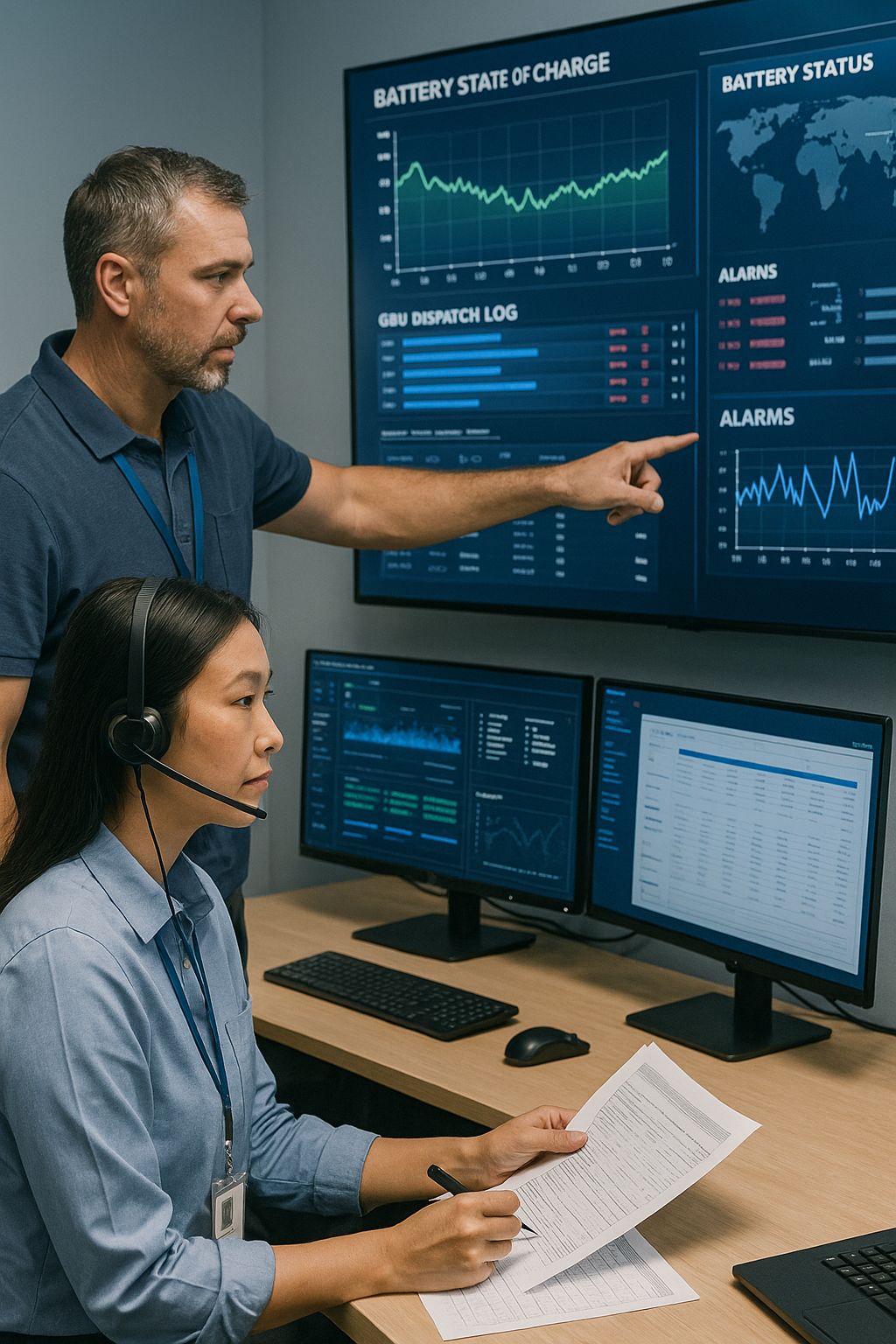
The Renewables and Environment Landscape Raises High Stakes for a Renewable Developer and Independent Power Producer
Clean energy is growing fast. In this case, a Renewable Developer and Independent Power Producer builds and runs utility-scale solar, wind, and battery storage projects. The team spans development, engineering, construction, finance, and operations. Work takes place across states and time zones with contractors and public partners.
- A missed permit date can stall a project for months and add big costs
- Delays in grid interconnection can push first power and revenue into next year
- Investors and buyers want simple proof of progress they can trust
- Local communities expect clear, respectful updates and follow-through
- Safety, weather, and supply shifts can change plans in a single day
This pressure shows up in daily work. Calendars fill with stand-ups, design reviews, and stakeholder calls. Updates often run long and use insider terms. People from different teams hear different things. New hires feel lost. Small gaps in understanding turn into slow decisions and missed windows.
Leaders saw a clear path forward. If people share short, plain updates that focus on what matters now, meetings move faster and projects stay on track. Clear speech also builds trust with partners, communities, and investors.
This case study explores how the company set the stage for that shift across busy, distributed teams. It shows why the stakes demanded a simple habit that anyone could use: practice dignified, plain-speech updates before meetings so everyone walks in aligned and ready to act.
Teams Struggled With Jargon and Inefficient Update Routines
Across sites and teams, status updates had turned into mini presentations. People tried to cover every detail to avoid mistakes. Meetings ran long, attention slipped, and key points got buried. Different groups used different acronyms and shorthand. A finance partner heard one thing. An engineer heard another. Community and permitting teams needed plain words, not insider talk. New hires copied what they heard and fell into the same habits.
- Fifteen-minute stand-ups stretched to forty-five
- Speakers read slides without a clear ask or next step
- The most important risk was hard to find in long lists
- Leaders asked simple questions like “So what?” and “What do you need from me?”
- Teams repeated the same points in side chats and follow-up emails
- Decisions moved to the next call because the update did not land
Work spread across time zones added more strain. Not everyone could join live calls. Written updates grew longer and harder to scan. People clicked into attachments that did not match what was said. The signal got lost in the noise.
Several root causes stood out. There was no shared rubric for a good update. Different managers coached in different ways. Busy schedules left little time to rehearse. People feared leaving out a detail that might matter later, so they spoke in dense terms. No one had a simple, fast way to test a plain version and get quick feedback.
The cost was real. Teams spent more time in meetings and less time moving work forward. Handoffs slowed. Decisions slipped by days or weeks. Stress went up. Confidence went down. The organization needed a way to help people speak clearly, keep dignity, and ask for what they needed in a few crisp lines.
The challenge was to build a simple habit that fit into the day. It had to help people practice short, plain-speech updates before they walked into a room or joined a call. It also had to give instant, fair feedback so teams could improve fast and stay on the same page.
We Mapped a Strategy That Centered Plain Speech, Rapid Feedback, and Daily Practice
We kept the strategy simple and human. Make clear talk the norm. Practice it every day. Get fast feedback that anyone can act on. To do that, we defined a few rules and built short, repeatable habits into the flow of work.
- Plain speech first: Every update follows a simple template. What changed since yesterday. Why it matters now. Risks in red, yellow, or green. The one ask or next step. No acronyms without a quick translation.
- Rapid, fair feedback: People get instant scoring against a clear rubric and a short tip on how to improve the next line they speak or write.
- Daily reps, low friction: Short 3–5 minute practice loops happen before stand-ups and key calls, so the habit sticks without adding meetings.
Leaders set the tone by modeling the format in their own updates. Managers reinforced it in one-on-ones. The learning team built a shared rubric and toolkits that made coaching consistent across projects and regions.
We started small with a pilot on active projects, then expanded. Each cycle lasted two weeks. We measured what changed, tuned the prompts and tips, and added simple how-to guides for new teams. The promise was clear. If the process did not save time or make updates easier, we would change it.
We also planned for real-world constraints. Not everyone could join live calls, so the same format worked for written updates. People with different roles saw examples that matched their work, from interconnection to community outreach.
To track progress, we set a few visible metrics and reviewed them often:
- Average length of stand-ups and key meetings
- Number of decisions made in the meeting versus pushed to follow-ups
- Clarity scores from peers and stakeholders
- Frequency of jargon flags and how fast they dropped
- Confidence ratings from new hires and cross-functional partners
This plan kept the focus on outcomes, not tools. It made plain speech a shared habit, gave people quick wins, and created a simple way to improve a little each day.
Automated Grading and Evaluation Drove Consistent Standards Across Project Teams
To make clear updates the norm across projects, we set one simple standard and measured it the same way for everyone. Automated Grading and Evaluation made that possible. It gave people fast, fair feedback that turned a vague update into a short, strong message.
Each spoken or written update was checked against a shared rubric that anyone could understand:
- Lead with the point: State the headline in the first sentence or first 10 seconds
- What changed and why: Explain today’s shift and why it matters now
- Risk and status: Mark it red, yellow, or green and add one line of evidence
- One clear ask: Name the decision, resource, or unblock you need
- Plain words: Replace or define acronyms and cut filler
- Brevity and tone: Keep it under 90 seconds or three sentences and stay respectful
Day to day, the process was quick. A person clicked Practice in the team chat, recorded a 60 to 90 second update or pasted a short note, and got instant scores for each item in the rubric. The tool flagged jargon and suggested simpler phrasing. It highlighted missing pieces, like a weak ask or an unclear risk. It also shared a short example rewrite so the next try landed better.
We built trust into how the scores were used. Benchmarks came from real examples across development, engineering, finance, and community teams, so the grading felt relevant. Managers and the learning team ran weekly spot checks to keep the standard consistent. Scores stayed private to the learner and coach. The goal was growth, not penalties. People could add context if a longer note was the right call for a complex issue.
The payoff was consistency. A developer in Texas and an engineer in New York used the same checklist. New hires learned the format on day one. Managers gave the same coaching across projects, which cut rework and confusion.
The grader fit into existing tools, so it did not add friction. It worked in chat and email for written updates. It also read transcripts from short practice sessions and returned a score with two or three targeted tips. That made prep before meetings fast and predictable.
Within a few weeks, teams shared tighter headlines, clearer asks, and fewer acronym-heavy blocks of text. People spent less time explaining and more time deciding. The detailed results come later, but the signal was clear. A simple, shared standard plus instant feedback raised the floor on every update.
AI-Powered Role-Play and Simulation Enabled Realistic Rehearsals Before Meetings
People wanted a safe place to try a short, plain update before walking into a room. AI-Powered Role-Play and Simulation gave them that space. It felt like a quick scrimmage before the game. You picked a scenario, hit start, and practiced a 60 to 90 second status update while an AI persona listened and responded like a real stakeholder.
The personas matched the work. They asked real questions, pushed for clarity, and kept the clock honest. When a speaker drifted into acronyms, the tool flagged the term and suggested a simpler phrase. If there was no clear ask, it prompted one. People could try two or three runs in 3 to 5 minutes and hear themselves improve.
- Executive sponsor: “Give me the headline, the risk color, and the decision you need today.”
- Finance partner: “What changed in cost or timeline, and what is the impact on return?”
- Grid operator: “State interconnection status, the constraint, and your next action.”
- Community relations lead: “Explain the update in plain language and name the commitment to residents.”
Teams used these short drills right before stand-ups and stakeholder calls. A link in the calendar or chat opened the simulation. After each practice, the transcript and audio flowed into the Automated Grading and Evaluation rubric. The learner got instant scores on headline, risk, ask, and clarity, plus two or three coaching tips. One more run locked in the changes.
This pairing turned practice into a habit without adding meetings. It worked for people on the go, on a phone or laptop. New hires learned the rhythm fast. Seasoned leads used it to tighten complex updates into a few strong lines.
Here is a simple example. An engineer needed to brief a late substation delivery. The first try said “SCADA delays push COD.” The grid operator persona asked for plain words and the specific date at risk. The next try said “The control system delivery is two weeks late, which moves first power to May 12. I need approval to shift crews to the north site today.” The grader scored it higher and suggested a shorter headline. One more pass and it was meeting ready.
Confidence grew. Stand-ups stayed on time. Fewer questions asked for basic clarity. Cross-functional partners heard the same message, said in simple terms, and moved to decisions faster. Practice became part of prep, and prep took minutes, not hours.
The Integrated Workflow Turned Brief Drills Into Targeted Coaching
Short drills only help if they change what happens in the next meeting. We connected practice, feedback, and coaching so each run led to one or two small wins. The flow felt natural and fast.
- Ten minutes before a stand-up, a light reminder in chat asked, “Ready to practice?”
- The person opened a 3 to 5 minute role-play, chose a persona, and gave a 60 to 90 second update.
- The system produced a transcript and ran it through the plain-speech rubric from the grader.
- The learner saw a simple scorecard and two or three tips, such as “Lead with the point” or “State one clear ask.”
- One click started a second try to lock in the change.
Coaches did not need to sit in every session. A weekly digest showed patterns by team. The most common misses were long intros, missing asks, and unclear risk colors. The digest linked to two short clips that showed a strong version. Managers used them in quick huddles or one-on-ones.
- Shorten the headline to 12 words and say it first
- Replace the acronym with a clear term the first time you use it
- Mark the risk red, yellow, or green and add one line of evidence
- Make the ask concrete, like “I need crane time on Friday to hold May 12”
Privacy and dignity mattered. Scores stayed with the learner and coach. Sharing examples for the team was opt in. The goal was growth, not a public scoreboard.
The flow worked across roles and locations. Field supervisors used a phone in a truck. Analysts typed a written version between calls. Community teams ran a quick practice before a town hall. Everyone used the same simple format and got feedback that fit their work.
Because the parts were connected, coaching got specific. People knew the one change to make next time. Managers spent less time chasing unclear updates. Teams carried a steady habit into every meeting and decision.
The Program Cut Meeting Time and Improved Cross-Functional Alignment
Within a few weeks, the change showed up on calendars and in the room. Stand-ups ended on time. Reviews stayed focused. People walked in with the same story, said in plain words. That cut talk time and made space for choices on permits, interconnection, and field work.
- Average stand-ups ran about 30 percent shorter
- Weekly cross-functional reviews took about one third less time
- More decisions happened in the meeting with fewer pushed to follow-ups
- Jargon flags per update dropped by about half
- Peer clarity ratings rose by roughly two points on a ten-point scale
- New hires reached confident updates faster, often two weeks sooner
The biggest shift was shared understanding. Finance, engineering, grid, and community teams heard the same risk and the same ask. An update like “Interconnection test moved two days. First power now May 12. I need crane time Friday” led to a fast go or no-go instead of a chain of side chats.
Teams also got time back. Fifteen minutes saved on a daily stand-up across many crews added up to real hours each week. People used that time to solve issues on site, close out design questions, or update partners with better facts.
Trust improved as well. Plain speech made status easy to follow for everyone, not just experts. Leaders saw clearer tradeoffs. Community and permitting partners heard respectful, direct updates. Confidence went up because people knew how to land the point and ask for what they needed.
Most important, the gains held. Because practice took only a few minutes and feedback was tight, the habit stuck. The result was fewer long meetings, faster moves on key work, and stronger alignment across the projects that matter most.
Leaders Captured Actionable Metrics and Scaled the Approach Organizationwide
Leaders wanted proof that the new habit worked and a plan to roll it out without extra meetings. The system sent a small set of clear numbers to a simple dashboard each week. The data came from short practice runs and actual meetings, so it matched daily work.
- Share of key meetings with a pre-meeting practice run
- Average update length in seconds or sentences
- Clarity scores by rubric item, such as headline, risk, and ask
- Jargon flags per update and how fast they dropped
- Decisions made in the meeting versus pushed to follow-ups
- Estimated minutes saved per team per week
- Time for new hires to reach “meeting ready” updates
- Gaps between teams so help could go where it was needed
Trust was a design rule. Individual scores stayed with the learner and coach. Leaders saw team trends and short clips only when people opted in. That balance kept focus on growth, not on public rankings.
To scale the approach, the team used a short playbook that any group could follow in two weeks.
- Pick one active project and set a clear goal, like shorter stand-ups
- Name two champions who model the format and help peers
- Turn on role-based personas for practice, such as sponsor, finance, grid, and community
- Add light calendar or chat prompts ten minutes before key meetings
- Use the four-part update template in every stand-up and review
- Link the grader and role-plays to onboarding for new hires
- Run a weekly ten-minute huddle to share two strong examples
- Tune the rubric monthly while keeping five core rules the same
- Post a one-page “How We Update” guide where everyone can find it
As more units joined, the central team watched the dashboard for hot spots. If one group showed long intros or weak asks, a coach shared a short clip and a tip. If jargon flags spiked on a wind or solar site, the team added plain-language examples for that work.
The rollout reached field crews, analysts, and partner firms. Guest access let contractors practice with the same personas while keeping their data separate. This kept updates consistent across project partners without heavy setup.
Within a quarter, most functions had adopted the habit. Leaders saw steadier clarity scores, fewer jargon flags, and a higher share of decisions made in the room. The dashboard made it easy to keep the gains, spot drift early, and keep the practice simple as the business grew.
We Share Lessons That Help Executives and Learning and Development Teams Sustain the Gains
Here are practical takeaways you can use to keep the gains and spread them. They focus on simple habits, fast feedback, and respect for people’s time and dignity.
- Leaders model the format and keep headlines short and clear
- Use one shared rubric with five simple rules and stick to it
- Make practice a 3 to 5 minute step before key meetings
- Pair role-play with automated grading for fast learning loops
- Use real personas that match sponsors, finance, grid, and community partners
- Protect privacy so scores stay with the learner and coach
- Track a few metrics that matter, like meeting time and decisions made
- Share two strong examples each week to set the bar
- Teach the format on day one in onboarding
- Name champions on each team and give them time to coach peers
- Allow smart exceptions when a complex issue needs more detail
- Refresh examples monthly but keep the core rules steady
- Use the same format for emails, tickets, and chat updates
- Invite contractors and partners to practice with guest access
- Celebrate saved time and clear decisions so the habit feels worth it
Start small, measure what changes, and keep it human. When people can rehearse in a safe space and get fair, instant feedback, dignified plain speech becomes the norm. Meetings stay shorter, confidence grows, and teams move together on the work that matters.
How To Decide If Automated Grading And AI Role-Play Fit Your Organization
In the renewables and environment space, a Renewable Developer and Independent Power Producer faces tight timelines, strict permits, grid constraints, budget pressure, and community expectations. Teams are spread across sites and time zones. Updates pile up, meetings stretch, and acronyms blur the message. The solution in this case paired two simple tools to fix that. Automated Grading and Evaluation set one clear rubric for a strong update and gave instant, private feedback. AI-Powered Role-Play and Simulation let people rehearse for a few minutes with realistic personas before a meeting. Transcripts flowed into the grader, which returned quick scores and two or three tips. The result was short, plain-speech updates that landed the point and the ask. Meetings ran shorter and cross-functional decisions came faster.
Use the questions below to see if this approach fits your work and to choose a smart starting point.
- What problem will this fix, and how will you know it worked?
Why it matters: A clear business case keeps the effort focused and worth the time.
What it uncovers: Baseline signals like meeting overrun minutes, decisions pushed to follow-ups, conflicting recaps, and jargon density. It also points to the first pilot where gains will show up fast. - Do you have short, recurring updates where timing and risk matter?
Why it matters: This approach pays off when teams give frequent, time-sensitive updates that many partners rely on.
What it uncovers: The specific meetings to target first (daily stand-ups, weekly reviews, stakeholder briefings). If updates are rare or mostly long-form, a different solution may fit better. - Can leaders and teams agree on a simple, shared rubric for a good update?
Why it matters: Automated grading only feels fair when a plain standard is clear to everyone.
What it uncovers: The core rules you will hold steady (headline first, what changed, risk color, one ask, plain words) and where language differs by role. If you cannot agree on the standard, start there before adding tools. - Whose voices should the simulations mirror, and what do they need to hear?
Why it matters: Role-play sticks when it sounds like your world, from executive sponsors to finance partners, grid operators, and community leads.
What it uncovers: The top personas to build first, the questions they ask most, and examples that define “good” in each context. This focuses content work and speeds adoption. - Are your tools, privacy rules, and coaching habits ready for quick practice and private feedback?
Why it matters: People use the system when it is easy to access and feels safe.
What it uncovers: Needed integrations with chat and calendar, voice or text capture, data retention and privacy guardrails, and manager training. It also surfaces the time champions need to coach peers. Address these early to build trust and momentum.
If your answers show a clear problem, frequent updates, agreement on a simple rubric, well-defined personas, and a ready environment for safe practice, you have a strong fit. Start with one project, measure the change, and expand in short, steady steps.
Estimating Cost And Effort For Automated Grading With AI Role-Play
This estimate focuses on the practical work to launch a combined Automated Grading and Evaluation solution with AI-powered role-play for brief, plain-speech meeting prep. It assumes a mid-size rollout to core project teams with light integrations into chat and calendar tools. Your numbers will vary based on team size, content depth, security needs, and how much work you keep in-house.
- Discovery and Planning: Align on goals, meeting types to target, success metrics, roles, privacy rules, and a simple operating rhythm. This sets scope and prevents rework.
- Rubric and Workflow Design: Build the plain-speech rubric, define the update template, and map the end-to-end flow from a quick practice to feedback to coaching. Keep five simple rules steady.
- Content Production: Create a small scenario bank, four to five realistic personas, and gold-standard examples (text and short audio). Add quick-reference guides and a jargon-to-plain glossary.
- Technology and Integration: Secure licenses for the role-play and grading tools, connect speech-to-text, wire up chat and calendar nudges, configure SSO, and enable basic analytics.
- Data and Analytics: Define the few metrics that matter, configure dashboards, and tag practice runs so pilots and leaders can see progress without exposing personal data.
- Quality Assurance and Compliance: Run user testing, check scoring consistency across roles, and complete privacy and legal reviews. Confirm data retention and access controls.
- Pilot and Iteration: Run a short pilot with a few teams, gather feedback, and tune prompts, personas, and rubric language. Lock a stable version for scale.
- Deployment and Enablement: Train a small group of champions, host two short workshops, and share simple job aids. Add links to practice in calendar invites and team chats.
- Change Management and Communications: Share the why, show quick wins, and set norms. Keep the focus on dignity, privacy, and saving time, not on public scoreboards.
- Support and Operations (Year One): Assign a light program owner, offer short office hours, and refresh examples monthly. Monitor the dashboard and nudge teams only where needed.
- Contingency: Hold a small buffer for unexpected integration effort, extra scenarios, or added privacy needs.
Assumptions for the sample budget below: 150 learners in year one, four core personas, 20 short scenarios, light chat and calendar integration, and basic analytics. Rates shown are common market ranges; adjust to your vendor and internal costs.
| Cost Component | Unit Cost/Rate (USD) | Volume/Amount | Calculated Cost |
|---|---|---|---|
| Discovery and Planning | $150 per hour | 60 hours | $9,000 |
| Rubric and Workflow Design | $150 per hour | 80 hours | $12,000 |
| Content — Persona/Scenario Bank | $600 per scenario | 20 scenarios | $12,000 |
| Content — Gold-Standard Examples (Text/Audio) | $200 per example | 12 examples | $2,400 |
| Content — Update Templates and Job Aids | $250 per asset | 4 assets | $1,000 |
| Technology — AI Role-Play Platform License | $20 per user per month | 150 users × 12 months | $36,000 |
| Technology — Automated Grading Engine License | $15 per user per month | 150 users × 12 months | $27,000 |
| Technology — Speech-to-Text Usage | $0.018 per minute | 54,000 minutes per year | $972 |
| Integration — Chat/Calendar Bot | $160 per hour | 60 hours | $9,600 |
| Integration — SSO and Security Setup | $160 per hour | 20 hours | $3,200 |
| Data and Analytics Setup | $150 per hour | 40 hours | $6,000 |
| QA and UAT — Scoring Consistency | $140 per hour | 40 hours | $5,600 |
| Compliance — Privacy and Legal Review | $180 per hour | 15 hours | $2,700 |
| Pilot — Facilitation and Analysis | $120 per hour | 40 hours | $4,800 |
| Pilot — Prompt and Rubric Tuning | $150 per hour | 20 hours | $3,000 |
| Deployment — Champion Training Workshops | $2,500 per workshop | 2 workshops | $5,000 |
| Enablement — Quick Guides and Microlessons | $300 per item | 6 items | $1,800 |
| Change Management and Communications | Flat | — | $3,000 |
| Support — Program Manager (0.3 FTE) | $120,000 per FTE per year | 0.3 FTE | $36,000 |
| Analytics Module or LRS License | $200 per month | 12 months | $2,400 |
| Estimated Subtotal (Pre-Contingency) | — | — | $183,472 |
| Contingency | 10% of subtotal | — | $18,347 |
| Estimated First-Year Total | — | — | $201,819 |
What drives cost up or down:
- Team size and usage: More learners or more frequent practice increases licenses and speech-to-text minutes.
- Scenario depth: Extra personas or industry variants add content work.
- Integrations: Deep links to multiple chat tools, calendars, or CRMs add hours.
- Security and privacy: Stricter data rules or custom retention policies add review and engineering time.
- Internal vs. external work: Using in-house talent for content and training can lower vendor costs but needs protected time.
Typical timeline and effort:
- Weeks 1 to 2: Discovery, rubric draft, metric plan
- Weeks 3 to 5: Content build, integrations, analytics setup
- Weeks 6 to 7: QA, privacy review, champion training
- Weeks 8 to 9: Pilot and tuning
- Weeks 10 to 12: Broader deployment and enablement
Keep the first version small and useful. Target the meetings where time is tight and clarity matters most. Prove the value, then scale in short steps while holding the core rules steady.