Executive Summary: This case study shows how a commercial property security provider implemented Personalized Learning Paths, paired with AI-Generated Performance Support & On-the-Job Aids, to raise frontline performance across multi-tenant properties. By aligning role- and site-specific micro-learning with a mobile in-field assistant that validates incident reports and prompts next steps, the team delivered measurably cleaner logs and happier tenant feedback while reducing rework and time to proficiency. The article covers the challenges, the strategy and rollout, and the measurement approach, with practical takeaways for executives and L&D teams considering a similar solution.
Focus Industry: Security
Business Type: Commercial Property Security
Solution Implemented: Personalized Learning Paths
Outcome: Measure cleaner logs and happier tenant feedback.
Cost and Effort: A detailed breakdown of costs and efforts is provided in the corresponding section below.
Vendor: eLearning Solutions Company
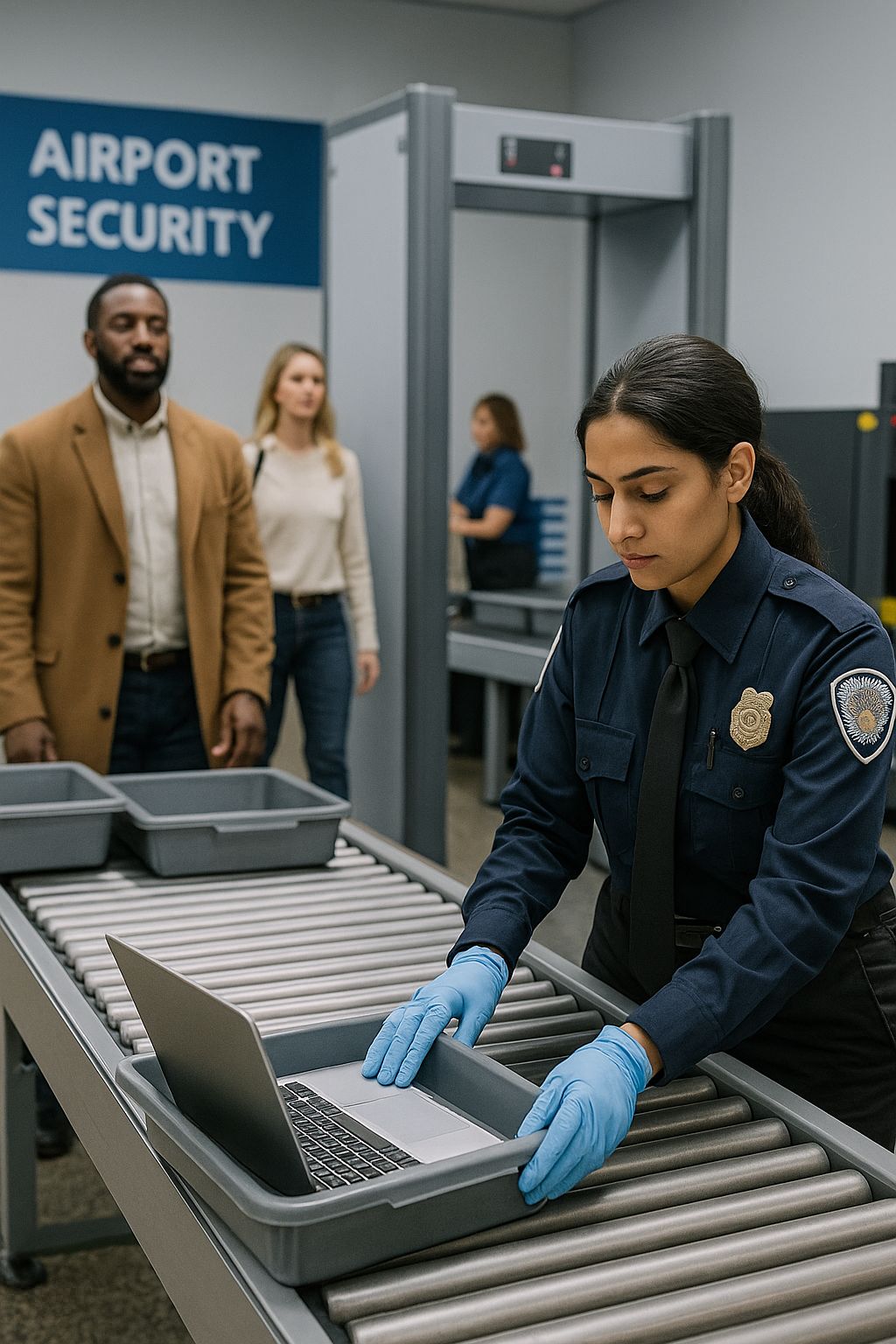
Commercial Property Security Provider Protects Multi-Tenant Properties Under Tight Service Expectations
Across busy office towers and mixed-use sites, a commercial property security provider keeps people and places safe. Tenants want friendly help at the desk, quick response when something goes wrong, and calm guidance late at night. Property managers expect consistency, clean records, and no surprises.
The team covers many buildings with lobby ambassadors, roving officers, and supervisors on rotating shifts. Each site runs on its own rules. Access systems differ. Post orders change with events, deliveries, and contractors. An officer may handle a visitor check-in at one moment, a noise complaint the next, and an elevator alarm minutes later.
The stakes are high. One rough interaction can hurt trust. A missed patrol can lead to safety risks. A gap in an incident log can slow an insurance claim or weaken a legal defense. Contracts set targets for response time, patrol frequency, and report quality. Audits demand records that stand up to review. Performance links to renewals and referrals.
To meet these expectations, the provider needs officers who are confident, consistent, and site-ready fast. Turnover and varied experience make this hard. One-size-fits-all training wastes time and misses the mark. Leaders wanted practical learning that fits each role and site, and support that shows up at the moment of need without pulling people off post.
- Patrols completed on time with clean handoffs across shifts
- Incident reports that capture the five Ws, the right codes, and required photos
- Respectful tenant interactions that reduce tension
- Clear escalations that follow site rules and keep people safe
This case study shows how the team raised the bar and why it mattered to tenants and owners.
Reporting Inconsistencies and Site Differences Undermine Quality and Compliance
Quality starts with clear records and smooth service. Across many buildings, that was not always the case. Reports looked different from site to site and from officer to officer. Some teams followed one set of rules. Others used a different set. Tenants noticed the gaps, and so did property managers.
Incident logs showed the problem. Some were too short and missed the five Ws. Others were long but hard to follow. Officers used the wrong incident codes or forgot to attach photos. Escalation notes were missing. Follow-up took longer. Audits raised questions. In tough cases, a weak report made it harder to defend the work.
Site differences added to the strain. Each property had its own access system, post orders, contractor rules, and quiet hours. Officers rotated across posts and shifts. A float who knew one building could arrive at a new site with a different form, new codes, and a new radio call routine. Paper binders fell out of date. Generic online courses did not stick when the real test came at 2 a.m.
People felt it in daily interactions. A rushed greeting at the desk could sour a tenant’s morning. The wrong words during a noise complaint could turn a small issue into a big one. Some officers had strong de‑escalation skills. Others needed more practice and quick reminders on phrasing that calms things down.
- A new officer learned one site’s rules, then floated to another with different forms and codes
- Required photos and attachments were missed, leading to emails and rework
- Patrol routes were unclear, so checkpoints were skipped or logged late
- Supervisors spent late nights fixing reports and coaching the same errors
- Audits flagged missing time stamps, sign-offs, and escalation steps
- Tenants got mixed messages about policies like access, noise, and deliveries
The result was risk, rework, and inconsistency. It was not a lack of effort. The system did not make it easy to do the right thing every time. The team needed training that fit each role and site, and support that guided the right action at the moment of work.
Leaders Adopt a Skills-First Strategy With Personalized Learning Paths and Manager Coaching
Leaders shifted the focus from courses to skills. They asked, what must an officer do well on day one and day thirty. That list became the blueprint for learning and coaching. It covered fast, clear reporting, reliable patrols, strong tenant service, and calm de‑escalation. It also named site know-how like access systems, radio calls, and post orders.
With the blueprint in hand, the team built Personalized Learning Paths. Each officer took a short skills check and a sample report review. The path then targeted real gaps and skipped what the officer already knew. New hires got quick starts. Floaters got site primers. Experienced officers got writing tune-ups or tenant-interaction practice instead of a full reset.
- Short micro-lessons that fit into a shift change or a break
- Scenario practice on common incidents like access issues and noise complaints
- Clear checklists for patrols, openings, and closings
- Quick tips on phrasing that lowers tension
Manager coaching made the plan work on the floor. Supervisors used brief weekly huddles and ride-alongs. They watched one patrol, read one report together, and set one next step. A simple observation card kept everyone aligned. Managers also shared real examples, celebrated wins, and compared notes so standards stayed consistent across sites.
The rollout was practical. Two buildings piloted the approach first. Officers and supervisors gave fast feedback, and the team trimmed or tweaked lessons that did not land. The goal was useful help at the moment of work, not long classes that pull people off post.
From day one, leaders tied the plan to a few clear measures. They tracked report completeness, correct codes and attachments, patrol coverage, and tenant comments. They also watched time to proficiency for new hires and the amount of rework supervisors had to do. These signals told them where to coach next and which paths to adjust.
To keep support close to the job, the team prepared a mobile, in-field assistant that would guide officers as they worked and link back to the right micro-lesson when needed. The next section shows how this on-the-job aid paired with the learning paths to lift daily performance.
Personalized Learning Paths and AI-Generated Performance Support and On-the-Job Aids Elevate Frontline Performance
The team paired Personalized Learning Paths with a mobile, in-field assistant so training and daily work moved in step. Officers learned what they needed for their role and site, then got help at the exact moment they needed it. Nothing pulled them off post. Support lived on the phone in their pocket.
The AI-generated performance support guided the shift from start to finish. It brought the right steps to the surface and kept everything consistent across buildings.
- Property-specific SOP walkthroughs that fit each post order
- Patrol checklists with route tips and checkpoint reminders
- Incident-report prompts that check the five Ws, the right codes, and required photos
- Escalation steps that match site rules and contact trees
- Quick tenant-interaction refreshers with phrasing that calms tense moments
Reporting improved first. When an officer opened a new incident, the assistant asked clear questions. Who was involved. What happened. Where and when. It flagged missing time stamps. It suggested the correct incident type. It asked for photos and attachments when they were required. If an issue needed a supervisor or property manager, it listed the next step and the contact. Reports became complete and easy to read the first time.
Service at the desk and on patrol improved too. If a tenant raised a noise complaint, the assistant offered two or three lines that set expectations and reduce tension. If a delivery needed special access, it showed the site rule. If an officer missed a step more than once, the assistant linked to a short micro-lesson from that officer’s learning path. The officer could review the lesson on a break and return ready to apply it.
Managers used the same tools to coach. During a ride-along, a supervisor watched one patrol with the checklist in hand and reviewed one report on the spot. Patterns were easy to see. If three officers missed the same attachment, the manager assigned a two-minute lesson to their paths and checked back the next shift. Wins were visible as well, so leaders could call them out in huddles.
The change showed up in daily results.
- Incident logs were cleaner, with fewer missing details and fewer revisions
- Patrol coverage was steadier, with on-time checkpoints and clear handoffs
- Tenants reported better interactions and faster resolution to simple issues
- Audits flagged fewer gaps in codes, attachments, and escalation notes
- New hires reached steady performance faster and needed less rework
Together, the learning paths and the on-the-job aids turned good intentions into reliable habits. Officers felt supported, managers had clear coaching moves, and tenants saw the difference.
Cleaner Incident Logs and Higher Tenant Satisfaction Confirm Measurable Impact
Success showed up where it mattered most: in the log and with tenants. Officers wrote clear, complete reports. Tenants got faster, calmer help. Supervisors spent less time fixing issues and more time coaching. Property managers saw fewer surprises and smoother follow-up.
Measurement stayed simple and visible. The team looked each week at a small set of signals: first-time-right reports, correct codes and required photos, audit flags, tenant comments, patrol coverage, and the time it took a new hire to reach steady performance. Trends moved in the right direction and held across sites.
- Incident reports were complete on the first pass with the five Ws, the right incident type, and needed attachments
- Audit checks flagged fewer gaps in time stamps, sign-offs, and escalation notes
- Patrols hit checkpoints on time with clearer handoffs between shifts
- Supervisors spent fewer late hours editing reports and chasing missing details
- New hires reached steady performance sooner and needed less rework
- Tenant surveys and comment logs showed fewer complaints and more positive notes
The pairing of Personalized Learning Paths and the mobile in-field assistant made the difference. The assistant validated details in real time and reminded officers about the next step. If someone missed a step twice, it linked back to a short micro-lesson in that officer’s path. Practice and on-the-job support worked together, so habits stuck.
One example tells the story. After a weekend elevator alarm, the report captured who was involved, what happened, the time and location, photos of the panel, and the vendor ticket number. The next steps and contacts were clear. The property manager closed the follow-up without emails back and forth, and the tenant thanked the desk for the quick, calm response.
Cleaner logs and better tenant interactions reduced risk and rework and built trust with clients. The team will keep the loop going by reviewing results, updating paths and checklists, and sharing wins so gains hold as new officers join and sites change.
Security Teams Share Practical Lessons for Sustaining Behavior Change at Scale
Security leaders across sites compared notes on what made the change stick. The theme was simple: make it easy to do the right thing, then coach it often. Personalized Learning Paths built skill. The mobile, in-field assistant kept those skills alive during real work. Together they turned good practice into daily habits.
- Start with a small pilot and a short scorecard. Prove value in two buildings, then scale.
- Map the must-do tasks by role and site. Train to the job, not to a generic course.
- Keep lessons short. Aim for three minutes or less with one clear takeaway.
- Put support where work happens. The on-the-job aid opens fast, uses plain language, and shows the next step.
- Standardize report basics. Use the five Ws, the right incident type, and required photos every time.
- Coach in short cycles. Do a 10-minute huddle, one patrol watch, one report review, one next step.
- Fix patterns at the system level. If the same error repeats, update the prompt, checklist, or micro-lesson.
- Design for the midnight shift. Make it readable in low light, quick to scroll, and useful offline when needed.
- Build content with frontline input. Capture phrasing from top performers and add bilingual options where helpful.
- Keep checklists tight. Only what helps action on the floor, with a clear version date.
- Celebrate visible wins. Share a clean report example or a calm tenant interaction in the next huddle.
- Protect sensitive information. Keep the assistant tied to approved SOPs and reinforce what should not go into a log.
- Plan for turnover. Give new hires a day-one essentials path and a site primer that gets them productive fast.
- Review the numbers weekly. Look at first-time-right reports, audit flags, tenant comments, and time to proficiency, then adjust.
The takeaway is clear. Pair personalized practice with real-time support, measure a few things that matter, and coach often. When the system makes the right move the easy move, performance holds across buildings, shifts, and new teams.
Deciding If Personalized Learning Paths and On-the-Job AI Support Fit Your Organization
In commercial property security, the biggest pain points were inconsistent incident reports, site-to-site differences, and uneven tenant interactions. The team solved these by pairing Personalized Learning Paths with an AI-generated mobile assistant that guided work in the field. Officers got property-specific SOPs, patrol checklists, and prompts that validated the five Ws, incident codes, attachments, and escalation steps in real time. When someone needed a quick refresh on phrasing or de-escalation, the assistant offered short tips and deep links to a matching micro-lesson. Managers coached in short cycles and used the same tools to spot patterns and close gaps. The result was cleaner logs, faster ramp-up for new hires, and better tenant feedback.
If you are considering a similar approach, use the questions below to guide your decision and shape a focused pilot.
- What outcomes matter most right now, and where are the costly misses? Focus on the problems that hit contracts, risk, or tenant trust, such as report errors, slow follow-up, or inconsistent service. This clarifies the business case and defines what success looks like. It also narrows scope so the solution targets the few behaviors that move the numbers.
- Are your SOPs, post orders, incident codes, and escalation paths current and consistent enough to power an assistant? Performance support is only as good as the standards behind it. If documents are outdated or vary wildly, start by mapping core tasks and setting owners for updates. This creates the stable content that both learning paths and the mobile assistant can reinforce.
- Can frontline teams use a mobile assistant on shift without friction and within policy? Adoption depends on access to devices, reliable connectivity, and clear rules for use on post. Plan for device provisioning, offline access where needed, and data safeguards that keep the assistant tied to approved content. Address privacy, union considerations, and mobile management early to remove blockers.
- Do managers have time and skills to coach in short cycles and model the standard? Manager coaching turns training into daily habit. Build simple routines like 10-minute huddles, one patrol observation, and one report review per shift. Provide coaching tips, sample language, and an easy way to assign micro-lessons so reinforcement fits into existing schedules.
- How will you measure, learn, and iterate without heavy lift? Pick a small, visible set of metrics such as first-time-right reports, audit flags, tenant comments, patrol coverage, and time to proficiency. Ensure you can capture these signals and share them in weekly reviews. Use the data to adjust prompts, checklists, and lessons quickly, and to decide when to scale to new sites.
If your answers show clear outcomes, stable SOPs, workable mobile use, manager capacity, and basic measurement, a pilot is likely worth it. Start small, fix what you learn, and scale only when the results hold across different buildings and shifts.
Estimating Cost And Effort For Personalized Learning Paths With On-The-Job AI Support
The figures below outline a practical, mid-size rollout for a commercial property security team with about 10 properties, 175 frontline users, and a two-site pilot followed by scale-up. Adjust volumes to match your footprint. Most costs are one-time setup, with a lighter ongoing run cost for licenses and upkeep. Rates are budgetary placeholders to help with planning.
- Discovery and Planning: Short, focused scoping to define outcomes, guardrails, and metrics. Includes stakeholder interviews, privacy checks, and a simple scorecard so everyone aligns on what success looks like.
- Skills and SOP Mapping: Translate roles and site needs into must-do tasks and standards. Consolidate post orders, incident codes, and escalation paths so the assistant and lessons reflect real work.
- Learning Path and Coaching Design: Build the templates for Personalized Learning Paths and a simple manager coaching playbook. Keep lessons short and tied to tasks.
- Content Production: Micro-Lessons: Create bite-size lessons on reporting, patrols, tenant service, and de-escalation. Focus on three-minute practice that fits into a shift.
- Content Production: Checklists and SOP Quick Guides: Convert site rules into clear, fast checklists and opening or closing routines.
- Content Production: Incident Prompts and Phrasing Library: Write report prompts that capture the five Ws, codes, and attachments, plus ready-to-use wording for common tenant interactions.
- Technology: AI Performance Support License: Per-user access to the mobile, in-field assistant that validates reports, shows next steps, and links back to lessons.
- Technology: LMS and Single Sign-On Setup: Basic connections so users access learning paths with current credentials and progress tracks to your LMS.
- Technology: Mobile Device Readiness and MDM: Configure apps, permissions, and mobile device management so officers can use the assistant on shift within policy.
- Optional Devices Pool: Shared spares to cover posts that lack reliable devices or have bring-your-own limits.
- Data and Analytics: Metrics and Dashboards: Set up a simple dashboard for first-time-right reports, audit flags, tenant comments, patrol coverage, and time to proficiency. Include a short weekly review loop.
- Quality Assurance and Compliance: Policy and privacy review, accessibility check, and cross-device testing to ensure prompts, logs, and data use meet standards.
- Pilot and Iteration: Support two buildings, gather feedback, and tune prompts, checklists, and lessons before scaling.
- Deployment and Enablement: Manager Training and Job Aids: Run short sessions for supervisors, provide cue cards, and show how to assign micro-lessons and use checklists in huddles.
- Change Management and Communications: Clear messages from leaders, site champions, and a simple what-to-expect plan for officers.
- Ongoing Support and Content Updates: Light admin, small content refreshes, and prompt tweaks based on weekly metrics and manager notes.
| Cost Component | Unit Cost/Rate (USD) | Volume/Amount | Calculated Cost (USD) |
|---|---|---|---|
| Discovery and Planning | $110 per hour | 50 hours | $5,500 |
| Skills and SOP Mapping | $95 per hour | 120 hours | $11,400 |
| Learning Path and Coaching Design | $100 per hour | 60 hours | $6,000 |
| Content Production: Micro-Lessons | $100 per hour | 150 hours | $15,000 |
| Content Production: Checklists and SOP Quick Guides | $95 per hour | 30 hours | $2,850 |
| Content Production: Incident Prompts and Phrasing Library | $100 per hour | 30 hours | $3,000 |
| Technology: AI Performance Support License (estimate) | $5 per user per month | 175 users × 6 months | $5,250 |
| Technology: LMS and Single Sign-On Setup | $110 per hour | 35 hours | $3,850 |
| Technology: Mobile Device Readiness and MDM | $100 per hour | 10 hours | $1,000 |
| Optional Devices Pool | $300 per device | 20 devices | $6,000 |
| Data and Analytics: Metrics and Dashboards | $105 per hour | 44 hours | $4,620 |
| Quality Assurance and Compliance | $110 per hour | 54 hours | $5,940 |
| Pilot and Iteration | $95 per hour | 40 hours | $3,800 |
| Deployment and Enablement: Manager Training and Job Aids | $90 per hour | 22 hours | $1,980 |
| Change Management and Communications | $100 per hour | 20 hours | $2,000 |
| Ongoing Support and Content Updates | $95 per hour | 68 hours | $6,460 |
| Total | $84,650 |
What this means in practice. For this footprint, planning and build work takes about 760 hours across eight to ten weeks, followed by a two-site pilot and a ten-week scale-up. The one-time build makes up most of the budget. Ongoing run costs are modest. Using the example above, steady-state could look like license fees of about $875 per month plus 12 to 16 hours per month for admin and content upkeep.
To tighten the budget, reuse existing SOPs, start with fewer micro-lessons, and scale the license as sites join. To shorten the timeline, run design sprints with frontline input and use a clear checklist for each site go-live.