Executive Summary: A multi-site distribution and logistics security operation implemented a Feedback and Coaching program, supported by the Cluelabs xAPI Learning Record Store, to turn incident debriefs into on-the-job coaching and targeted micro-learning. By connecting coaching, training, and incident data, the organization correlated training to fewer repeat issues, faster time to coaching, and more consistent shift performance. The article shares the challenges, the pilot-to-scale rollout, and practical lessons executives and L&D teams can apply in similar high-stakes environments.
Focus Industry: Security
Business Type: Distribution & Logistics Security
Solution Implemented: Feedback and Coaching
Outcome: Correlate training to fewer repeat issues.
Cost and Effort: A detailed breakdown of costs and efforts is provided in the corresponding section below.
Solution Provider: eLearning Company
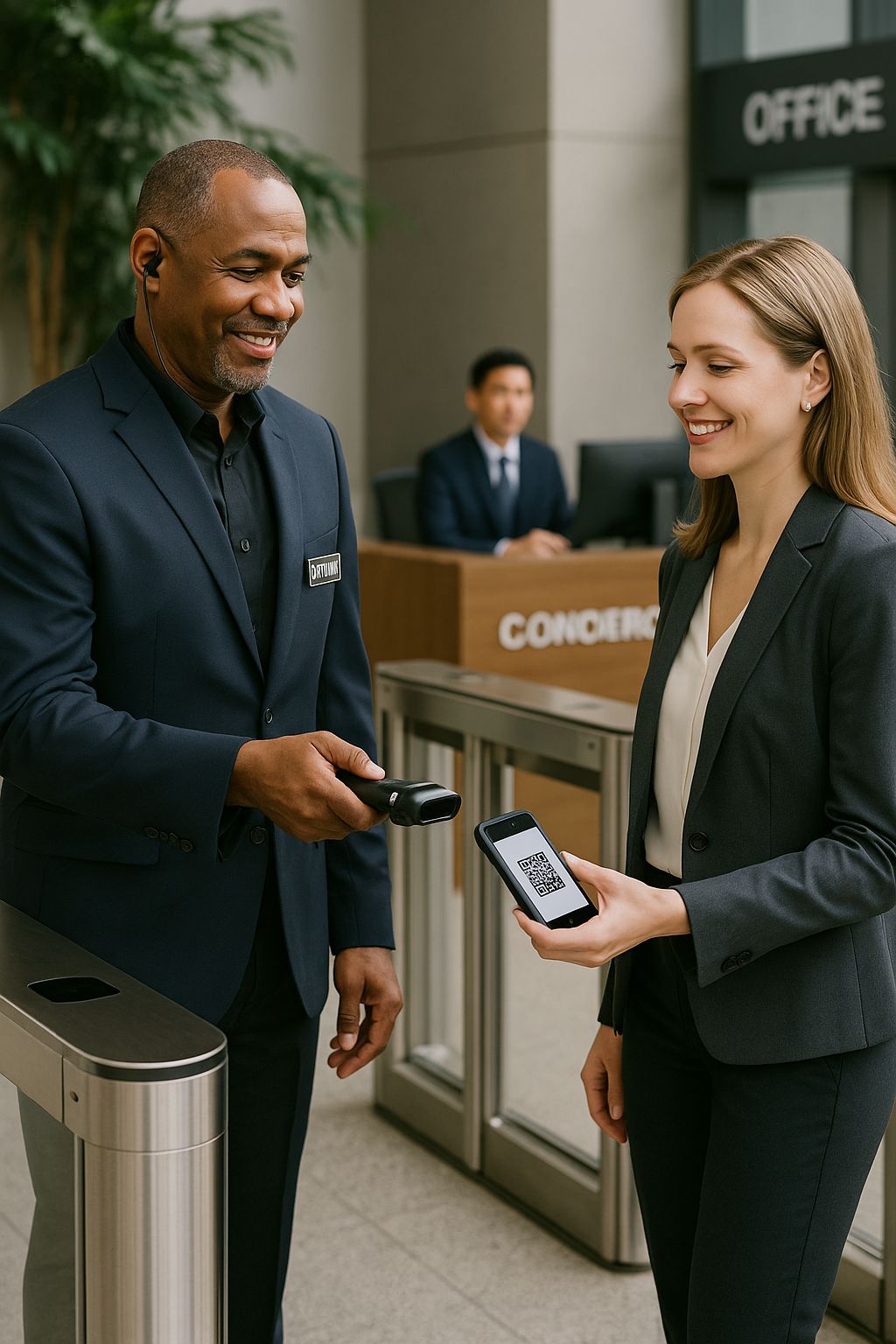
Distribution & Logistics Security Sets the Stakes for a Multi-Site Operation
Distribution and logistics security lives where speed meets risk. This multi‑site operation protects busy warehouses, yards, and transport hubs while thousands of items move in and out each hour. Officers and supervisors work side by side with dock teams, drivers, and dispatch to keep freight flowing and to keep people and property safe. The work runs 24/7 across several locations with different layouts, procedures, and client rules. Success means no delays, no loss, and no safety events while the schedule stays on track.
The pace is high. Trucks line up at docks. Shifts change at odd hours. New hires join often. Some sites have advanced cameras and sensors, while others rely on basic gates and paper logs. The security team must be visible and helpful without slowing operations. That balance is hard when pressure spikes during peak seasons or when a site has a staffing gap.
Small mistakes can snowball. A missed check or a rushed handoff can turn into a repeat issue that eats time and trust. Common trouble spots include:
- Seal checks missed or not recorded at the dock
- Gate logs with incomplete driver or trailer details
- Tailgating through secure doors during busy periods
- Trailer doors left unsecured in the yard
- Visitor escorts not documented from entry to exit
- Alarm responses delayed or not escalated to the right person
- Yard checks skipped during shift change or meal breaks
The stakes are real. A single repeat incident can delay a load, trigger chargebacks, and cause customer complaints. It can raise insurance costs and lead to investigations. It can also put people at risk. Margins are thin in this line of work, so every hour and every pallet counts. Leaders want proof that the frontline team knows what to do, does it the same way across sites, and learns fast when things go wrong.
People are at the heart of the problem and the solution. Many officers are new to the site. Some come from other industries. Supervisors carry a heavy load and have little time for long classes. Debriefs happen, but notes may sit in email or a clipboard and never reach the next shift. Performance can vary by site, by shift, and by role.
This is the backdrop for the case study. The organization needed a simple way to turn daily work into learning, to coach in the moment, and to see patterns across sites. Most of all, they wanted to cut down on repeat issues and show a clear link between training, coaching, and better operational outcomes.
The Operation Faces Recurring Incidents and Uneven Shift Performance
Across sites, the same kinds of problems kept popping up, and some shifts handled them better than others. Leaders saw a pattern. A few issues caused most of the rework, most of the delays, and most of the complaints. The team knew what to do in theory, but under pressure those steps often slipped.
Here is what came back again and again:
- Seal checks missed or logged without full details
- Trucks cleared at the gate with incomplete driver or trailer info
- People tailgating through secure doors during rush periods
- Trailer doors left unsecured in crowded yards
- Visitor escorts started, then not recorded through exit
- Alarm responses slow or sent to the wrong person
Performance also shifted from one crew to the next. Days with a strong supervisor ran smooth. Nights with fewer people on post saw shortcuts. Weekends with more new hires or relief supervisors had more misses. Handoffs between shifts were rushed. Notes stayed on clipboards or in a single inbox. Good fixes did not spread to the next shift.
Several forces fed the cycle:
- High pace and frequent staffing changes
- Site layouts and client rules that differ from place to place
- Limited time for training during peak hours
- Coaching that depended on who was on duty
- Pressure to move freight fast, which nudged people to skip steps
There was also a measurement gap. The team tracked a lot of activity, but it lived in different places. It was hard to see cause and effect.
- Incident details sat in one system with varying quality
- Training completions lived in a separate platform
- Debrief notes stayed in emails, texts, and paper logs
- Spreadsheets tried to tie things together, but only after the fact
This made it tough to answer simple questions. Which shifts have the most repeats, and why? Did the last refresher change anything at a specific site? Who received coaching after an incident, and did the same issue happen again?
The impact was real. Repeat issues slowed work, hurt trust with clients, and wore down crews. Strong performers felt unseen. New hires felt unsure. Leaders wanted a clear, fair way to help people improve and to prove that training led to better results.
To move forward, the operation needed two things. First, quick coaching in the flow of work so people could fix problems on the spot. Second, a simple way to capture those moments and link them to incidents and short training bites. That would make patterns visible across sites and shifts and set the stage for real improvement.
The Team Designs a Data-Driven Learning Strategy Anchored in Feedback and Coaching
The team set a simple goal. Turn daily work into quick learning that sticks. They chose a learning strategy that centered on fast feedback and hands-on coaching. Every step needed to fit the pace of a warehouse, a gate, or a yard. It had to work on nights and weekends, not just in a classroom.
They agreed on a few clear rules:
- Coach in the moment, as close to the task as possible
- Keep it short, focused, and respectful
- Practice the right step right away
- Capture the coaching so patterns are visible across sites
- Use small training bites that match the issue
The coaching routine was straightforward. When someone saw a risk or an incident, the supervisor or lead used a three-step script. What happened. Why it matters. How to do it next time. Then the officer practiced the correct step on the spot. If the issue needed a refresher, the supervisor sent a 2 to 5 minute lesson tied to that task. Examples included a seal check walkthrough, a quick gate log demo, or a short video on secure door handling.
L&D built a small library of these micro-lessons and job aids. Each one mapped to a common trouble spot. Each one took only a few minutes. Teams could open them on a phone during a shift. No long logins. No long waits.
The plan also included a simple way to see what was working. The team tagged every coaching touch and short lesson with the site, the shift, the role, and the incident type. They used a single place to store that data so leaders could spot trends quickly. That way they could answer basic questions. Which sites saw fewer repeats after a refresher. Which shifts needed more coaching on a given task. Where did a fix spread and where did it stall.
They set success measures that anyone could understand:
- Repeat incidents per category by site and shift
- Time from incident to coaching
- Training coverage for the people who handle the task
- Observed task accuracy during spot checks
Supervisors got short training on how to coach. They practiced the script. They learned how to log a coaching moment and how to assign the right micro-lesson. Leads and experienced officers learned how to be peer coaches. Site managers agreed to a weekly review so wins and gaps did not sit unseen.
To reduce risk, the team started small. Two sites. Two high-frequency issues. They set a baseline, ran the new routine for a few weeks, and checked the data. If repeat issues dropped and crews said the process helped, they would expand. If not, they would adjust the scripts, the lessons, or the way they tagged the data.
This strategy was practical by design. It met people where they worked. It respected time. It created a fair way to help, to track progress, and to prove that training and coaching made a real difference.
The Program Turns Incident Debriefs Into Actionable On-the-Job Coaching
The team turned long, after-the-fact debriefs into short coaching moments that happen right where the work is done. When an incident or near miss occurs, the supervisor calls a quick huddle at the dock, gate, or yard. The goal is simple: understand what happened, fix it on the spot, and help the person practice the right step so it sticks.
Each debrief follows a clear flow that takes about five to eight minutes:
- State what happened in plain terms
- Explain why it matters to safety, time, or cost
- Show the correct step for this task
- Have the officer practice the step right away
- Assign a short refresher if needed and set a follow-up check
Here is a common example. A seal check is missed at a busy dock. The supervisor and officer walk to the trailer. They review the seal, match it to the bill, and record the number. The officer repeats the process once to confirm. A two-minute micro-lesson on seal checks goes to the officer’s phone. A reminder sets a spot check for the next shift.
To make coaching fast, the team stocked posts with simple aids. Laminated pocket cards list the top five steps for high-risk tasks. QR codes at gates and docks open a short video or a one-page guide. The videos are short and show the exact motion or the exact entry needed in the log. Leads also use peer coaching. A strong officer pairs with a newer teammate during rush periods.
Every coaching moment gets captured with a one-minute mobile note. The note records the site, shift, role, and issue type. It also links the micro-lesson that was assigned. This creates a clean handoff to the next shift and sets a follow-up check within 48 hours. Site managers scan these notes in weekly reviews so wins and gaps do not get lost.
The tone matters. The script avoids blame and keeps the focus on the task. Supervisors give quick praise for “caught and corrected” moments so people speak up early. Each site tracks two simple numbers on a small board in the break area: time from incident to coaching and repeat issues by category. Crews can see the trend move in the right direction and know their effort makes a difference.
The Cluelabs xAPI Learning Record Store Connects Coaching, Training, and Incident Data
To make coaching count, the team needed a simple way to connect what happens on the floor with what people learn. They put the Cluelabs xAPI Learning Record Store at the center and used it as the single place to capture coaching, short lessons, and incident details across all sites.
Supervisors logged each coaching moment on a one‑minute mobile form. The note sent an xAPI event with basic context so it was easy to sort later: site, shift, role, and incident type. When someone finished a micro‑lesson, the course sent a completion and quiz score to the same place. The incident system also pushed xAPI events and marked whether an issue was the first time or a repeat.
- On‑the‑job coaching notes with site, shift, role, and issue tags
- Micro‑lesson completions and quiz results tied to the same tags
- Incident entries that flag first‑time versus repeat issues
- Follow‑up spot checks that confirm the right step is in place
With all of this in one store, leaders could see clear links. If a seal check was missed on a Friday night, they could confirm that coaching happened, see which refresher went out, and watch for the same issue on the next few shifts. If a weekend crew had more tailgating incidents, they could check training coverage for that crew and send targeted refreshers.
The team used simple LRS reports and exports in weekly reviews. Managers looked for patterns and picked a few actions for the week ahead instead of combing through spreadsheets after the fact.
- Repeat issues by category, shown by site and shift
- Time from incident to coaching and percent coached within 24–48 hours
- Training coverage for the people who work the task that failed
- Before‑and‑after trends following a micro‑lesson or a coaching burst
This setup helped answer the key question: Did coaching and refreshers come before the drop in repeats, or after? By matching first‑time and repeat incidents to coaching and course activity, the LRS made cause and effect visible without heavy analysis.
Here is a common flow. A seal check is missed at Dock 6 on the night shift. The supervisor logs a quick coaching note and assigns a two‑minute refresher. The officer completes the lesson. The next two spot checks show the correct steps, and repeat incidents in that category fall on the same shift over the next weeks. Leaders can see the sequence in one place and decide whether to repeat the tactic at other docks.
The team started on the free tier to keep risk low. Once the pilot showed fewer repeat issues and faster coaching follow‑through, they expanded the setup to more sites. Because the forms and tags were simple, new locations and crews could plug in fast without new systems or long training.
Beyond problem solving, the LRS also made it easier to recognize strong performance. Reports highlighted shifts with clean handoffs and fast recovery after an incident. Managers shared those playbooks across sites, which helped spread what worked and lifted consistency without extra meetings.
The Rollout Starts With a Pilot and Scales Across Warehouse and Transport Sites
The rollout started small so the team could learn fast. They picked one busy warehouse and one transport gate and focused on two repeat issues that showed up in both places: missed seal checks and tailgating at secure doors. Before they changed anything, they set a simple baseline for repeat incidents and for time from incident to coaching. They stocked posts with pocket cards and QR codes, stood up a one minute mobile form, and connected everything to the Cluelabs xAPI Learning Record Store on the free tier.
Here is how the pilot ran day to day:
- When an incident or near miss happened, the supervisor held a short huddle at the spot
- The supervisor logged a quick coaching note with site, shift, role, and issue tags
- A two to five minute micro lesson went to the person who needed it
- A follow up spot check confirmed the right step within the next shift
- Simple LRS reports fed a weekly review to pick two or three actions for the week ahead
After the first cycle, leaders saw early signs of fewer repeats and faster follow through on coaching. Crews said the process felt fair and quick. With that signal, the team prepared to scale.
They built a launch kit that any new site could use with little help:
- A coaching script and a pocket card for the top five high risk tasks
- QR codes that link to short videos and one page guides
- A mobile form prefilled with the site code and standard issue types
- A starter library of micro lessons matched to common incidents
- A short guide on running the weekly review with LRS exports
- A 20 minute practice session for supervisors and peer coaches
- Plain language messages to explain the why and the how to each crew
Each new site named a champion for each shift. Champions shadowed a pilot site for one shift, then ran their first week with a simple promise: coach within 24 to 48 hours, log the note, assign the refresher, and check back. Leaders hosted a weekly office hour to answer questions and share quick wins.
The team kept data clean so reports made sense as the program grew. They used the same tags for sites, shifts, roles, and issue types. They checked the LRS feed each week and fixed any typos or missing fields. This kept comparisons fair and reduced rework.
Warehouses and transport sites needed small tweaks, but the core stayed the same. At gates, coaching focused on driver verification, trailer IDs, and complete logs. In yards and docks, it focused on seal checks, secure doors, and trailer handling. Everywhere, the script, the micro lessons, and the one minute note stayed consistent.
- Coach in the flow of work
- Keep steps short and clear
- Make it easy to find the right refresher
- Track a few numbers that everyone understands
- Share wins so good habits spread
Because the process fit into daily routines and the tools were simple, new locations came online without long training or new systems. What changed for the frontline was small. What changed for leaders was big. They could see patterns, act fast, and prove that coaching and training came before the drop in repeat issues.
Targeted Coaching Correlates With Fewer Repeat Issues and Higher Operational Consistency
The results showed up fast and in plain view. With coaching notes, short lessons, and incident flags in one place, leaders could see when a refresher went out and what happened on the next shifts. Targeted coaching lined up with fewer repeat issues and steadier performance across crews.
- Repeat incidents in the pilot categories fell by about one third within 12 weeks, and networkwide repeats dropped by roughly one quarter as new sites joined
- Time from incident to coaching moved from days to under 24 hours, with most coaching done within a single shift
- Training coverage for the people who handle the task reached well over 90 percent within a week of an incident spike
- The gap between the best and worst shift on high risk tasks narrowed by about half, which made results more predictable
- Gate log accuracy rose and tailgating incidents declined, which reduced delays at busy doors
- Fewer documentation errors led to fewer chargebacks and smoother audits
The data also pointed the way to quick fixes. Leaders used one simple screen in weekly reviews and picked a few actions for the week ahead. The shift leaders knew where to focus and could prove when a change worked.
- A weekend spike in tailgating showed up at one site, so the team ran two rounds of short coaching and added a three minute pre shift check at the door; repeats fell within two weeks
- Seal checks on the night shift slipped at two docks, so supervisors paired new officers with a peer coach for one rush period and sent a two minute refresher; accuracy held on the next spot checks
- Where coaching lagged, repeats rose; managers adjusted schedules so coaching happened within 24 hours and the trend reversed
The gains held during peak season. Sites used short coaching bursts before holidays and after staffing changes, which kept repeat issues below the prior year even with higher volume.
The people impact was clear. Frontline teams got quick, fair feedback and recognition when they corrected a step. New hires ramped faster because they could see the right way and practice it right away. Supervisors spent less time chasing email threads and more time helping crews.
For executives and L&D teams, the key outcome was proof. The Cluelabs xAPI Learning Record Store tied coaching and micro learning to measurable drops in repeat incident categories. That link made the case for scaling the program and set a simple rhythm to keep results strong across sites and shifts.
Leaders Share Practical Lessons for Executives and Learning and Development Teams in High-Stakes Operations
Leaders from the rollout shared what made the program work and what they would do differently next time. The advice is simple and travels well to any high-stakes operation.
- Start small and measure from day one. Pick two repeat issues, set a baseline, and agree on two or three plain metrics everyone can see and influence.
- Coach in the flow of work. Use a short script: what happened, why it matters, how to do it right. Have the person practice the step on the spot.
- Keep lessons tiny and task-based. Two to five minutes is enough. Put QR codes where work happens and avoid long logins.
- Capture the coaching fast. A one-minute mobile note with site, shift, role, and issue tags is the sweet spot. If it takes longer, it will not get logged.
- Use one system to connect the dots. Stream coaching notes, micro-lesson completions, and incident flags into the Cluelabs xAPI Learning Record Store so patterns are easy to see.
- Look for first-time versus repeat issues. Track whether a refresher and coaching came before the drop. This builds trust in the approach and guides where to focus next.
- Run a weekly review that fits on one screen. Spend 15 minutes on the same simple views: repeats by category, time to coaching, training coverage, and before-and-after trends.
- Name champions on each shift. Give them a pocket card, a short practice session, and a clear promise: coach within 24 to 48 hours, log the note, assign the refresher, and check back.
- Protect tone and trust. Focus on the task, not the person. Praise caught-and-corrected moments. Do not use coaching logs for discipline.
- Keep data clean and comparable. Standardize tags for sites, shifts, roles, and issue types. Check the LRS feed weekly for typos and missing fields.
- Integrate lightly, then automate. If your incident system cannot send data yet, start with simple exports. Prove value, then build tighter links.
- Watch a few leading indicators. Time from incident to coaching, percent coached within 24 hours, spot-check accuracy. These move before big outcomes do.
- Plan for peak season. Use short coaching bursts before holidays or staffing changes. Add quick pre-shift checks where mistakes tend to happen.
- Share wins in plain view. Post a small board with two numbers: time to coaching and repeats by category. Celebrate shifts that improve.
- Keep scaling simple. Build a launch kit any site can use, reuse the same tags, and start new locations on the free tier of the LRS before you expand.
Use these habits to run a steady loop: see the issue, coach, capture, learn, improve. The payoff is fewer repeats, smoother shifts, and results you can show with clear data.
How to Decide If Feedback and Coaching With an xAPI LRS Fit Your Operation
This approach worked in distribution and logistics security because it met the pace and the reality of multi-site work. The operation had recurring incidents, uneven shift performance, and little ability to link training to what happened on the floor. Turning incident debriefs into short, on-the-job coaching gave people help at the moment of need. Tiny lessons and job aids kept learning fast and practical. The Cluelabs xAPI Learning Record Store pulled coaching notes, micro-lesson completions, and incident flags into one place with simple tags like site, shift, role, and issue type. Leaders could see patterns, act quickly, and show that targeted coaching lined up with fewer repeat issues and steadier results.
Because the tools were light and the process fit into daily routines, the team could pilot on two issues, prove impact, and scale across warehouses and transport gates without long classes or new systems. Weekly reviews focused on a few clear numbers, which kept attention on what mattered and built trust with crews. If your world looks similar—fast-moving, high stakes, many sites—this model can travel well.
Use the questions below to check your fit and shape your rollout plan.
- Do we know our top repeat issues and the two or three tasks that cause most of the pain?
Significance: Focus makes the program work. If you can name the issues that drive risk, delay, or cost, targeted coaching will pay off fast. If you cannot, start by setting a short baseline and confirming where repeats cluster.
Implications: Clear clusters point to training and coaching as a lever. If problems spread across many unrelated steps, the root cause may be process, staffing, or equipment, and you may need fixes beyond training. - Can supervisors or peer leads coach within 24 to 48 hours and log a one-minute note?
Significance: Speed and simplicity are key. Coaching close to the event helps people remember and practice the right step right away.
Implications: If schedules do not allow quick coaching, name shift champions, add short overlap time, or adjust posts. If logging takes more than a minute, it will not happen. Simplify the form before you scale. - Can we connect incidents, coaching, and training in one place, such as an xAPI Learning Record Store?
Significance: You need a single view to prove what works and to guide next steps. The Cluelabs xAPI Learning Record Store makes this easy with simple tags and exports.
Implications: If you can stream or export data, you can show whether coaching and refreshers come before a drop in repeats. If not, start with light exports and a weekly upload, then automate after you prove value. - Do frontline teams have easy access to short, task-based lessons and job aids on mobile?
Significance: Point-of-need content keeps the program practical. Lessons that take two to five minutes and open with a QR code fit real work.
Implications: If content is missing, build a small starter library for your top issues first. Simple phone videos and one-page guides are enough to begin. Add polish later. - Will leaders protect a coaching-first culture and use simple metrics in weekly reviews?
Significance: Trust drives reporting and learning. People speak up and log notes when coaching is not used for discipline and when wins are visible.
Implications: Commit to a few shared numbers, such as time to coaching and repeats by category, and post them where crews can see progress. If logs are used to blame, participation will drop and results will stall.
If you answered yes to most of these, you are ready for a pilot. Start with one or two sites, two issues, and a clear baseline. Keep the script simple, the content short, the tags consistent, and the weekly review tight. Prove the link between coaching, training, and fewer repeat issues, then scale with confidence.
What It Costs And How Much Effort It Takes To Launch Feedback, Coaching, And An xAPI LRS
The biggest cost in this model is people’s time to design, build, and support a simple system that fits daily work. Technology is light and can start on free or low-cost tiers. Below are the cost components that mattered most in this implementation and what each one covers. Use them as a checklist and adjust rates and volumes to your context.
- Discovery and Planning. Short sprint to define scope, baselines, success metrics, and the pilot plan. Aligns operations, security, and L&D so everyone measures the same things.
- Program and Data Design. Build the coaching script, tagging scheme (site, shift, role, incident type), and a one-minute mobile form. Map how coaching, training, and incidents flow into the Cluelabs xAPI LRS.
- Content Production. Create 2–5 minute micro-lessons for the top repeat issues, plus one-page job aids, pocket cards, and QR signage that link to the right refresher.
- Technology and Integration. Stand up the Cluelabs xAPI Learning Record Store, connect the incident system (start with exports, then automate), and publish the mobile form. Keep logins and devices simple.
- Data and Analytics. Build “one-screen” weekly views from the LRS to show repeats by category, time to coaching, training coverage, and before-and-after trends.
- Quality Assurance and Compliance. Align micro-content with SOPs, confirm privacy rules for coaching notes, and check basic accessibility.
- Pilot Delivery. Train supervisors and peer coaches on the script, run office hours, and validate the tagging and reporting loop.
- Deployment and Enablement. Launch kits for new sites, short shift briefings, and extra QR signage where mistakes tend to happen.
- Change Management and Communications. Plain-language messages that explain the why, protect a coaching-first tone, and show how data will be used.
- Support and Continuous Improvement. Weekly office hours, LRS admin and tag hygiene, small content refreshes, and low-cost recognition to reinforce habits.
Notes on assumptions: rates below use typical blended internal costs. LRS pricing is illustrative; start on the free tier for a pilot and scale up only when volume requires it.
| Cost Component | Unit Cost/Rate (USD) | Volume/Amount | Calculated Cost |
|---|---|---|---|
| Discovery and Planning | $65 per hour | 40 hours | $2,600 |
| Program and Data Design (coaching script, tags, mobile form spec) | $65 per hour | 32 hours | $2,080 |
| Micro-Lesson Production (12 short lessons) | $65 per hour | 72 hours | $4,680 |
| Job Aids and Pocket Cards (6 one-pagers) | $65 per hour | 12 hours | $780 |
| Printing Pocket Cards (laminated) | $1 per card | 200 cards | $200 |
| QR Signage Printing (initial set) | $8 per sign | 50 signs | $400 |
| Cluelabs xAPI Learning Record Store Subscription (assumed mid-tier) | $200 per month | 12 months | $2,400 |
| Incident System Light Integration to LRS (pilot via exports) | $95 per hour | 16 hours | $1,520 |
| Incident System API Automation (post-pilot) | $95 per hour | 40 hours | $3,800 |
| Mobile Coaching Form Build and Testing | $65 per hour | 10 hours | $650 |
| Data and Analytics: Report Templates and One-Screen Views | $70 per hour | 24 hours | $1,680 |
| Data Quality and Ongoing Analysis (year 1) | $70 per hour | 48 hours | $3,360 |
| QA and Compliance Review (SOP and privacy) | $65 per hour | 12 hours | $780 |
| Pilot Delivery: Supervisor and Peer Coach Practice Sessions | $30 per attendee-hour | 40 attendees × 0.33 hours = 13.2 | $396 |
| Pilot Office Hours and Triage (8 weeks) | $65 per hour | 8 hours | $520 |
| Deployment and Enablement: Launch Sessions at 6 New Sites | $28 per attendee-hour | 60 attendee-hours | $1,680 |
| Change Management: Comms and Leader Talking Points | $65 per hour | 10 hours | $650 |
| Support: Weekly Office Hours (post-scale) | $65 per hour | 44 hours | $2,860 |
| LRS Administration and Tag Governance (year 1) | $50 per hour | 52 hours | $2,600 |
| Content Refresh and Additions (2 lessons per quarter) | $65 per hour | 16 hours | $1,040 |
| Recognition Budget for Shifts Meeting Targets | $100 per month | 12 months | $1,200 |
| Spare Signage Replacements | $8 per sign | 25 signs | $200 |
| Contingency Reserve | — | 10% of above costs | $3,608 |
| Estimated Total Including Contingency | — | — | $39,684 |
What the effort looks like: initial build is roughly 200–270 hours over 6–8 weeks for design, content, reporting, and a light integration. Add 40 hours later if you automate incident feeds. Ongoing care is about 3–4 hours per week across office hours, data hygiene, and small content updates.
Ways to save without hurting impact:
- Start on the LRS free tier and a simple CSV export from the incident system; automate later.
- Record micro-lessons on a phone and keep each one under five minutes; polish only high-traffic items.
- Reuse existing SOPs as one-page job aids and print low-cost pocket cards with QR links.
- Use shift champions to run briefings; keep sessions under 20 minutes and stack them at shift change.
- Limit dashboards to one screen with four metrics; spend time on action, not analysis.
Budget the setup, protect an hour a week to keep it healthy, and you will have a program that pays for itself by reducing repeat issues and smoothing operations across sites.