Executive Summary: An Industrial Cleaning Services provider implemented Personalized Learning Paths, supported by the Cluelabs xAPI Learning Record Store, to tailor diagnostics, microlearning, and on-the-job coaching to roles and risks. By linking learning activity to CMMS/EAM events, the organization correlated training to rework and downtime and achieved measurable reductions in call-backs and idle time. The case offers a practical blueprint for executives and L&D teams looking to connect training with operational performance in high-stakes field environments.
Focus Industry: Environmental Services
Business Type: Industrial Cleaning Services
Solution Implemented: Personalized Learning Paths
Outcome: Correlate training to rework and downtime.
Cost and Effort: A detailed breakdown of costs and efforts is provided in the corresponding section below.
Our Role: Elearning development company
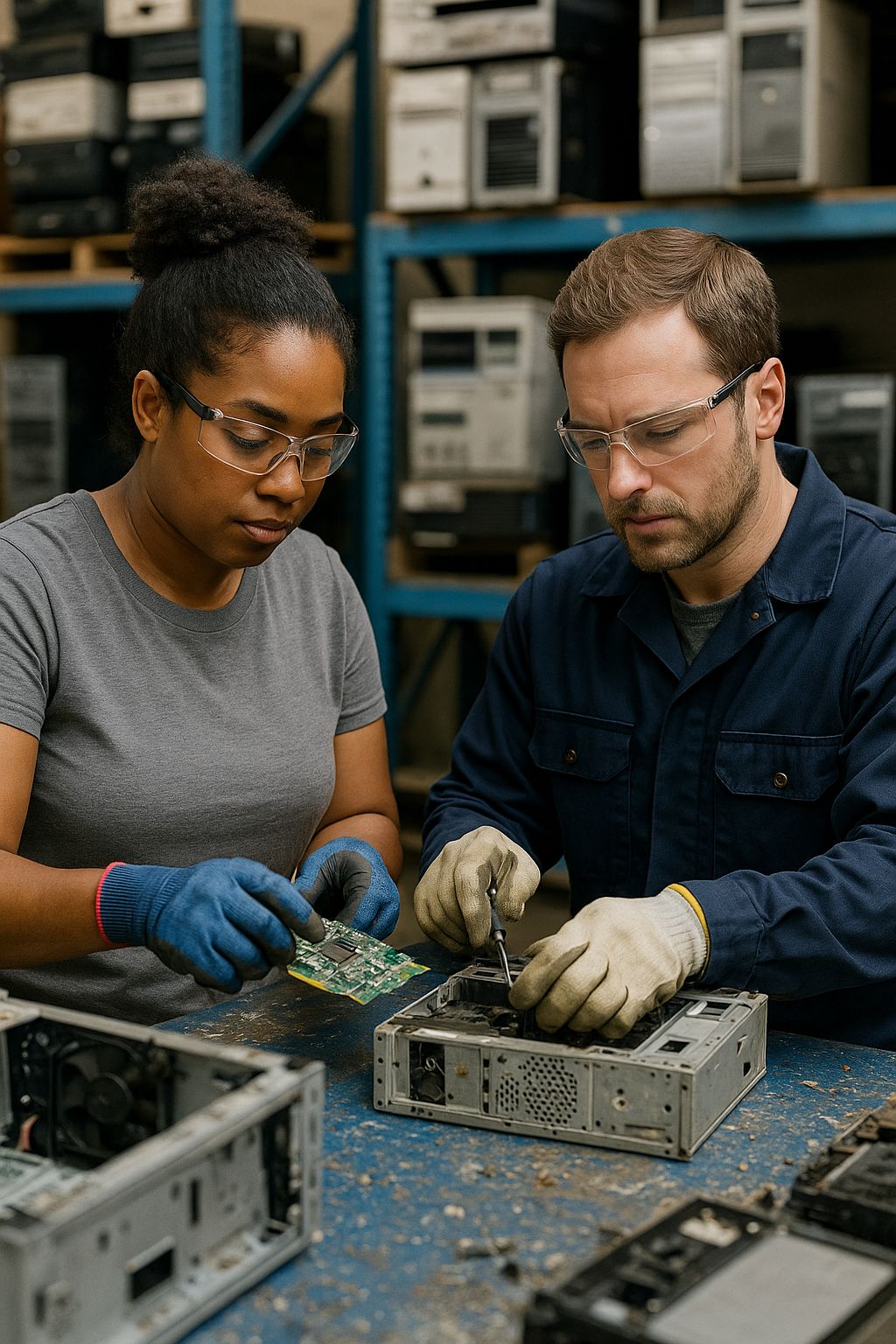
An Industrial Cleaning Services Provider Faces High Environmental and Safety Stakes
Industrial Cleaning Services sits at the gritty end of environmental services. Crews roll onto client sites with vacuum trucks, pumps, and high‑pressure water tools to clean tanks, lines, and equipment so plants can run safely and on schedule. The work happens in tight spaces and busy yards. A missed step can put people at risk, harm the environment, or stop production.
Jobs change by the hour. One day it is a tank wash with confined space entry. The next it is a line flush near hot equipment or a chemical clean that needs careful neutralizing. Every site has its own layout, permits, and rules. Each piece of equipment behaves a little differently. That variety makes experience valuable and also makes consistency hard.
The stakes are high for the business and for clients.
- Clients expect zero incidents and clean turnarounds
- Rework extends outages and erodes trust
- Downtime costs pile up fast when production pauses
- Crews are spread across sites and shifts with mixed experience levels
- Seasonal demand brings rapid onboarding and rotating teams
- Permits, logs, and proof of competence are mandatory
Leaders saw that skill gaps and uneven practices showed up as near misses, quality issues, and call‑backs. Traditional classes and long slide decks could not keep pace with changing tasks or the realities of fieldwork. New hires and veterans needed different support. Supervisors needed a quick way to see who was ready for what job.
The missing link was clear data. The organization wanted to know which learning moments actually moved the needle on quality and uptime. They needed a way to track skills in the flow of work and connect training to rework and downtime. That vision set the stage for a more targeted approach to learning and a stronger connection between training and operations.
One-Size-Fits-All Training Drives Skill Gaps, Rework, and Downtime
For years the company relied on one size fits all training. New hires sat through the same long orientation as seasoned hands. Everyone clicked through the same annual refreshers. The content was broad, slow to update, and heavy on slides. It did not match the jobs people did each week. Rookies felt overwhelmed. Veterans tuned out. The result was uneven skills in the field.
Work in Industrial Cleaning Services changes fast. A crew might do a tank clean in the morning and switch to a line flush after lunch. Each task calls for specific steps, tools, and checks. Generic training did not prepare people for that shift. Shadowing helped, but it depended on who you followed that day and what jobs came in. Good habits spread slowly and bad habits stuck.
The gaps showed up in day to day operations.
- Call backs after a tank clean because the rinse sequence missed a step
- Permits rejected for missing gas readings or an incorrect PPE list
- Vacuum truck clogs due to the wrong nozzle or poor hose setup
- Crews delayed while waiting for a qualified confined space attendant
- Incomplete neutralizing that forced an extra chemical wash
- Longer changeovers because tools and plugs were not staged in order
- Supervisors unsure who was truly ready for a high pressure water jet job
Each issue meant rework and downtime. Crews stayed on site longer. Equipment sat idle. Clients pushed back schedules and watched costs climb. Because the training was generic, leaders could not tell which parts helped and which parts wasted time. Without clear links to results, training felt like a checkbox, not a performance driver.
The team needed a better way. People should see only what they need for their role and current tasks. They should get short refreshers at the right moment, not a long course at the wrong time. Supervisors should have a clear view of who is qualified for which job. Most of all, the business needed proof that learning cut rework and downtime, not just course completions.
The Strategy Centers on Personalized Learning Paths Aligned to Roles and Risks
The team chose a simple idea with big impact. Give each person a learning path that fits the job they do and the risks they face. New hires see the basics for their role. Experienced hands get targeted refreshers and advanced tasks. High risk work, like confined space entry or high pressure water jetting, comes with stricter steps and proof of skill. Lower risk work stays lighter and faster.
They mapped the work first. Crews listed the tasks they run most often, the steps that fail, and the points that cause rework or downtime. From there, they grouped tasks by role and risk. A vacuum truck operator, a field technician, and a supervisor now follow different paths. Each path blends safety, quality, and the exact equipment and procedures used on the job.
- Start with a quick skills check to set the path for each person
- Use short lessons tied to one task, one tool, or one step
- Time learning to real work, just before or right after a job
- Pair online content with supervisor checklists and coaching
- Make it easy to access on a phone at the job site
- Set clear levels of readiness with visible sign off points
Triggers keep the paths relevant. If a crew is scheduled for a chemical clean, the system surfaces the exact prep steps, PPE checks, and neutralizing sequence the day before. After the job, a quick debrief flags any misses and suggests a two minute refresher. This keeps learning close to the moment of need and prevents long gaps between training and use.
Safety and operations leaders stay involved. They review the most common errors and near misses and update the paths to close those gaps. When a client changes a permit rule or a new tool arrives, the related task card updates and everyone on that path sees it. The strategy keeps the focus on performance, not on seat time.
From the start, the goal was clear. Reduce rework and downtime by building the right skills at the right time. The plan set measurable targets for fewer call backs, faster turnarounds, and safer shifts. With shared ownership across crews, supervisors, and L&D, the approach aligned learning with how the work actually gets done.
Personalized Learning Paths Are Built With Diagnostics, Microlearning, and Coaching
We built each path from three simple parts that fit the way crews work. Quick checks show what someone knows today. Short lessons give the exact steps for the next job. Coaching on the site turns know‑how into safe, consistent habits. Phones and tablets make it easy to use all three without leaving the work area.
- Diagnostics set the starting point. New hires and experienced hands take short skill checks that match their role and upcoming tasks.
- Scenario questions and quick photo IDs test judgment on permits, PPE, tools, and sequencing.
- Hands‑on demos cover critical moves like hose setup, nozzle choice, and gas readings.
- Results place each person on a green, yellow, or red route so they get the right level of support.
- Each check logs to the learning record store so the path updates as skills improve.
- Microlearning delivers the right step at the right moment. Two to three minute task cards focus on one job, one tool, or one step.
- Short videos and photo guides show real crews doing the work with the actual equipment.
- QR codes on trucks and at staging areas pull up the exact checklist and safety notes.
- Common mistakes are called out with quick fixes to prevent rework.
- Reminders arrive before a scheduled job and nudges pop up after a miss to reinforce the right move.
- Coaching locks in skill and judgment. Supervisors use simple observation cards to watch a task and give feedback on the spot.
- Sign‑offs happen when someone shows the skill, not just when they finish a course.
- Peer mentors help new techs practice tough steps like confined space setup and chemical neutralizing.
- Short after‑action huddles capture what went well and what to improve next time.
- Coaching notes feed back into the path so the next lesson targets the exact gap.
Here is how it plays out. A crew is slated for a tank clean tomorrow. The operator scans a QR code on the vacuum truck and reviews a two minute setup guide. The tech runs a quick check on gas monitoring and gets a yellow flag on sampling technique. The supervisor observes the first entry and gives fast feedback. All three moments log to the system and the path updates. By the end of the shift the team has a clean tank, no call backs, and a clear record of who is ready for the next job.
Cluelabs xAPI Learning Record Store Connects Training and Operations Data
The Cluelabs xAPI Learning Record Store acts as the hub that connects learning and day to day operations. Think of it as one place where every training touchpoint and every job event lands, so leaders can see what people learned and what happened on the job in the same view.
Each training moment sends a small data message, called an xAPI statement, to the store. We tagged lessons, diagnostics, and supervisor checklists with simple context like role, site, equipment, and the work order ID. That way a two minute task card on nozzle choice is not just a completion. It is linked to the truck used, the site, and the exact job the crew is about to run.
Operations events go to the same place. The maintenance and work order systems send rework flags and downtime start and stop times through an API. With both types of data in one store, it becomes easy to line up what someone learned with what happened on the job that followed.
- Dashboards show which lessons and coaching moments line up with fewer call backs
- Supervisors see who is ready for a task and where the next skill gap sits
- Leaders spot hot spots by site, shift, or equipment and act before issues spread
- Queries track time from lesson to job and show how fast skills stick
The data also triggers action. If a site sees a spike in clogs or permit errors, the store cues a short refresher for the crews who will run that job next. If someone misses a step in a field checklist, the next shift opens with a quick fix lesson. When a person shows the skill in a coached observation, the system updates their readiness for that task.
Here is a simple flow. A tank clean is scheduled. The night before, the operator reviews a two minute setup card and the tech completes a quick gas reading check. Both events land in the store with the work order ID. If the job runs clean, the record shows it and readiness moves up. If rework is flagged, the store assigns a targeted lesson and a supervisor follow up. Over time, leaders can see that the right learning, at the right moment, lines up with less rework and shorter downtime.
The setup did not require new hardware or complex tools. Crews used the phones and tablets they already carried. The team started with a short list of high impact tasks and a few key events, then added more as value became clear. Most important, everyone could see how training tied to real outcomes, which kept the focus on performance, not just course completions.
xAPI Statements and CMMS Events Enable Correlation to Rework and Downtime
To show that training cut rework and downtime, we connected learning data to job records in one place. xAPI statements captured each training moment. Events from the maintenance system, often called a CMMS, captured what happened on the job. We linked the two with simple tags like work order, equipment, site, and person IDs.
Each xAPI statement carried enough detail to tell a clear story.
- Who completed the item and in what role
- What lesson or checklist they used and the task it supports
- Where they were working and which piece of equipment they used
- The related work order ID when the learning tied to a specific job
- Result details such as a score, a pass or a supervisor sign off
The CMMS sent job events with matching context.
- Work order open and close times
- Downtime start and stop times with a simple reason code
- Rework flags and notes if a job needed a second pass
- Task codes, equipment IDs, site, shift, and crew
Once both streams lived in the learning record store, we lined them up and asked simple questions.
- Match learning to jobs by work order and equipment
- Define a short window before a job to count as “recent learning,” often the prior 24 to 72 hours
- Create two groups for a task, those who completed the related items in that window and those who did not
- Compare first pass yield, rework rate, and downtime minutes for the two groups
- Track trends by site, shift, and crew to spot hot spots and bright spots
Here is what that looks like on the ground. Crews who viewed the two minute “nozzle and hose setup” card before a vacuum job saw fewer clogs and faster starts. Teams that got a quick refresher on permit steps before a confined space entry had fewer permit rejections and shorter delays at the gate. Supervisor coaching events tied to high pressure water work matched with fewer call backs on those jobs. The links were clear because each learning touchpoint carried the work order and equipment context.
The same data also drove action. If rework for a task ticked up at a site, the system sent a short refresher to crews scheduled for that job next. If downtime spiked on a specific truck, a targeted coaching card surfaced for that equipment. When a person showed the skill in a coached observation, their readiness moved up and the system stopped nudging them on that topic.
Two practices kept the insights solid. We started with a small set of high impact tasks and a tight list of tags. We kept IDs and time stamps consistent across systems so matches were clean. This kept the focus on learning that moved the needle, not on data cleanup. As patterns held, we expanded to more tasks and more sites.
The result is a clear line from learning to outcomes. Leaders can point to the moments that support a first pass clean and steady uptime, and they can invest in the training steps that matter most.
Frontline Adoption Is Driven by Mobile Access and Supervisor Coaching
Frontline crews will only use a tool that saves time on a real job. Adoption took off when people could pull up the exact step they needed on a phone and get quick feedback from a supervisor on site. Learning felt like part of the shift, not an extra chore.
Mobile access made it easy to use the paths in the flow of work.
- Task cards and checklists opened fast on any phone or tablet
- Big buttons and clear photos worked with gloves and in bright light
- QR codes on trucks, pumps, and staging boards linked to the right card
- Short videos loaded quickly and came with captions for noisy areas
- Content was available in English and Spanish with simple language
- Offline viewing let crews keep going when signal dropped and sync later
Supervisor coaching turned quick lessons into steady habits.
- Pre-job huddles used a one page card to review the key steps for the task
- Observation checklists guided a five minute watch and quick feedback
- Sign offs happened when the person showed the skill on the job
- Peer mentors paired with new techs for the first few runs of a tough task
- After-action huddles captured one win and one fix for the next shift
Small experience tweaks removed friction.
- Single sign on with badge ID avoided password hassles
- Links arrived by text before scheduled jobs with a direct jump to the right card
- Protective cases and a stylus made devices practical in wet areas
- Favorites let crews pin the cards they use most often
Supervisors used the readiness view to staff jobs with confidence. They could see who was cleared for high pressure water work, who needed a quick refresher, and who should shadow first. This cut delays at the gate and reduced last minute reshuffles.
Recognition helped too. Crews earned visible sign offs for key tasks. Leads gave quick shout outs in tailgates when a team avoided a clog or passed a permit on the first try because they used the prep card. The message was simple. Use the tools, do the job right, go home on time.
Because the tools were useful, crews asked for more. They suggested new cards, shared photos from real jobs, and helped refine steps. Adoption became self-sustaining. Learning lived on the phone, in the huddle, and in the work itself.
Training Activity Correlates With Reduced Rework and Downtime
Within a few months, the data told a clear story. When crews used short, job‑tied learning and got quick coaching, jobs finished right the first time. Because the learning record store matched each lesson and checklist to a work order, leaders could see how training lined up with real results.
- First pass yield on tank cleans rose from 76% to 88% in six months
- Rework rate dropped 32% across the five most common tasks
- Downtime minutes per work order fell 21% when a related task card or coaching check happened in the prior 72 hours
- Permit rejections decreased 38% after targeted pre‑job refreshers
- Vacuum truck clogs declined 45% on jobs where the “nozzle and hose setup” card was viewed before start
The team compared jobs with recent learning to those without it and saw consistent gaps in performance.
- Jobs with a related lesson or checklist in the prior 24 to 72 hours averaged 0.8 fewer hours of downtime
- Supervisor coaching events ahead of high pressure water work matched with 29% fewer call backs on those jobs
The gains showed up in daily routines. Crews who scanned a QR code and reviewed the two minute setup card started faster and avoided clogs. Short permit refreshers cut gate delays. A quick observation and sign off before a confined space entry prevented missed steps later. These small moments added up to steadier days and fewer surprises.
People ramped faster too. New technicians reached “qualified” sign off on core tasks in about eight weeks, down from 12. Supervisors staffed jobs with more confidence, which reduced last minute reshuffles and idle time.
This is correlation, not lab proof, but the pattern held across sites, shifts, and seasons. The same lessons that moved the numbers in one yard did the same in another. With that evidence, leaders focused investment on the moments that mattered most and kept trimming anything that did not move rework or downtime.
Leaders Gain Real-Time Visibility Into Performance and Risk
Leaders moved from slow, monthly reports to live views of how crews were performing and where risk was rising. The learning record store pulled training and job events into one place, so leaders could see readiness, rework, and downtime in real time. This turned learning from a checkbox into a control they could adjust during the shift.
- Readiness by task and site shows who is green, yellow, or red for high risk work
- Rework and downtime trends highlight hot spots by equipment and crew
- Permit quality and checklist completion reveal where steps are getting missed
- Upcoming jobs display risk flags and any staffing gaps for required skills
- Training activity shows which task cards and coaching events link to better results
- Expiring sign offs and missed observations surface before the work starts
Supervisors use a daily snapshot in the morning huddle. They staff high pressure water jobs with proven hands, assign a mentor to a new tech, and schedule a quick refresher where a gap shows. Midshift alerts nudge a two minute lesson if clogs or permit issues tick up. Weekly reviews focus on the few tasks that drive most delays and update the learning paths to fix them.
Early signals prevent bigger problems.
- A rise in vacuum truck clogs at one yard triggers a fast hose setup review and a tool check
- Permit rejections at a client gate prompt a short refresher and a quick sync with the gate team
- New hires trending yellow on gas readings lead to extra ride alongs for the next two shifts
Controls are simple and visible. If a sign off for a high risk task is out of date, the system flags it and the supervisor can hold the start until a quick observation confirms skill. If a site sees repeated rework on a task, the next crews scheduled for that job receive a short prep card by text with a direct link.
Leaders get one language for performance and risk. They can point to the exact moments that improve first pass results and uptime, and they can fund the training that works. The views are clear, mobile friendly, and easy to use in the yard. That keeps attention on what matters most. Safer work. Fewer call backs. Shorter delays.
Lessons Learned Inform Future Rollouts and Scaling
We learned what works on the ground and what to avoid. The next rollouts will stay simple, keep learning close to the job, and prove impact early. Here are the habits that made the difference and will guide scaling to more sites and tasks.
- Start small and prove it fast. Pick one yard, five high impact tasks, and a few clear tags. Show a drop in rework and downtime in 30 to 45 days, then expand.
- Get the data right from day one. Use the Cluelabs LRS as the single place for learning and job events. Tag items with the same role, site, equipment, and work order IDs that the CMMS uses. Keep time stamps in one time zone and test with a few live work orders before you scale.
- Keep it mobile and quick. Build two minute task cards with photos from real jobs. Place QR codes on trucks, pumps, and staging boards. Make buttons large and load times short. Offer English and Spanish. Allow offline use with a clean sync later.
- Equip supervisors to coach. Give them simple observation cards, clear sign off rules, and a 10 minute coaching routine for the start of a shift. Train them on how to give fast feedback and how to log it with one tap.
- Tie learning to live work. Schedule nudges before a job and quick debriefs after. If issues rise, send a short refresher to the next crew on that task. Stop nudges once a person shows the skill in a coached observation.
- Use a short, stable metrics set. Track first pass yield, rework rate, downtime minutes per work order, permit rejections, time to “qualified,” and coach observations completed. Keep a green, yellow, red view by task and site.
- Mind content hygiene. Version every card. Retire old steps when a tool or permit rule changes. Date the latest update so crews trust what they see.
- Build trust with the frontline. Be clear about how data is used. The goal is safer work and fewer call backs, not “gotchas.” Share wins at tailgates and recognize crews when the numbers move.
- Plan for rough edges. Add rugged cases and a stylus. Map dead zones and use offline mode. Place QR codes where they do not get scraped or soaked. Keep spare batteries on trucks.
- Keep names and tags simple. Use a short list of task names and codes. Reuse the same IDs across systems. A tiny tag dictionary prevents messy data later.
- Create a rollout kit. Package task card templates, a tag guide, QR placement tips, a supervisor coaching guide, and a simple dashboard layout. Train a site champion who can support the first month.
- Expand by waves. Go from pilot to three sites, then to the rest. Add five new tasks per wave. Review results every month and prune anything that does not move rework or downtime.
- Link dollars to outcomes. Convert fewer call backs and shorter downtime into saved hours and avoided rental or disposal costs. Use these wins to fund the next wave.
Future steps are clear. Add more tasks with the same simple tags. Pull in more signals from the CMMS where it helps, like part failures or reason codes. Keep content short, coaching steady, and dashboards easy to read in the yard. With that, scaling stays practical and results keep improving.
Guiding A Fit Conversation For Personalized Learning Paths And An xAPI LRS
In Industrial Cleaning Services, the solution worked because it tackled real problems in the field. Crews dealt with changing tasks, tight spaces, and strict permits. One-size training missed the mark and led to rework and downtime. Personalized Learning Paths fixed that with quick diagnostics to place people at the right level, short task cards that matched real jobs, and coaching on site. The Cluelabs xAPI Learning Record Store connected these learning moments to work orders and equipment events from the maintenance system (CMMS). Leaders could see which steps cut rework and downtime and could trigger targeted refreshers when issues appeared. Mobile access and supervisor sign offs kept it practical and easy to use during a shift.
- Do your biggest sources of rework or downtime cluster around a short list of repeatable tasks
Why it matters: This approach works best where a few tasks cause most of the pain, because small, targeted lessons can fix specific steps.
What it uncovers: If the answer is yes, you can focus on those tasks first and show quick wins. If the answer is no and most work is one off, you may need to standardize key steps before you build learning paths. - Can you connect learning to jobs with shared IDs for work orders, equipment, site, and people
Why it matters: Proof of impact depends on linking training to job outcomes. Without a data link, you are guessing.
What it uncovers: If you can pass shared IDs into the Cluelabs xAPI Learning Record Store and receive job events from your CMMS, you can correlate learning with rework and downtime. If not, plan a light integration or a simple tagging process during the pilot. - Will frontline crews use mobile task cards and will supervisors coach and sign off on the job
Why it matters: Adoption is the lever. Learning must live on the phone and in the huddle or it will not change results.
What it uncovers: If crews have devices, basic coverage, and a few minutes before or after a task, expect strong use. If not, budget for rugged devices, offline access, and a short coaching routine that fits the shift. - Do you have the capacity to create and maintain short, task level content and checklists
Why it matters: Two minute cards, quick checks, and photo guides need to match real tools and steps and stay up to date.
What it uncovers: If you can assign owners, use templates, and keep versions current, paths will stay trusted. If not, start with five tasks, build a simple content calendar, and add more as you prove value. - Are operations and L&D aligned on a few clear outcome metrics and time to value
Why it matters: Shared goals keep effort focused and make trade offs easy.
What it uncovers: If you agree to track first pass yield, rework rate, downtime minutes per work order, permit rejections, and time to “qualified,” you can judge the pilot in weeks, not quarters. If alignment is weak, use a 30 to 45 day pilot to build trust with real results.
If you can answer yes to most of these questions, start small. Pick three to five high impact tasks, tag learning and jobs with shared IDs, and use the Cluelabs xAPI Learning Record Store to show the link to rework and downtime. Keep lessons short, coach on site, and review results weekly. When the numbers move, expand to more tasks and sites.
Estimating Cost And Effort For Personalized Learning Paths With An xAPI LRS
This estimate focuses on a practical pilot and early rollout for an Industrial Cleaning Services context. The solution blends Personalized Learning Paths, mobile task cards, supervisor coaching, and the Cluelabs xAPI Learning Record Store to link training with rework and downtime. Costs lean toward work mapping, task-level content, light integrations to the CMMS/EAM, and simple dashboards that show impact fast.
Key cost components
- Discovery and planning: Kickoff, scope, success metrics, and a plan that ties learning moments to work orders, equipment, and permits.
- Work mapping and path design: Workshops with field leads to list high-impact tasks, failure points, and risk levels, then define role-based paths.
- Content production: Two-minute task cards, short videos, checklists, diagnostics, and basic translation so crews can use them on the job.
- Technology and integration: Configure the Cluelabs xAPI LRS, design xAPI statements, and connect CMMS/EAM events. Set up single sign-on if available.
- Data and analytics: Build dashboards and simple queries that correlate recent learning to rework and downtime by task, site, and equipment.
- Quality assurance and compliance: HSE review of content, field testing, and basic documentation to meet site rules and client audits.
- Pilot and iteration: On-site coaching, QR code placement, device setup, and a short cycle of fixes from real job feedback.
- Deployment and enablement: Supervisor training sessions, job aids, and tailgate materials that make the new way easy to use.
- Change management: Clear messaging on the why, a site champion, and a simple playbook for supervisors.
- Support and maintenance: Part-time admin for the LRS and content updates during the first months after go-live.
Assumptions used for the estimate
- Pilot scope: 1 site, 5 high-impact tasks, ~60 frontline staff over 12 weeks (8-week build, 4-week pilot).
- Devices: Use existing phones and tablets; purchase a small set of rugged cases and labels.
- Cluelabs xAPI LRS: Use the free tier during the pilot if event volume fits the limit of 2,000 documents per month; move to a paid tier after pilot if volume exceeds the limit. Confirm pricing with vendor.
- Rates reflect typical market averages; adjust to your labor market and internal costs.
| Cost Component | Unit Cost/Rate (USD) | Volume/Amount | Calculated Cost (USD) |
|---|---|---|---|
| Discovery and Planning | $100 per hour | 60 hours | $6,000 |
| Work Mapping and Path Design | $95 per hour | 48 hours | $4,560 |
| Content Production — Task Cards | $250 per card | 30 cards | $7,500 |
| Content Production — Observation and Field Checklists | $150 per item | 12 items | $1,800 |
| Content Production — Short Micro-Videos | $600 per video | 10 videos | $6,000 |
| Content Production — Diagnostics (Role/Task Checks) | $400 per check | 5 checks | $2,000 |
| Content Production — Translation and Captions (EN/ES) | $50 per item | 30 items | $1,500 |
| Technology and Integration — LRS Setup and xAPI Statement Design | $140 per hour | 24 hours | $3,360 |
| Technology and Integration — CMMS/EAM Event API Integration | $150 per hour | 40 hours | $6,000 |
| Technology and Integration — Single Sign-On Setup | $140 per hour | 16 hours | $2,240 |
| Technology and Integration — Cluelabs xAPI LRS License (Pilot) | $0 | Pilot | $0 |
| Data and Analytics — Dashboards and Correlation Queries | $130 per hour | 56 hours | $7,280 |
| Quality Assurance and Compliance — HSE Review and Field Testing | $78 per hour | 60 hours | $4,680 |
| Pilot and Iteration — On-Site Coaching Support | $80 per hour | 40 hours | $3,200 |
| Pilot and Iteration — Crew Time for Huddles and Checks | $35 per hour | 60 hours | $2,100 |
| Pilot and Iteration — QR Code Labels | $3 per label | 60 labels | $180 |
| Pilot and Iteration — Rugged Cases and Stylus | $50 per kit | 20 kits | $1,000 |
| Pilot and Iteration — Cellular Data Plan Boost (3 Months) | $30 per device per month | 20 devices × 3 months | $1,800 |
| Deployment and Enablement — Supervisor Training Sessions | $500 per session | 6 sessions | $3,000 |
| Deployment and Enablement — Posters and Quick Guides | $400 flat | — | $400 |
| Change Management — Communications Toolkit | $100 per hour | 20 hours | $2,000 |
| Change Management — Site Champion Stipend | $1,000 flat | 1 stipend | $1,000 |
| Support and Maintenance (First 3 Months) — Admin and Reporting | $60 per hour | 120 hours | $7,200 |
| Support and Maintenance (First 3 Months) — Content Refresh | $100 per hour | 30 hours | $3,000 |
| Estimated Subtotal (Pilot) | — | — | $77,800 |
| Contingency (10%) | — | — | $7,780 |
| Estimated Total (Pilot) | — | — | $85,580 |
Effort and timeline
- Weeks 1–2: Discovery, work mapping, success metrics, xAPI design plan.
- Weeks 3–6: Content production for 5 tasks, LRS setup, CMMS event feed, basic dashboards.
- Weeks 7–8: QA, HSE review, device setup, QR labels, supervisor training.
- Weeks 9–12: Pilot, on-site coaching, fast fixes, weekly reviews, and a simple impact readout.
What can raise or lower cost
- More tasks or sites: Add cards, videos, and QR labels in simple bundles per task.
- Integration complexity: Clean work order and equipment IDs keep costs down.
- Content reuse: Photos and videos from real jobs speed production and cut retakes.
- Event volume: If xAPI volume exceeds the free tier, move to a paid LRS plan. Confirm pricing with the vendor.
Rule of thumb for scaling
- Plan for 4–6 cards per new task and 1–2 checklists, plus 1 short video for tricky steps.
- Add 8–12 hours of integration and analytics per new task if you want live correlation views by site and equipment.
- Keep a monthly 8–12 hours buffer for content updates as tools and permits change.
Leave a Reply